

Domestic expertise
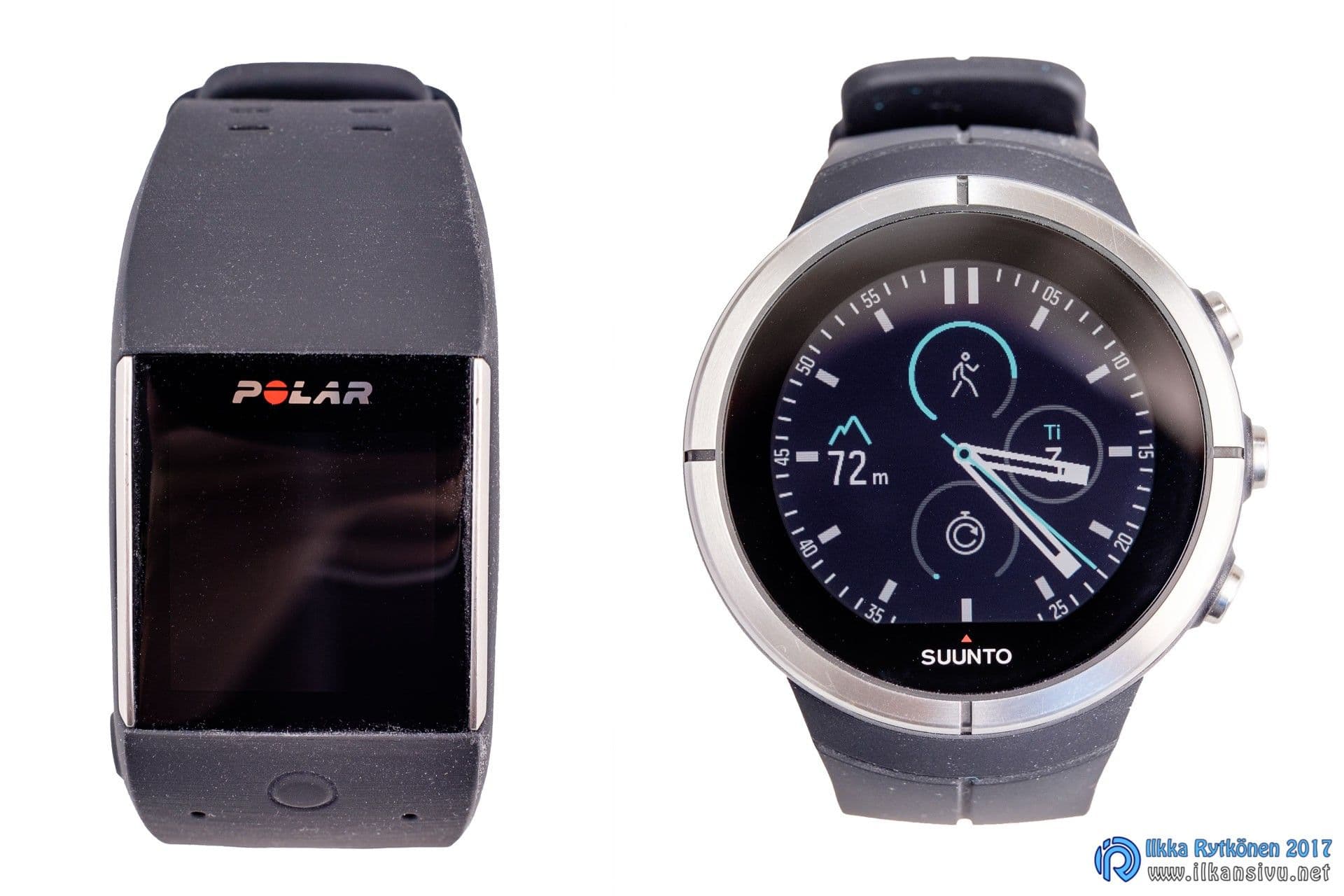
Finland is largely self-sufficient when it comes to producing sports watches, as two well-known players in the field operate here, Suunto and Polar. Each has a somewhat different product range, but there are also some devices that compete for the same buyers. Both manufacturers released new devices at the top end of their lineups last year. I got to try both, that is, the M600 from Polar and the Spartan Ultra from Suunto.
Instead of in the Far East, Spartans are made by hand in Finland.
The Polar M600 and the Suunto Spartan Ultra are such different types of watches, and in such different price ranges, that they probably do not compete for the same buyers. The M600 is a smartwatch running the Android Wear operating system, complemented by Polar's sports app, whereas the Spartan Ultra is more of a wrist computer for the adventure athlete. Still, I wanted to try how these two work for daily use and as sports watches. My sports are mainly inline skating and skiing. I like to get precise statistics from my workouts.
Suunto Spartan Ultra
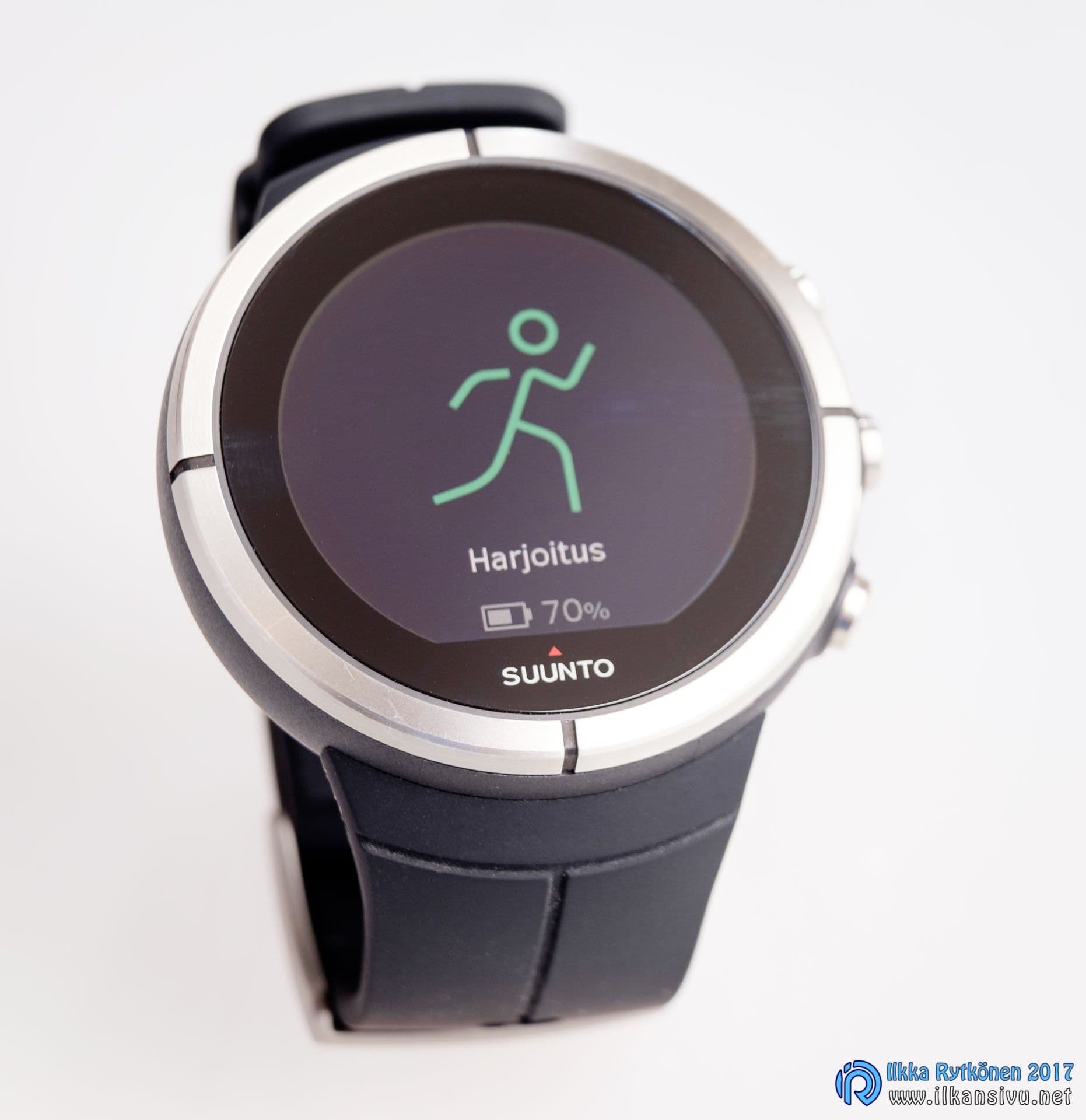
- Weight 77 g
- Stainless steel bezel
- Sapphire glass
- Battery life 15 days, 18 h with the most accurate GPS, 26 h or 65 h in power-saving mode
- GPS +Glonass
- Water resistant to 100 m
- Vibration alert
- Touchscreen, 320 x 300 pixel resolution
- Barometric altitude measurement
- Digital compass
- Recovery time on the watch
- Bluetooth Smart
- Suunto Movescount –cloud service
The Spartan was perhaps launched on the market a bit too early, as the software side was still unfinished.
The Suunto Spartan Ultra, reaching for the premium class, is Suunto's newest sports watch, which came onto the market last year. The basic model sells at around 600 euros, so more than usual can be expected of the watch. Instead of in the Far East, Spartans are made by hand in Finland, which is rare these days for a technical device.
Suunto's lineup contains so many different watches that figuring out all their differences and features takes a lot of familiarization. The Spartan range is not limited to a single model either, as there is a separate titanium version at the most expensive price point, as well as the stripped-down and cheaper Spartan Sport series. Add the color options and the versions with and without a heart rate belt, and the number of different versions climbs to 18. Now the Spartan Sport Wrist HR has also come onto the market, with wrist-based pulse measurement. So what is being tested here is the Ultra, which in practice has all the goodies of this model series. I do not count wrist-based pulse measurement as a goodie in this context, nor as an important selection criterion. At least that is what I thought earlier, but the Wrist HR version apparently uses wrist pulse measurement for activity tracking, in which case the feature could have some use.
The touchscreen does not improve the user experience of this device either.
The Spartan was perhaps launched on the market a bit too early, as the software side was still unfinished. It was announced in advance what new things were coming to the watch and when. So the firmware has been available to install, but that is not a big nuisance. Studying the feature list on Suunto's pages, you notice that quite a few items say: "coming soon". So the watch is still going to change, perhaps considerably. For that reason this text will become outdated, and not everything in it will necessarily remain accurate at some point.
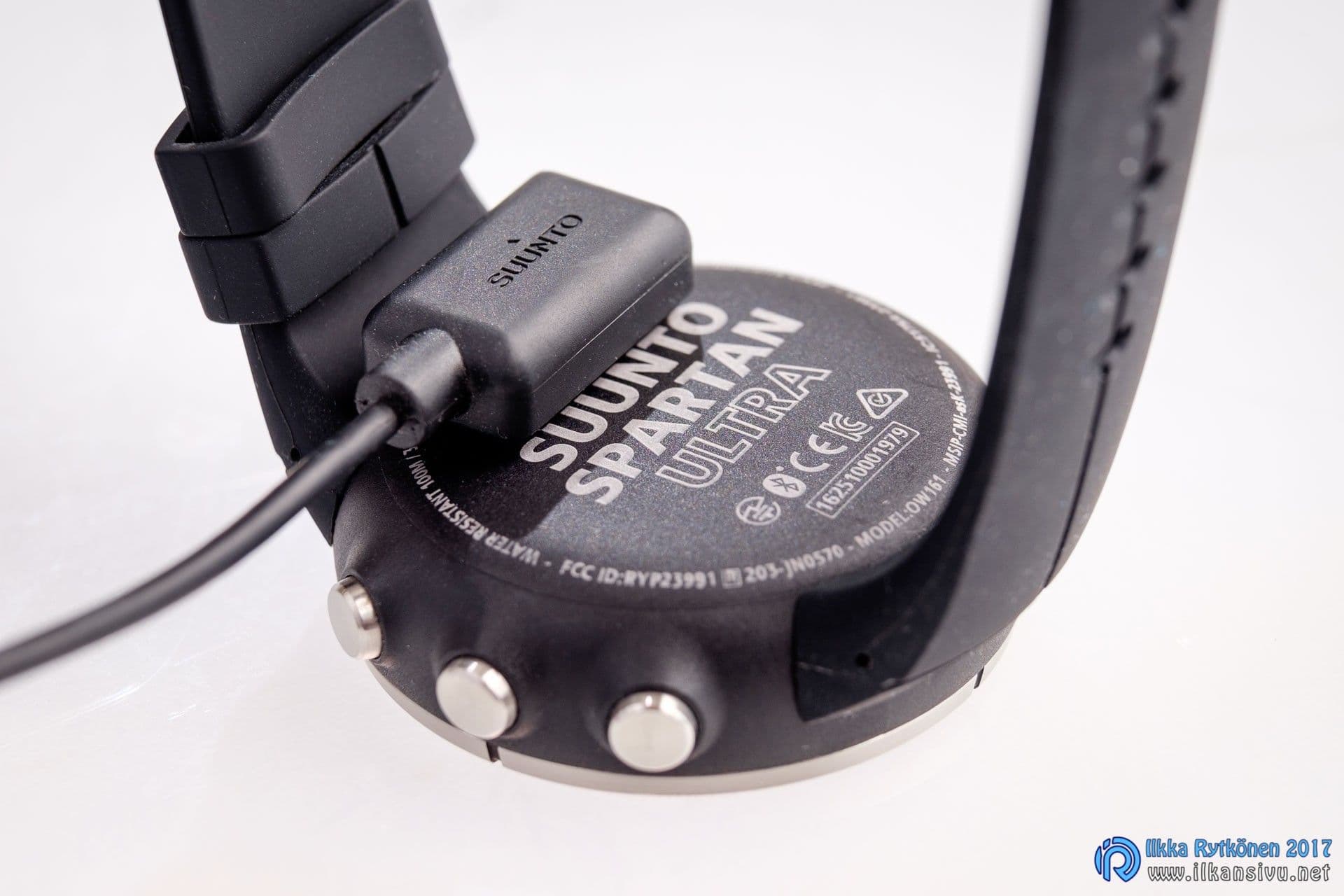
The watch is delivered in a cardboard package that contains, in addition to the device itself, a charging cable and a heart rate belt. The charging cable snaps onto the watch with a magnet and stays on well. Charging works with any USB charger or from a computer's USB port. The magnet is extremely strong, and when it sticks to a metal surface it is even slightly hard to detach.
The Spartan immediately asks for all kinds of basic information about the user. I wanted to skip them, because my information was already saved in Suunto's Movescount service. So I confirmed everything with the default settings. I started Suunto Moveslink on Windows and went to synchronize the watch. Well no, nothing happens. With the new watch, Suunto has released a new synchronization program called Suuntolink. Although I logged in to Movescount both in Suuntolink and on the Movescount site, I could not get the watch to synchronize the settings. Finally synchronization started, but with the help of the phone. The watch was showing the wrong time, but that was fixed by changing the time zone to the correct one. So this information does not come from Movescount, but is specific to each watch.
The user interface differs from Suunto's earlier products enough that you have to hunt for settings and functions for a moment. The biggest change from the old is the touchscreen. I am not a fan of touchscreens in sports watches, and the touchscreen does not improve the user experience of this device either. Quite the opposite, rather. The Spartan's processor seems underpowered, as the watch reacts agonizingly slowly to all functions. And the feel of the touchscreen is not the best either. Fortunately this watch has buttons, with which you can do practically everything. Suunto's watches have not been the very quickest to react to button presses. In this respect the Spartan is perhaps still better than the older models. After the latest updates, released in April 2017, the touchscreen's response has already improved to a reasonable level.
Polar M600
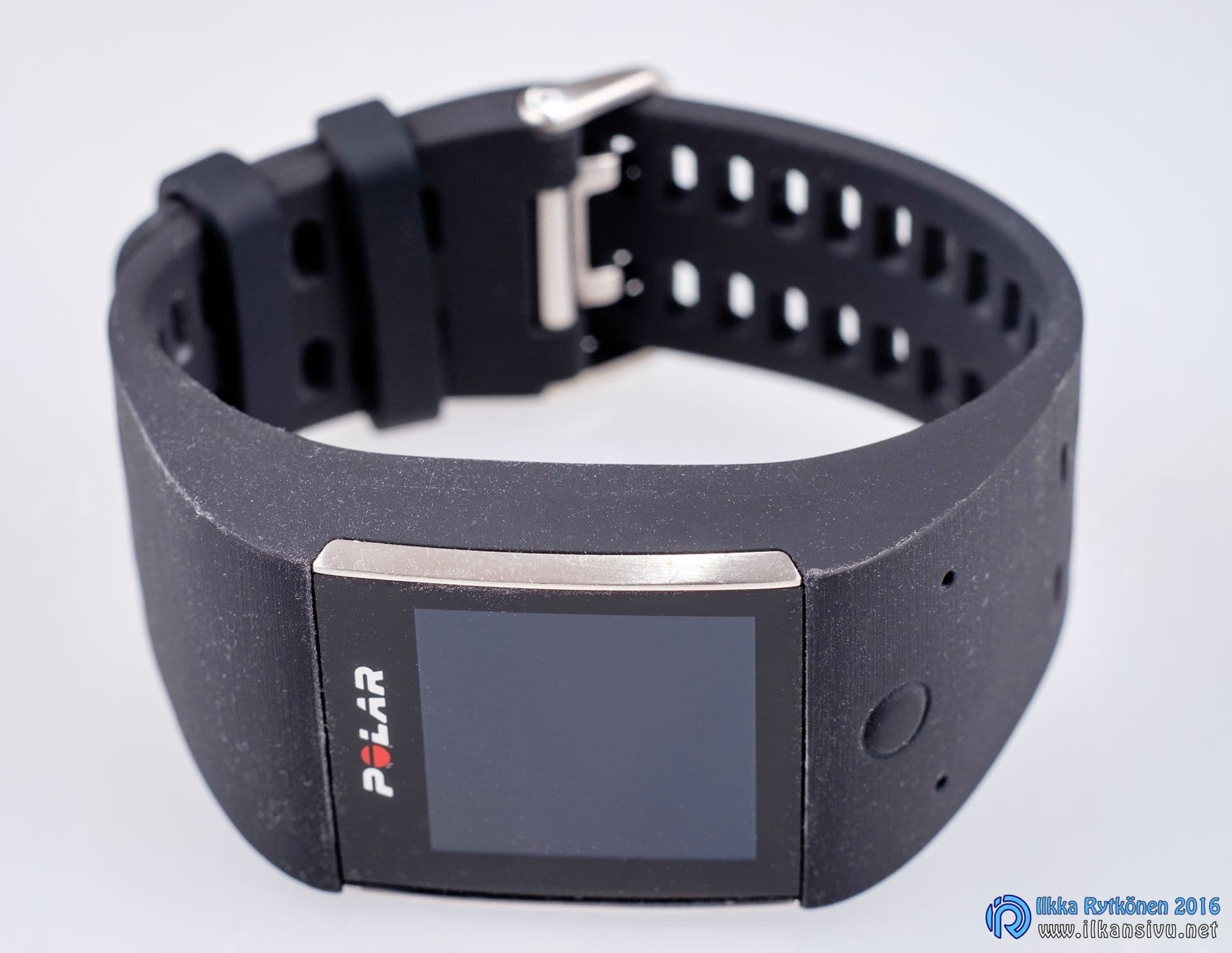
- Android Wear 2.0 operating system
- 4 GB storage / 512 MB RAM
- TFT touchscreen, 240 x 240 pixel resolution
- Weight 63 g
- Battery life 2 days on Android, 1 day on iPhone, 8 h with GPS on
- GPS + Glonass
- Recovery time in the Polaw Flow –service
- Works as an activity band and tracks sleep quality
- Water resistant
- Vibration alert
- Bluetooth Smart
- Wifi
- Polar Flow –cloud service
A flimsy magnet holds the charging connector in place, and it comes off relatively easily.
Like Suunto's, the Polar also comes in a small cardboard box, which contains the watch and a charging cable. The Polar M600 is the manufacturer's first actual smartwatch and uses the Android Wear operating system, in its newest version 2.0. During the test the version was still an older operating system version, but in this review I have hardly taken a position on the smart functions. Using the watch through the touchscreen is thus the natural way, but two physical buttons have been squeezed in as well. The left button works as a back button, or when pressed in the main menu it opens the app menu. Pressing and holding brings up Google's voice recognition. The button in the middle goes straight to Polar's own app. From there you can start a workout, examine the day's activity, and synchronize the data to the Polar Flow app on the phone. The user experience of the Polar M600 is the same as with almost any Android Wear watch. The touch also works smoothly with gloves. In addition to touch and voice, the watch can also be controlled with various wrist gestures.
With two physical buttons and a touchscreen, you simply cannot, even with a good imagination, come up with an arrangement that would make the watch pleasant and smooth to use in different situations.
Synchronization and setup always happen through a phone or tablet. An Android Wear device cannot be paired with a new phone without restoring it to factory settings. The watch can be connected to a computer with a USB cable, but only for charging. The charging cable is the same one that is also used with the Polar Loop. A flimsy magnet holds the connector in place, and it comes off relatively easily. The magnet could therefore be stronger so that the charging connector would not come off by accident. Charging will become familiar, because the battery lasts a good day with an iPhone, and with Android the power should last for two days. Using GPS drains power more than normal mode, as with other similar products. In addition to GPS, the watch also detects Glonass satellites, and based on a quick test, positioning started faster than on the V800. This matter, however, would require several days of observation before a certain conclusion could be drawn.
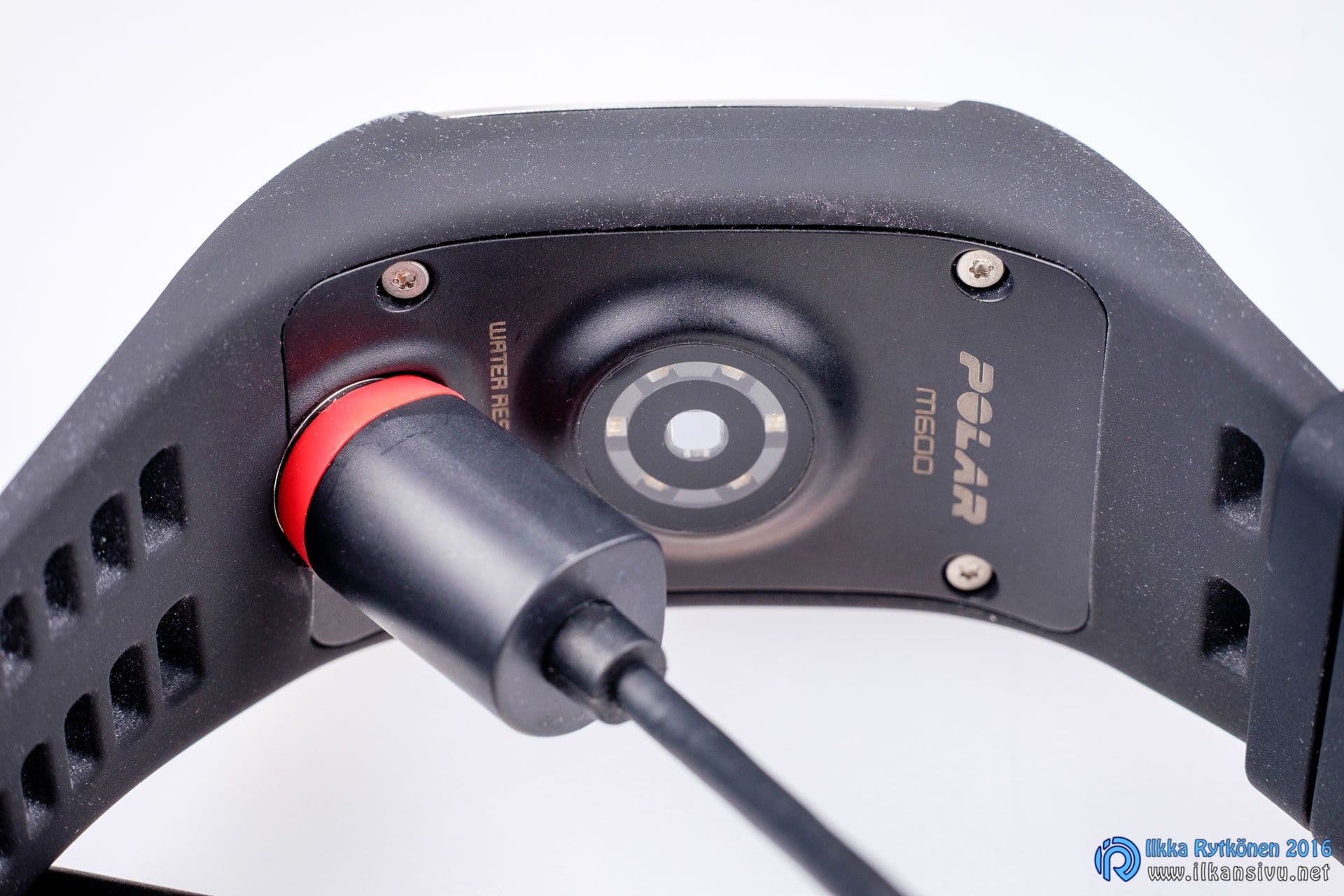
There are not as many language options as on Polar's other watches, and for example Finnish was originally missing. With Android Wear 2.0, the watch also learned the domestic language. The device's strap can easily be changed by yourself if needed. The M600 has automatic data synchronization, so there is no need to do any actual forced synchronization. This is almost the only feature of this device that I miss on the V800.
The awkwardness of a touchscreen in a sports watch
I am slightly skeptical about touchscreens and optical heart rate measurement in a seriously intended sports watch. Both of the tested watches have touchscreens, but also include a few physical buttons. Both watches can show notifications from the phone and the name or number of an incoming call. Naturally the smart features are more versatile in the Polar, to which you can download everything necessary or unnecessary from Google's Play store.
The M600's display brightness and contrast seemed sufficient even for sunny weather, although I did not get to try that in proper summer weather. It obeys touch smoothly, and the watch's performance seemed to be at a sufficient level. The automatic backlight is good in dim light, but annoying while sleeping. The display can be set to turn off automatically, in which case the watch face is black most of the time. The watch feels pleasant in the hand, a touch lighter than the V800.
Because the watch is made for sports use, it is also water resistant. When exercising, the M600's usability is not at its best, which is not surprising in itself. With two physical buttons and a touchscreen, you simply cannot, even with a good imagination, come up with an arrangement that would make the watch pleasant and smooth to use in different situations. If a couple more buttons had been added to the watch, they would have raised usability to a new level. Of course, how the lack of buttons affects your own user experience is a matter of the individual user.
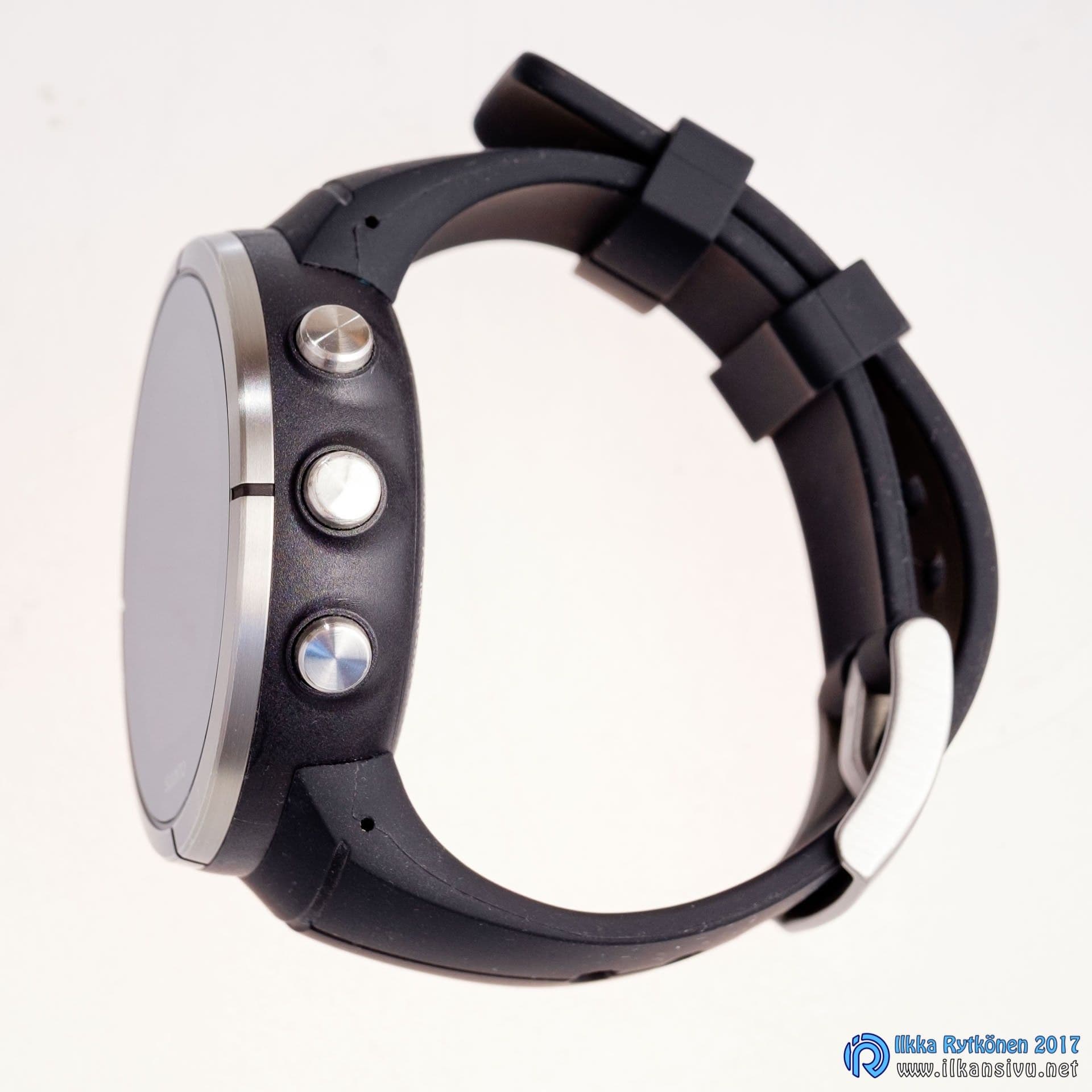
At first glance the Spartan's display is a disappointment. The bright and colorful display of the promotional images turns out to be relatively colorless and low in contrast. Could this have been done in pursuit of the longest possible battery life, since Suunto's battery lasts a few weeks in basic mode and, with GPS on, clearly longer than many competitors. The display that looked dim at first glance starts to look completely adequate when exercising. The contrast and clarity are much better, especially compared with the Ambit series. The backlight turns on for a moment when you press some button. At first the missing back button is annoying, because you can only go back through the touchscreen. Or so I imagined. Fortunately I figured out at some point that a long press of the middle button takes you back one step in the menus. A separate fourth or fifth button would still be handier, as in other higher-class sports watches.
Optical heart rate measurement, or rather, pulse
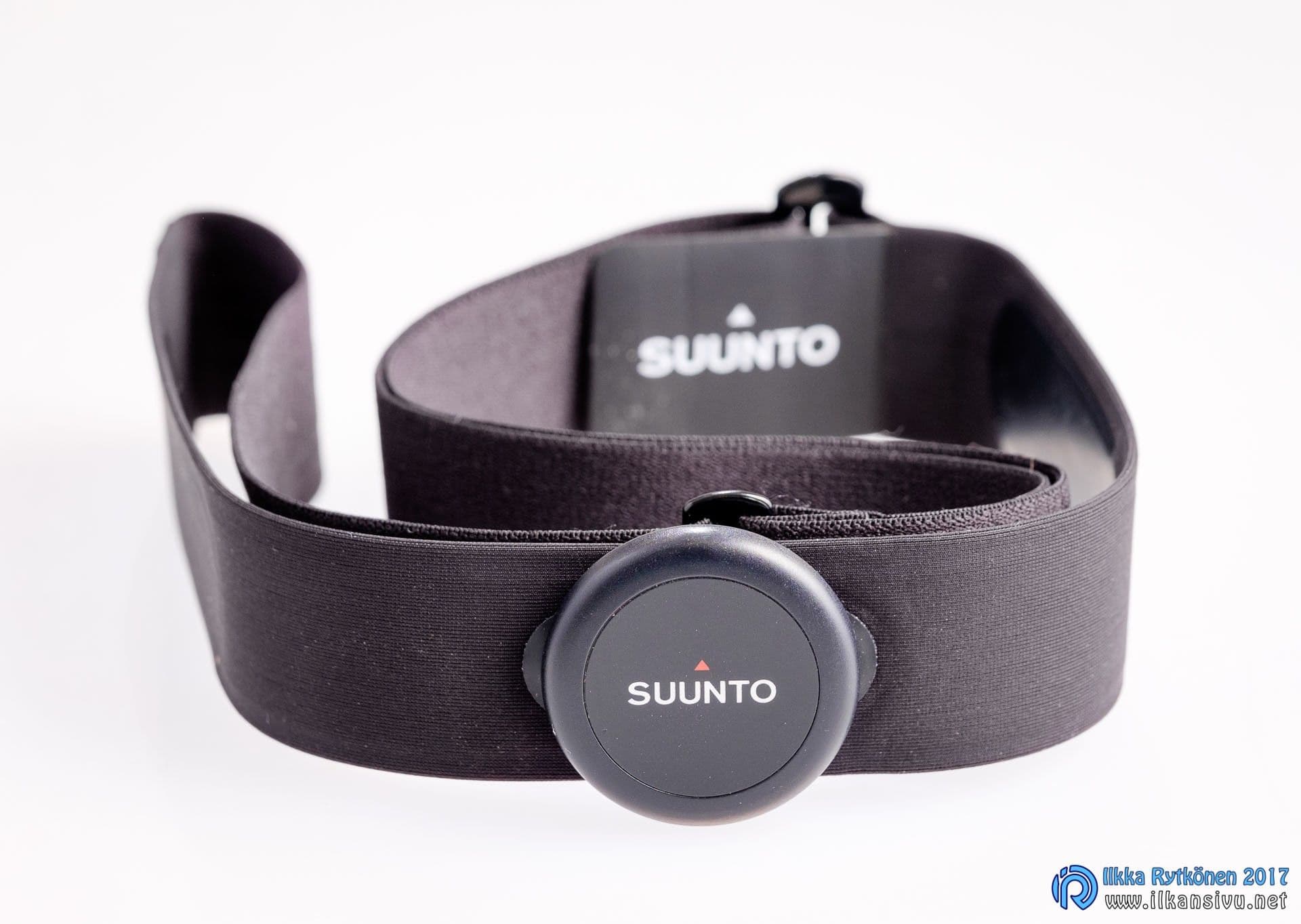
The Polar has wrist-based heart rate measurement, or rather it would be better to talk about pulse. Wrist measurement cannot see the electrical activity of the heart the way a separate heart rate belt does; instead, this kind of optical sensor only detects the bulging of the blood vessel. Generally speaking, these tend to update the reading rather infrequently, so in quick sprints the heart rate display lags behind. Suunto measures heart rate only with a belt, but a wrist pulse version of it exists, the Spartan Sport Wrist HR. The Sport Wrist HR version is also available with a heart rate belt, in which case it is a complete package for all sports. The package includes a comfortable textile belt with a small-sized heart rate sensor.
Before the workout I imagined that wrist measurement would work at least passably.
The downside of wrist pulse measurement came up right on the first inline skating run. In the cold season you cannot head out for a workout in a T-shirt, so the watch stays hidden under the sleeve. In the middle of a workout it is thus hard to look at heart rates or other statistics. Normally I put the watch on top of the sleeve, which makes using the watch and viewing the data easy. An optical heart rate sensor naturally cannot see blood vessels through a sleeve, so a heart rate belt is a mandatory accessory in this case.
Optical pulse measurement straight from the wrist, however, does not get even close to the accuracy of an actual heart rate belt in rapid changes. Before the workout I imagined that wrist measurement would work at least passably. But the optical sensor's heart rate readings stayed strangely low the whole time. So I did a brisk effort of about one minute. According to the watch, the maximum heart rate stayed clearly below 150 beats per minute, even though the feel told me of much higher readings. At the turnaround point I tightened the watch strap, and on the way back I did a second one-minute effort. I pushed hard, and now the maximum came out at 161 bpm. Normally in such an effort the maximum heart rate tends to come out 20-30 beats higher. Later in the winter I measured my maximum heart rate at 197, so this stayed far from that. In general the heart rate seemed to stay at around 150 the whole time. Unfortunately I did not have another monitor on the run to compare the readings against.
Inline skating run with the Polar M600
Fortunately I got a second chance to try the M600, and this time the comparison was a Polar V800 in the same conditions. The first part of the 25 km ski run was interval training and the rest was steadier going. The M600's optical measurement showed an average heart rate 10 beats lower than the V800. In addition, the maximum heart rate also stayed lower, as expected. Surprisingly, the difference was not very large here. But in the intervals, the one-minute efforts' average heart rates on the M600 versus the V800 went as follows for three efforts: 163-180, 171-190 and 169-184. In the circuit training, the difference in average heart rate between the devices came out at 7 beats per minute.
Polar M600 and V800 heart rate chart
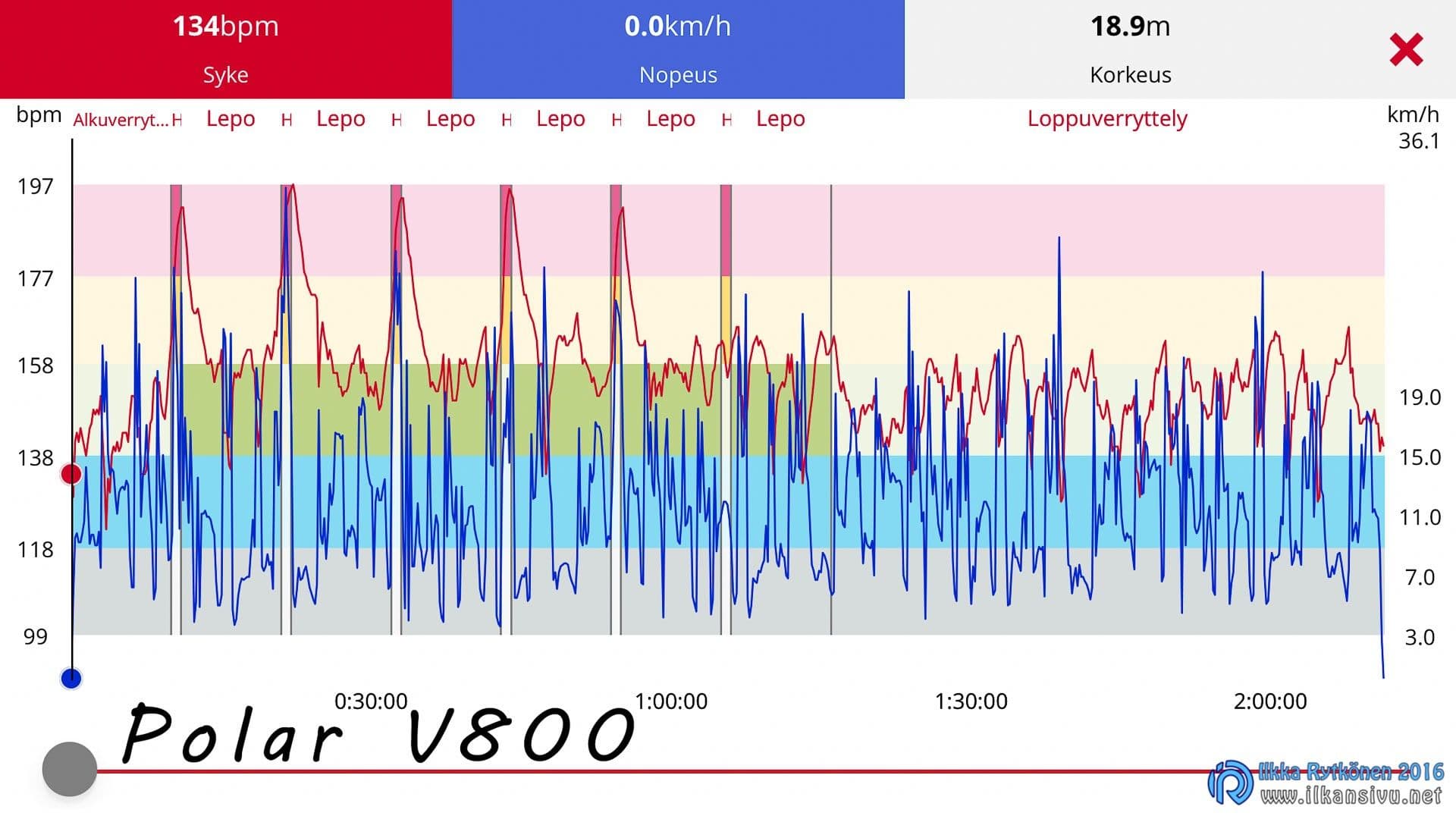
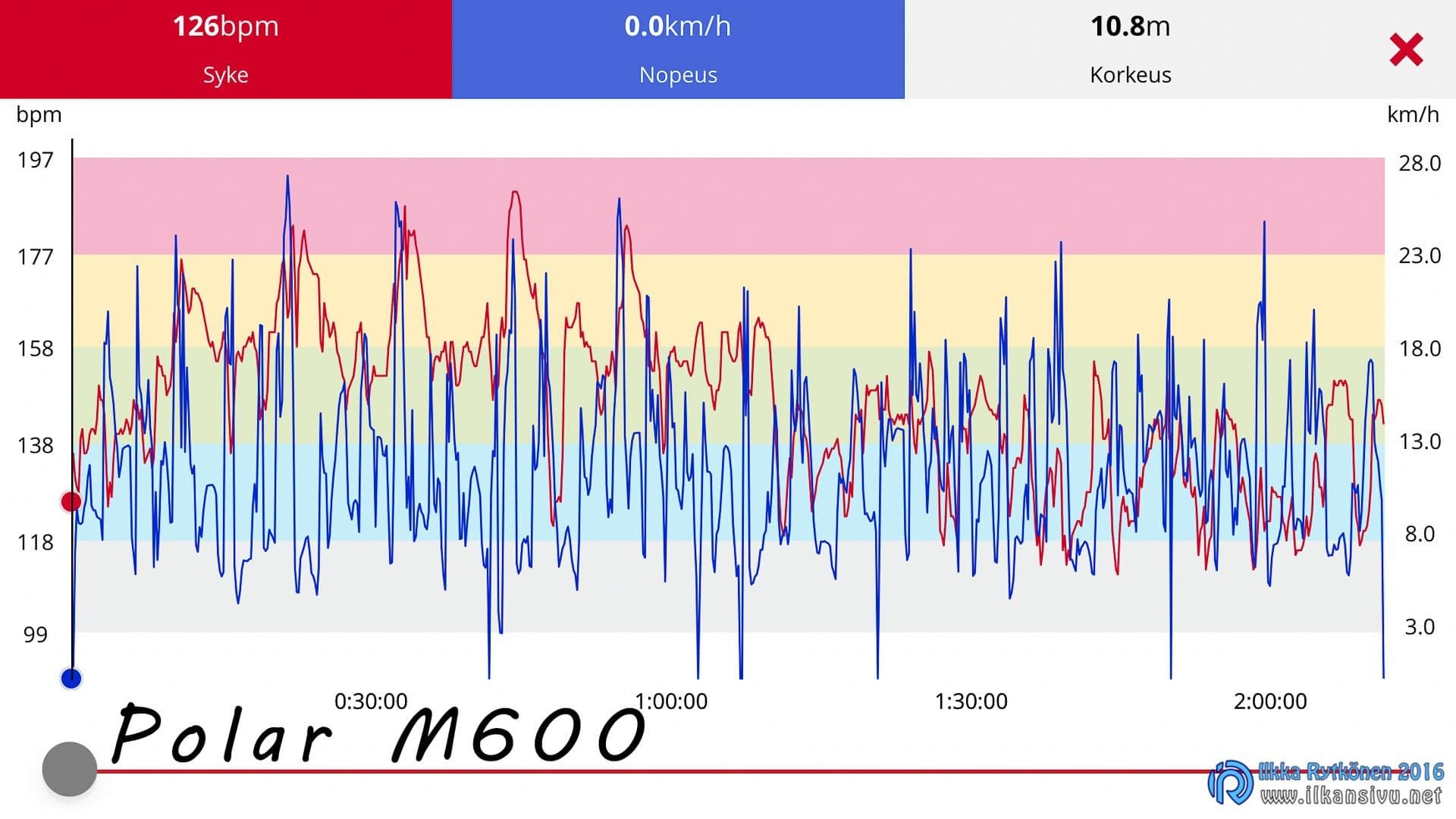
I have noticed that people increasingly miss and want wrist heart rate monitors. Many seem to find a separate heart rate belt cumbersome. Personally I am not giving up the belt, and in my opinion today's belts are not bad at all. For testing purposes I have even exercised with two belts at the same time, and even that does not feel bad. By trying, you will surely find a suitable belt tightness. Then the belt stays well in place even in hard going, and you do not pay any particular attention to the belt's existence during the run.
On the run and off duty
In practical life the Polar M600 is a two-sided device. Thanks to the Android Wear operating system, you can download many kinds of apps to the watch when you use it with an Android phone. The watch also works with an iPhone, but the downloadable content is limited to new watch faces. The watch can be controlled with voice commands and it has Google's basic functions. With an update, the M600 gained the ability to take a lap time with the middle button, which is a good thing. The strap is silicone, so taking a lap time is awkward in winter. The sleeve cuff grabs onto the strap quite eagerly. The sports app runs in the background, so the watch's other functions are available during the run as well. In the circuit training I noticed at some point that the timer's seconds do not update very often. In some position the watch thinks the user is asleep and the display refresh rate slows down. I hope this bug gets a fix, because no power saving should kick in during a workout.
Like other Polars, the M600 can give feedback on a workout based on the run's duration and intensity. This is a good thing, at least from the point of view of the basic home fitness enthusiast.
Polar's other sports watches have all kinds of small things that have been left out of the M600. One of these functions is the fitness test, which measures the user's aerobic capacity and sets heart rate zones automatically based on it. The fitness test would most likely be easiest to implement with a heart rate belt, but on the other hand Garmin promises a fitness test and determination of aerobic capacity with wrist measurement in the vivosmart 3 activity band. The state of recovery cannot be seen directly on the watch, but the Polar Flow web service shows it. The information is not available in the phone app; you have to go to the Flow service with a web browser. Perhaps these and other functions will come to the watch with updates released later.
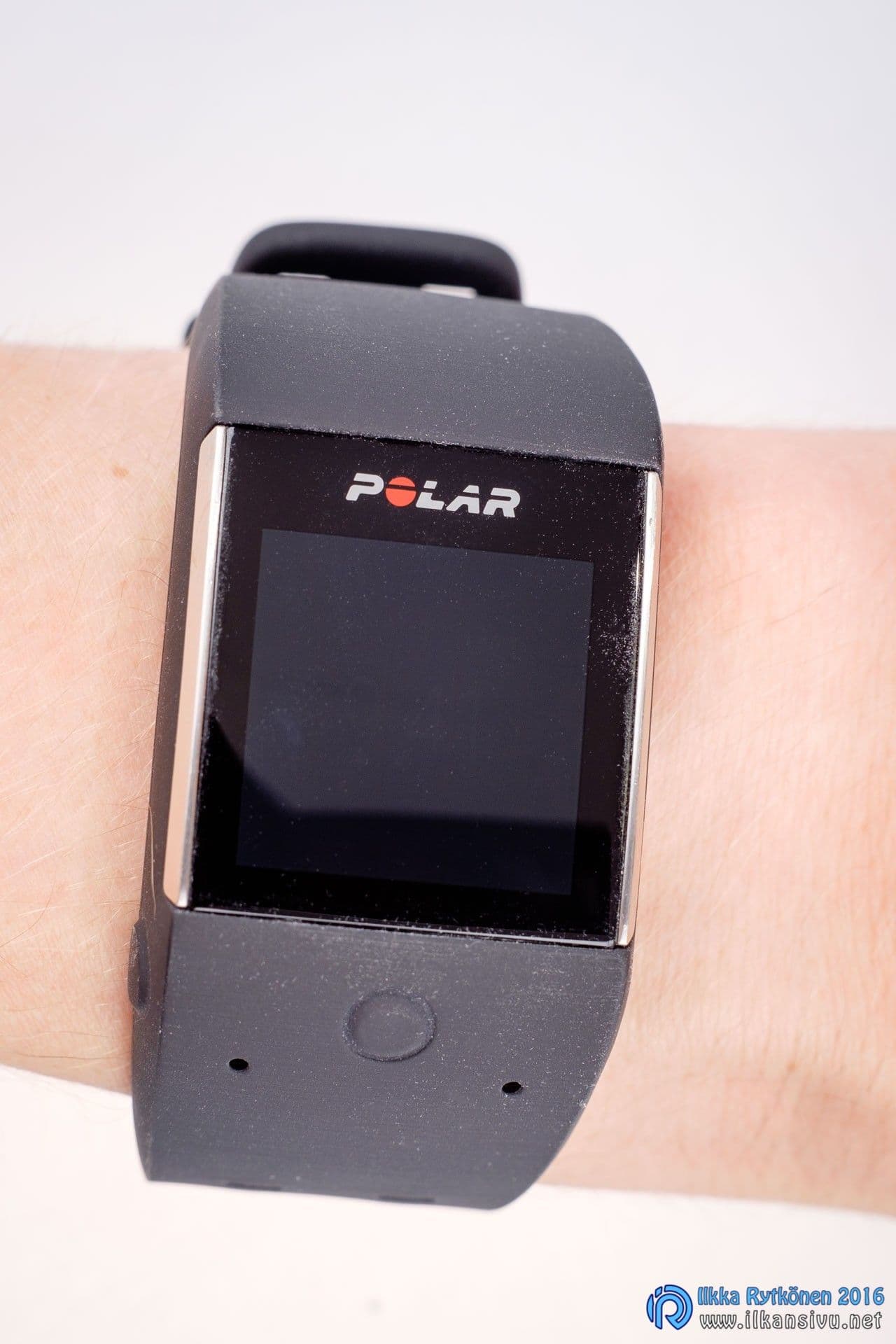
Like other Polars, the M600 can give feedback on a workout based on the run's duration and intensity. This is a good thing, at least from the point of view of the basic home fitness enthusiast, and it can motivate you to move more and better. Here is one example of the feedback given by Polar.
High-intensity training +. This workout increased your body's ability to withstand anaerobic strain. It improved your maximal oxygen uptake (VO2max) and your efficiency. It also helped improve the speed at which lactic acid is not yet formed. The long duration of the workout increases tolerance of strain at this speed. At this training intensity the body uses mainly carbohydrates as its energy source. Polar Flow
The activity measurement tracks daily activity and also sleep all the time. For sleep you can see, in addition to total sleep, the time slept soundly and restlessly. The watch senses going to bed and waking up by itself. The function would be better if the sleep stages could be seen in a clear chart like Garmin's. If you are stationary for too long, the watch nudges you to get moving. Activity tracking is based on hand movements, so as such it is not suited to exercise in which the hand does not move. And even if it does move, the activity the watch detects stays far below the real amount, unless you have first started a workout for the exercise, in which case pulse measurement is in use.
Polar has simply gone a step further here and can also tell the body's strain level and thereby better curb the possible risk of overtraining.
The Suunto Spartan Ultra is large for a watch and it has accumulated a weight of 77 grams. The size and weight do not feel bad in practice, however, and the watch feels pleasant on the wrist. The strap is long enough that it can be put on top of a jacket sleeve. A watch on top of the sleeve is easy to look at in the middle of a run, and changing views is also handy. The touchscreen does not react with gloves on, but this is not a drawback. Everything can be done with the buttons, so in that respect everything is fine.
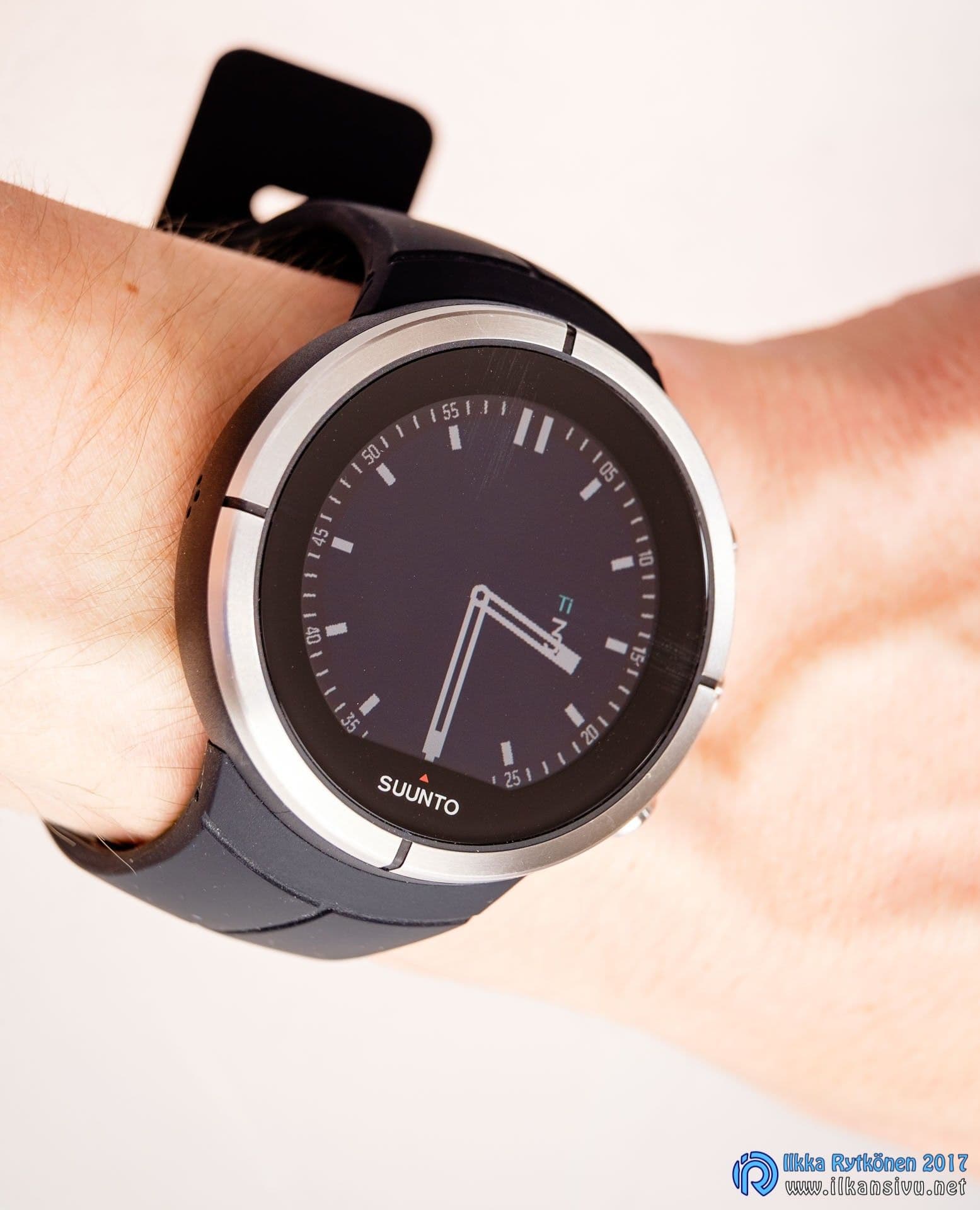
The cold did not cause the watch any problems, as it should not. Taking a lap time is easy with a single button press. The views can also be changed as needed. The sport can be switched to another in the middle of everything, without restrictions. So you can switch from, say, a mountain hike to treadmill running or open-water swimming. The buttons can be locked if needed, but I did not find that necessary. The watch never did anything on its own. When the run ends, the watch asks about your workout feeling and shows a summary.
A watch on top of the sleeve is easy to look at in the middle of a run, and changing views is also handy.
15 km ski run in Movescount, Suunto Spartan Ultra
The recovery time is shown directly on the watch, as is a summary of the latest workouts. Recovery is just a number of hours, which in itself is a good thing. Polar has simply gone a step further here and can also tell the body's strain level and thereby better curb the possible risk of overtraining. Air pressure tracking has been in Suunto's better watches for at least over 10 years and is fortunately in the Spartan too. The chart shows the development of air pressure over 12 hours, from which you can infer upcoming weather. This is perhaps more useful for backcountry adventurers, but it is a fun addition for the home meteorologist too.
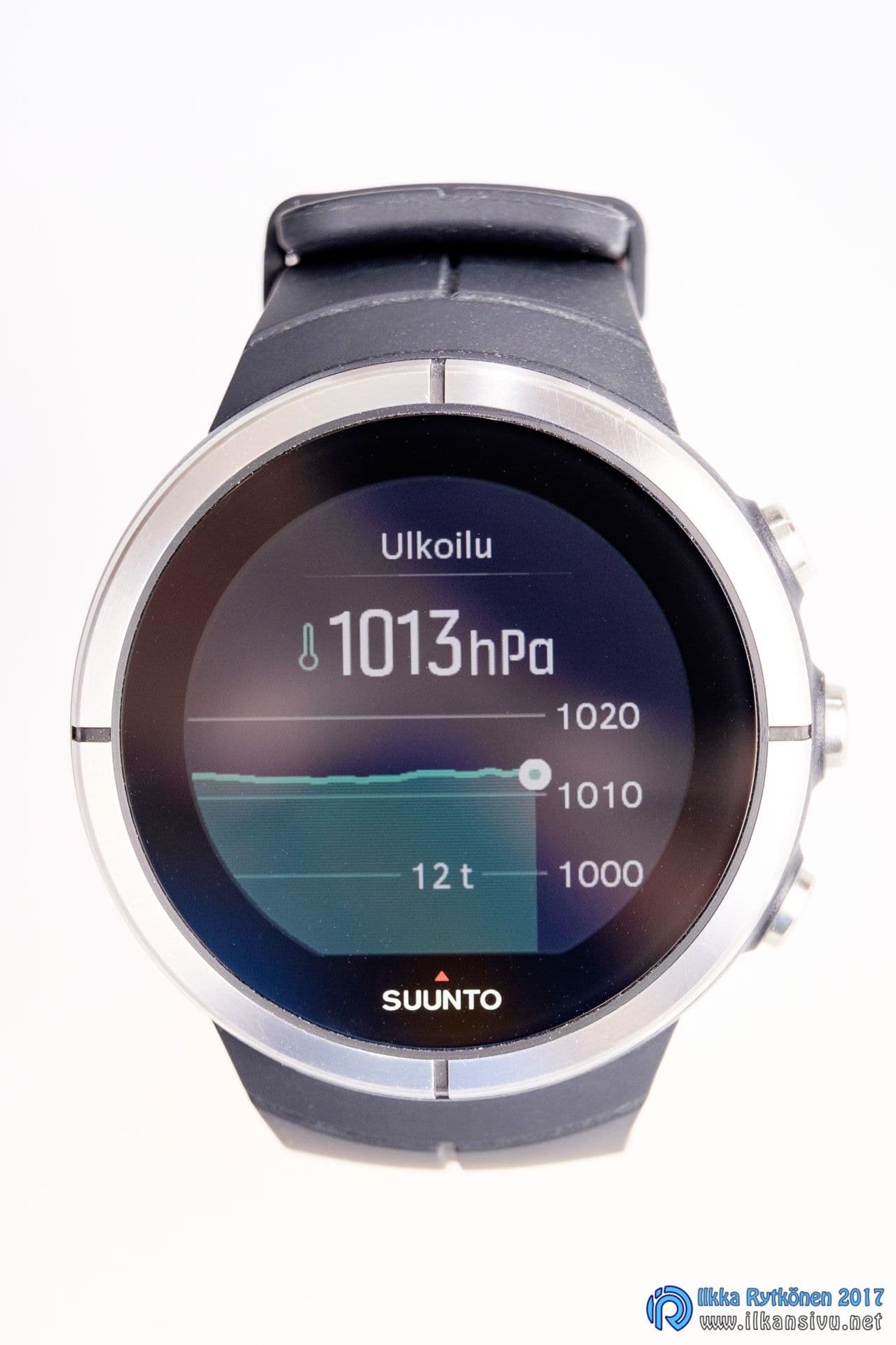
Navigation is included, as might be expected. The route has to be made on a computer, and you cannot save, for example, the location of your car or another destination on the watch. This shortcoming should also be fixed with upcoming updates. At first only GPS-based navigation was available, but the latest update brought Glonass support. You still do not get maps on the watch, but the route you have traveled is shown as a line on the display.
Suunto has been missing activity bands or sports watches that track activity at a general level. Perhaps the watch's target groups have been seen as active enough that they no longer need another reminder or measurement on top of their other exercise. I did not find an activity band function in the Spartan either, although it did measure steps. Now that I look at Suunto's pages, 24/7 activity tracking is mentioned there, so it has probably been added with the latest updates.
Although the watch is large, I did not find it problematic. You can also wear it on your wrist during free time as a replacement for a regular watch and as a display for phone notifications. Style and appearance are of course matters of taste, but at least I like Suunto's design and feel.
Aftermath in the cloud services
A modern sports watch is largely dependent on cloud services. On the one hand this is carefree, since no data needs to be backed up, as used to be the case with local sports software on a computer. Training diaries and other things are always with you in your pocket through the smartphone.
Polar Flow
Polar Flow is a relatively new service that came into use a few years ago. The look of the site is modern, fresh and clear. From the training diaries you can dig up all kinds of statistics and plan upcoming workouts. Here you can also view a summary of a particular sport for a desired period, so for example the winter's ski kilometers can be checked easily even if the season spans two different years. If you ski both classic and freestyle, you can separate these or add them together. Great work in this respect, Polar!
Workouts can also be transferred to the M600, so it is also possible to do interval training this way, which does not work directly from the watch. The same service works for all of Polar's current devices. From the Flow service you can also manage the sports that are available on the watch. With the newest Polar Flow mobile app you can also manage sport profiles and the views on the watch. It is not long since this was not yet possible.
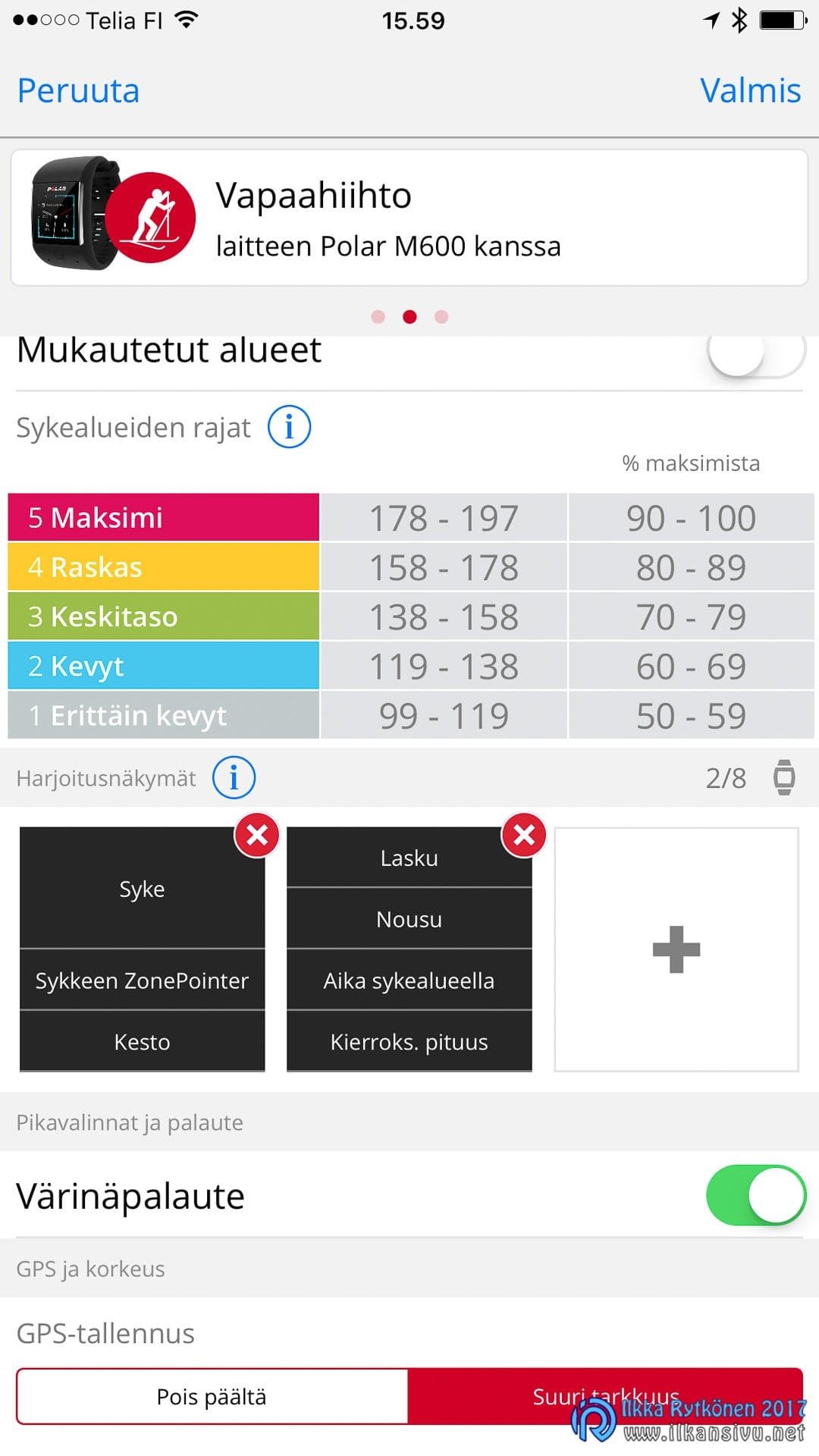
Flow can also show activity and sleep data and summaries by day, week or month. Nowadays workouts can be shared to social media directly from the app, whereas at first this had to be done via a detour. Friends in the Flow service can also be searched directly by name. Previously, adding a friend was only possible by digging through a friend's public workout found on the map. Workouts can be set as private, visible only to friends, or visible to everyone.
If desired, Flow can pass workouts on to Apple Health, Google Fit, MyFitnessPal, TrainingPeaks or Strava –services.
Suunto Movescount
Synchronizing workouts with a mobile device sometimes causes agony, as the connection barely gets established. A connection does exist, though, since the watch shows the phone's notifications normally. Sometimes synchronization goes very well, but even then it happens very slowly. It was the same with the Ambit, so Suunto could invest in more reliable and faster synchronization.
Gym workout in Movescount, Suunto Spartan Ultra
The phone's Movescount app is narrower than the web version, but it shows all the basic information about a workout and a summary of the last 30 days. You cannot see older workouts with it, even if you wanted to. As a fun detail, Suunto has a heatmap, from which you can see, sport by sport, the places where activities were done. The brighter the color, the more that sport has been done there with Suunto watches.
Suunto could invest in more reliable and faster synchronization.
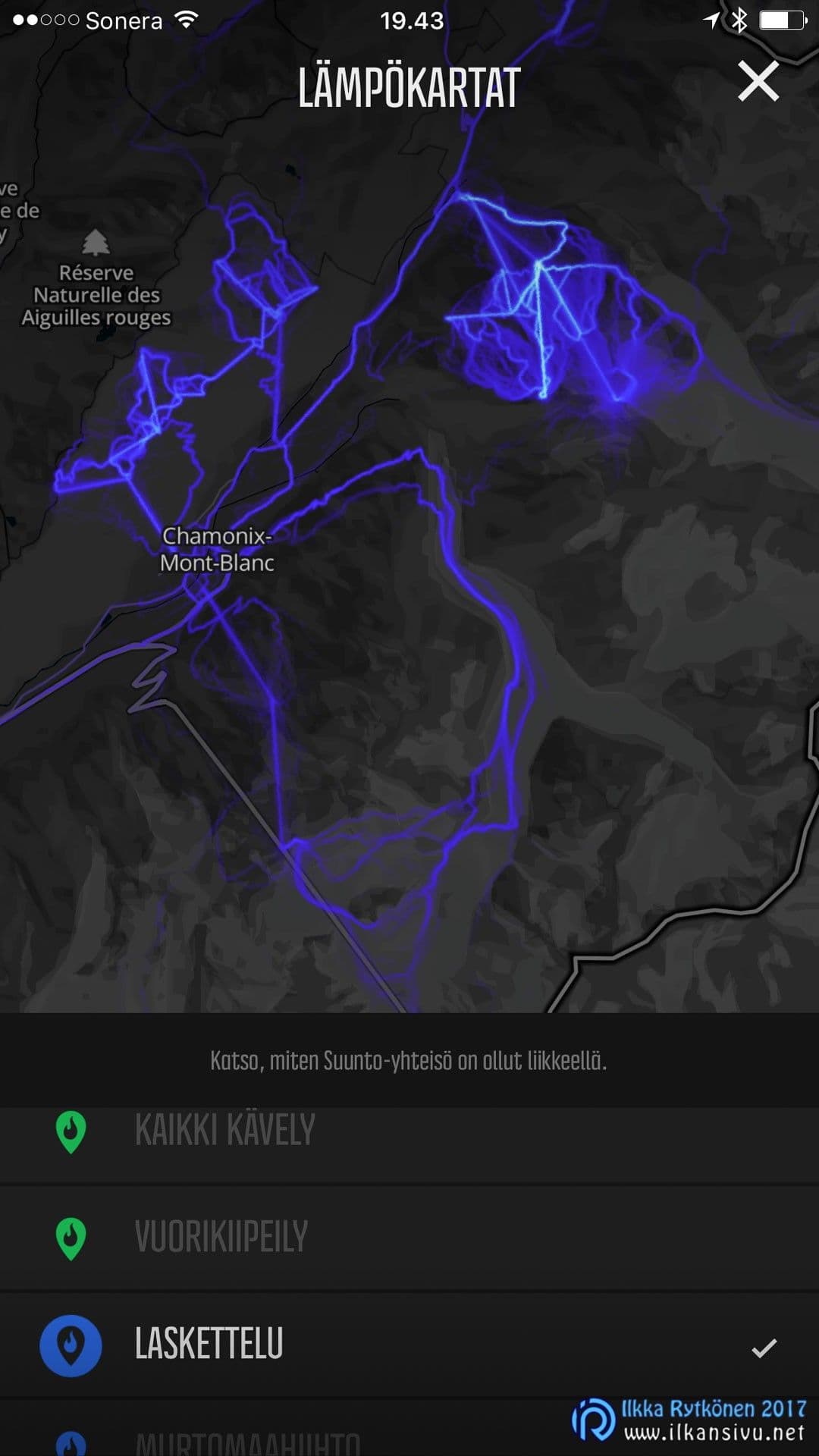
With the Movescount app you can make a Suunto Movie of a workout, that is, a video one minute long. If you took photos during the run, you can include them in the video if you wish. The photos do not even have to have been taken with the same device, but they must get onto the phone if you want to combine them with the video. You cannot attach just any photo; it must specifically have been taken during the run. Apparently the software verifies this from the photo's date and time.
The Movescount website is its broad whole. There you get more precise statistics and reports on workouts compared with the phone app. With Suunto it is hard to get a report on, say, the winter's ski kilometers, since the season spans two winters. There seems to be a workaround for this, since you can put suitable tags on workouts. So if after skiing you put the tag "hiihto-2016-2017" on the workout, you can then get a summary of the season's skiing with it.
All activity related to sport profiles is handled online, where you can adjust the sports shown on the watch and their views. From there you can also choose which sensors' data are fetched in which sports. From there you can also switch on the power-saving GPS mode or the like. For the same sport you can define several sport modes, so that they can be taken into use quickly as needed.
Sport profiles and other general settings can be made on the Movescount website or with the phone app. With the Movescount app, however, you cannot change the watch views for different sports; that has to be done on the Movescount site. The website has more of everything in general compared with the app, so it is worth spending a while there to adjust everything to suit yourself. Some basic settings can still be changed right before a workout, such as the auto pause and the GPS accuracy. These few settings can also be changed in the middle of a workout. If the run stretches out to be very long, the GPS accuracy can be set lower to save the battery.
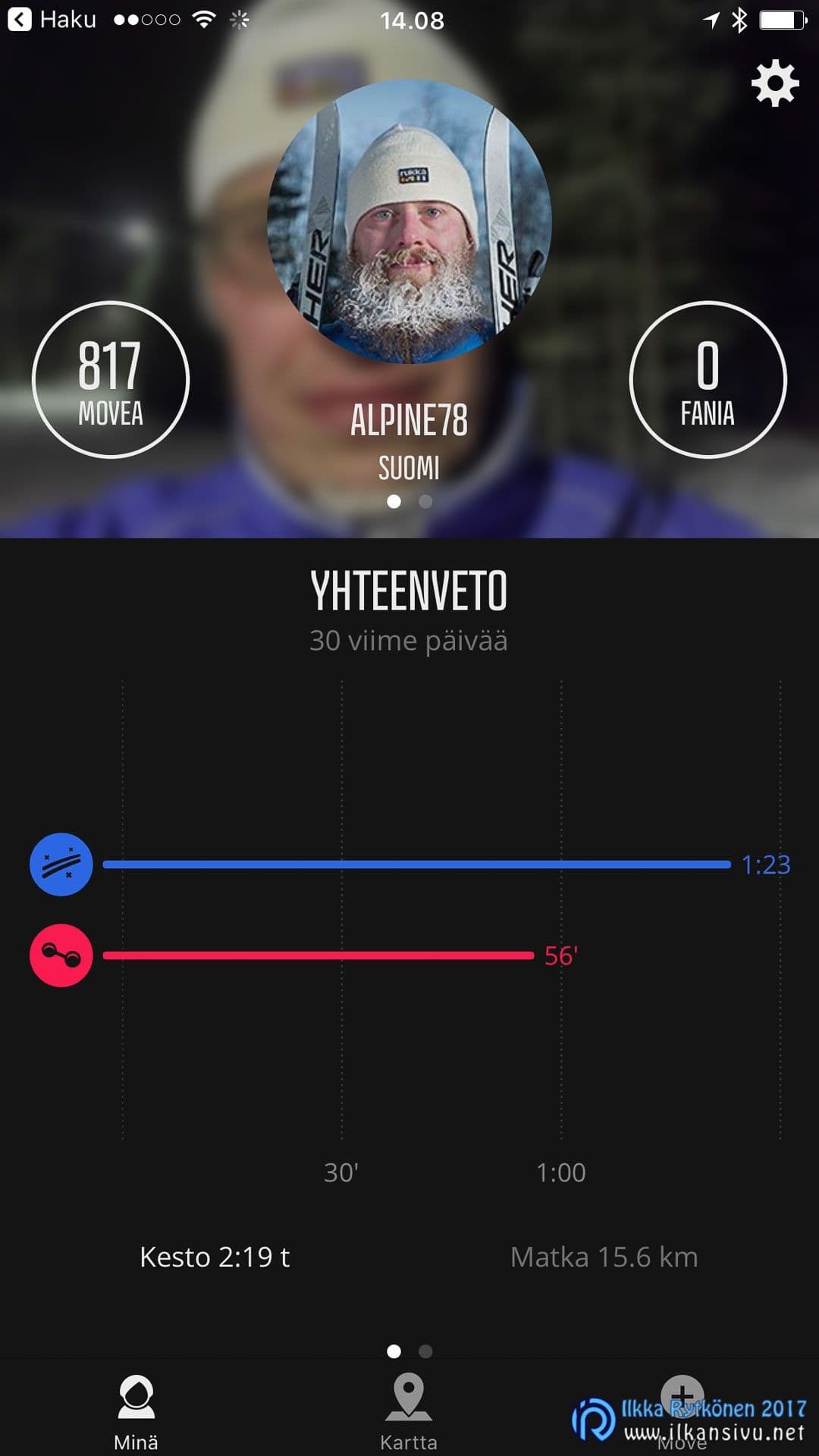
If you are used to using Sports Tracker, Movescount can be linked with it. That way all workouts also end up in Sports Tracker's database. Other services that can be linked are Strava, Preva and TrainingPeaks.
Summary
Suunto Spartan Ultra
The Suunto Spartan Ultra is a handsome sports watch, but pricey. For the same money you get roughly two Ambit3-series watches, which are ahead of this one in terms of features. The Spartan will develop and improve with upcoming firmware updates, so it will likely hatch into a thoroughly decent timepiece for an active person. The touchscreen adds no value, but had to be included by force because everyone else has one too. Fortunately everything can be done with the buttons. My own choice among Suunto's watches would be an Ambit3-series device, which can now be had at a very agreeable price.
- Long battery life
- Multisport features
- Assembled in Finland
- Can also be used without the touchscreen
- Pricey
- Activity band functions
- Weak display contrast
- Button response
- Slowish data synchronization
- Some of the features are only coming later
Polar M600
The Polar M600 is better as a smartwatch than as a sports watch suited to exercise. The V800 beats this newcomer in practically everything by a clear margin, and both are in the same price range. I recommend the M600 only if you want an Android Wear smartwatch and the sports watch features are secondary. Polar's pages carry the slogan: "Designed for an active lifestyle without compromises". That should be read about the V800, which I recommend to anyone who needs a good sports watch. The touchscreen of none of the sports watches I have tried has brought any added value to the device, only worsened the user experience.
- Good, quickly responding display
- Functional and highly customizable sports app
- Smartwatch features on Android
- Works as an activity band and a sleep tracker
- Wrist pulse measurement leaves something to be desired
- Battery life
- Some features found in Polar's other watches left out
- Charging connector that comes off easily
- Too few buttons for smooth use while exercising
If the choice had to be made between these two devices, it would be easy to end up with the Spartan. The price would hurt, though, but then I would get a watch suited to sports use that does not have to be left hanging on the charger all the time. Upcoming updates will make the watch more versatile than it is now, and Suunto also looks good.