

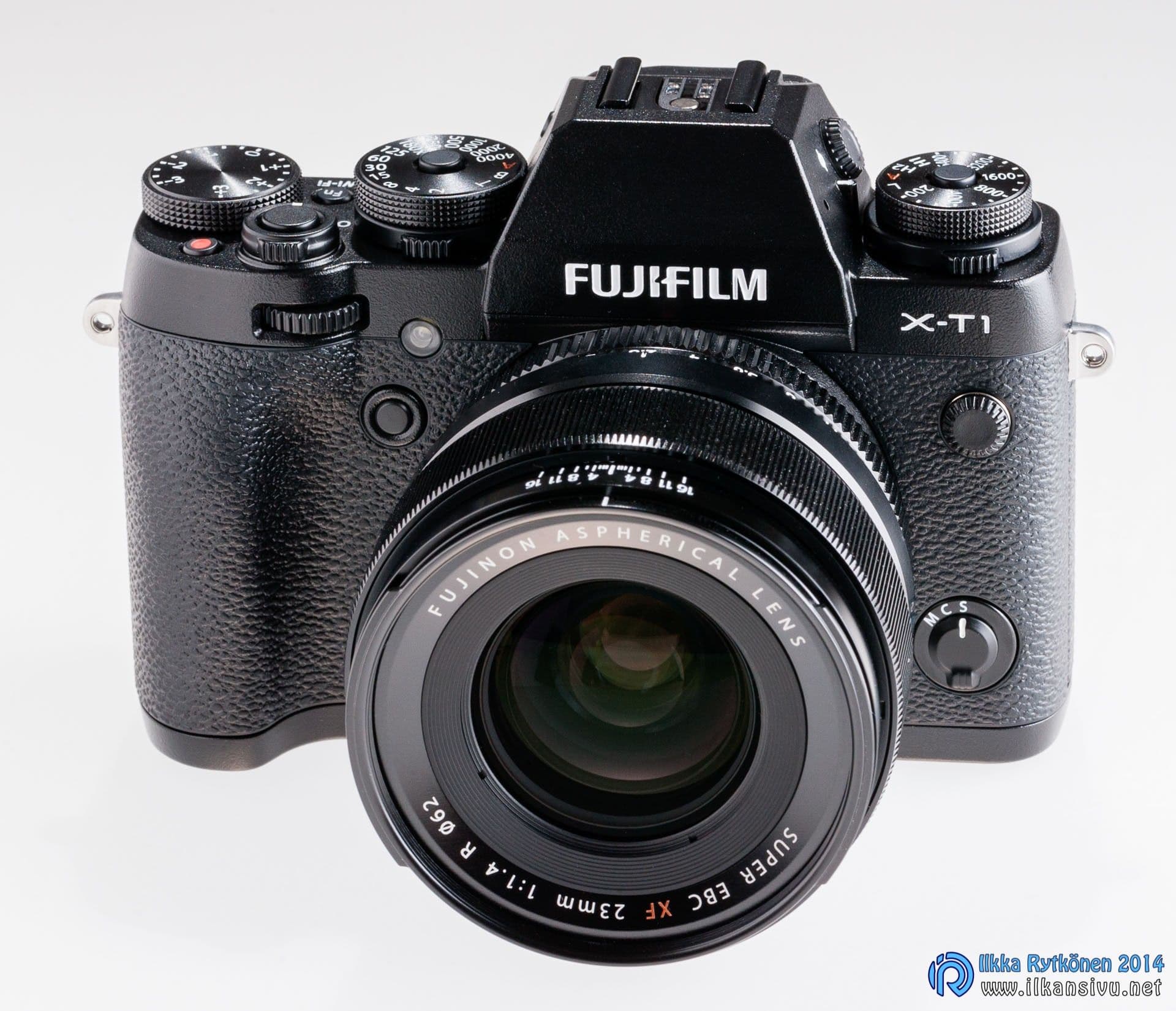
Perhaps Fuji's most successful camera model
Fuji announced its mirrorless X-T1 model in April 2014, so it has now been on the market for two years. I have used it since summer 2014. First alongside an SLR, then as my actual working tool. The camera has shown its strengths, but also its weaknesses, during this time, and this text gives a more detailed breakdown of them.
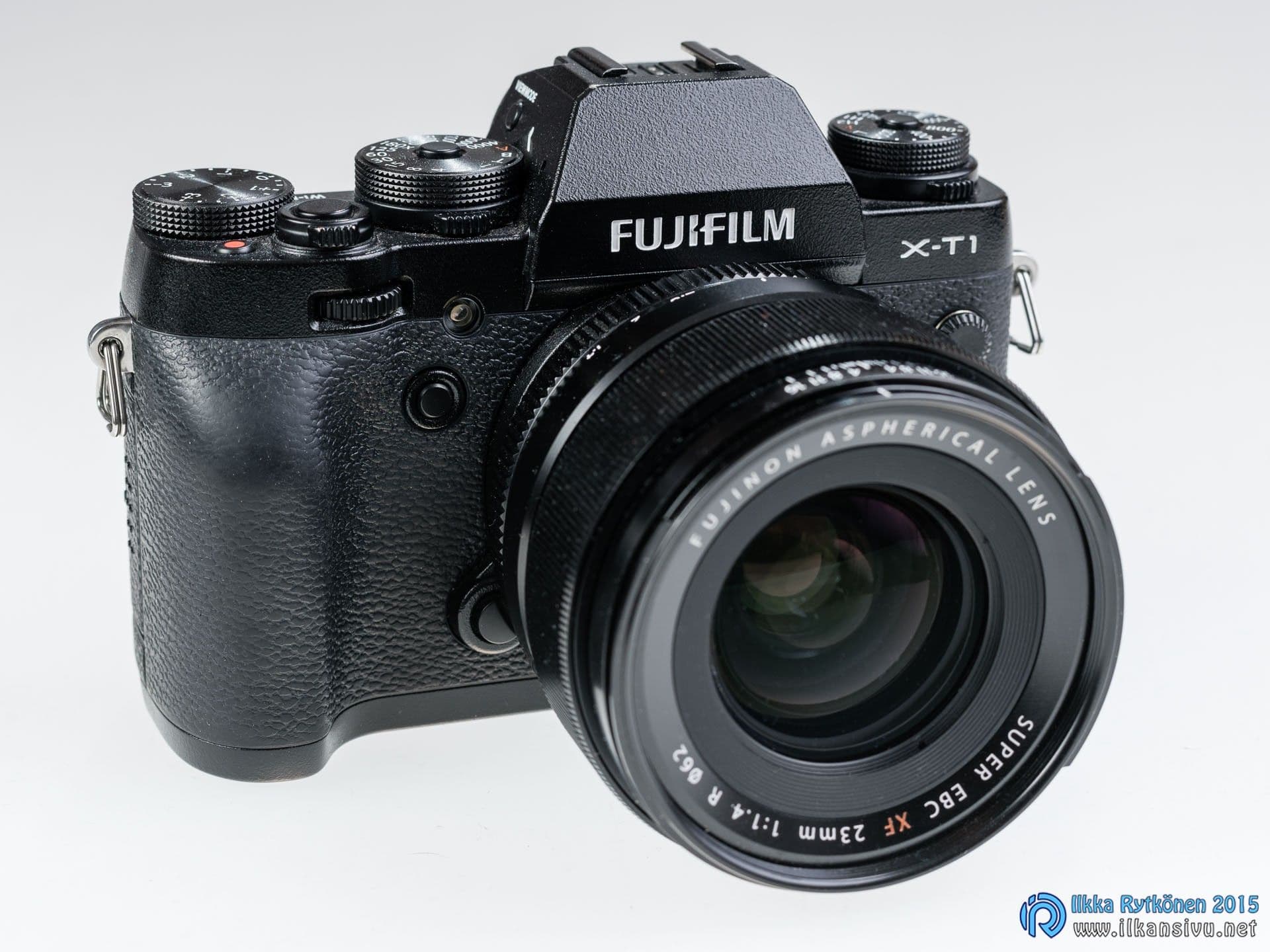
Based on firmware version 4.3.
In theory
After its release the Fujifilm X-T1 was the manufacturer's top camera, leaving the nominal number one, the X-Pro1, far behind. The camera is intended for active photographers and professionals. This is already shown by the fact that the camera has no fully automatic mode or cat-photography programs. Well, you do get a toy-camera effect and something similar for jpg images. There is a sufficient number of controls, and most settings can be changed quickly without adventuring through menus.
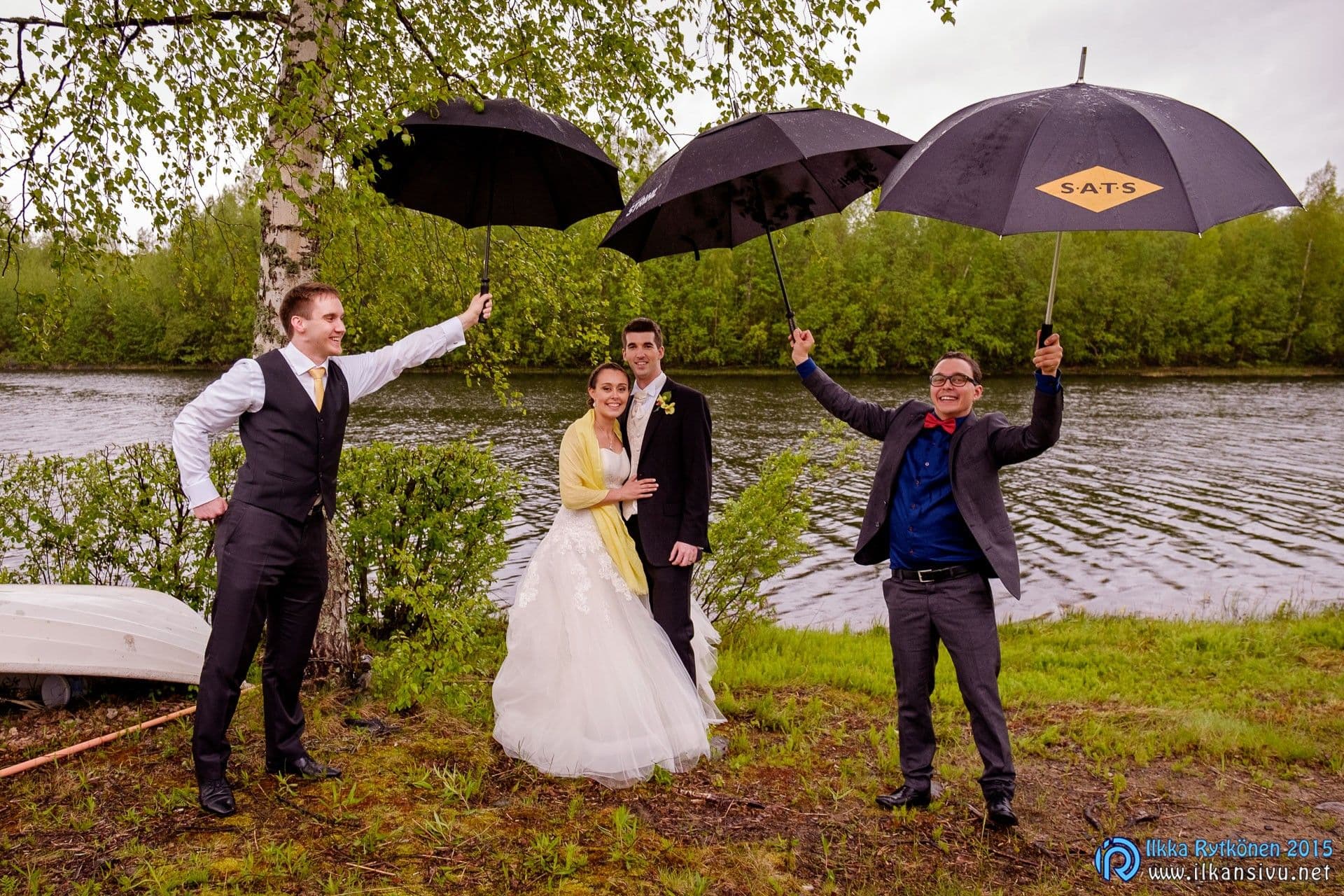
This was also Fuji's first weather-sealed body. At the time of writing, the lineup also includes a second sealed model, the X-Pro2. At the time of release there simply were no weather-sealed lenses on the market yet, but now there is already a reasonable number of them for different focal lengths.
Here are the camera's most important features:
- X-Trans CMOS II sensor, 16 megapixels (APS-C, 1,5x crop factor)
- ISO 200-6400
- 49 focus points (9 phase-detection points), 77/15 in zone mode
- Shutter speeds 30 s - 1/4000 s (1/32000 s with the electronic shutter)
- Burst shooting 8 frames per second
- OLED viewfinder, 2,4 megapixels, 0,77x magnification
- Weather-sealed magnesium body
- Screen that tilts vertically
- Wifi
The camera comes with a battery, a separate battery charger, a power cord, a neck strap, a microusb cable and a separate small flash. The separate battery charger is an absolute prerequisite for being able to shoot, for example, a wedding party all day with the camera. One battery can be charging while you shoot with the other. USB charging is not possible.
The camera comes with a separate battery charger, which is an absolute prerequisite for being able to shoot, for example, a wedding party all day with the camera.
Fuji's X-Trans sensor differs in its pixel arrangement from the conventional Bayer sensor. Among other things, this makes it possible to leave out the low-pass filter, which reduces sharpness. The unusual sensor has previously caused problems in third-party RAW converters such as Adobe Lightroom, but this problem is on its way to being resolved.
The low-pass filter, which reduces sharpness, has been possible to leave out.
In practice
Feels good bare-handed
The design probably stirs feelings for or against, but the camera's look, controls included, has at least been to my own taste. In my opinion the body is the best camera in Fuji's lineup, partly thanks to its reasonably sized grip. Of course the body is small after an SLR, and for those who want extra support, additional grips are available. The body is at its best with smaller and medium-sized lenses and still copes with, for example, the XF50-140mm telezoom. With that, however, during longer shooting sessions you start to wish for a larger gripping surface.
In my opinion the body is the best camera in Fuji's lineup, partly thanks to its reasonably sized grip
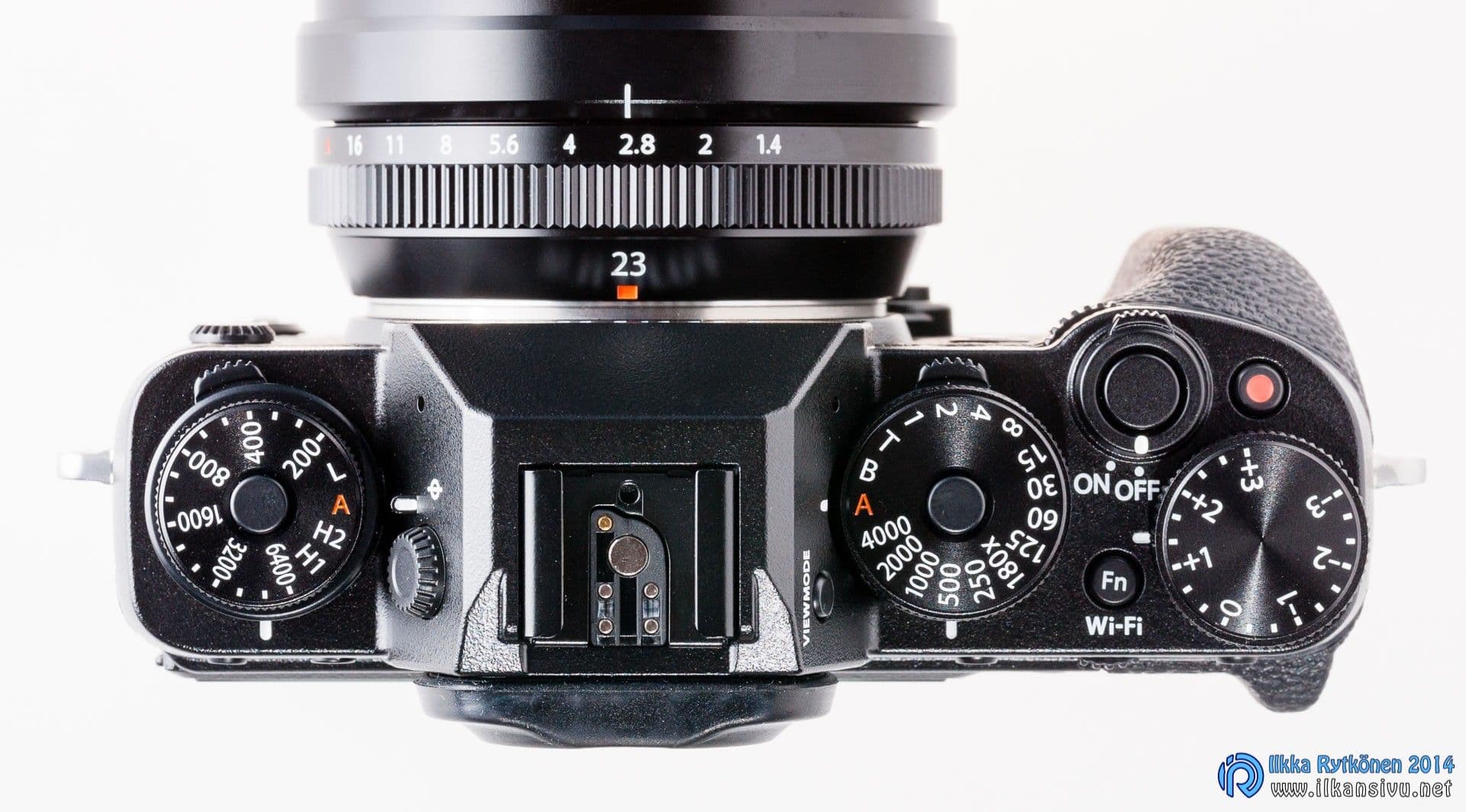
The buttons are relatively small, but with an open hand they are easy to press, and accidental presses do not happen easily. The control dials are much the same, but the ISO sensitivity dial could perhaps be a touch taller. The knob is locked, and to change the sensitivity you have to press the button on top of it at the same time. The lock button could be better if it were an on/off type. Sometimes it has happened that the drive mode dial underneath has turned to the wrong position at the same time. This has not happened very often, though.
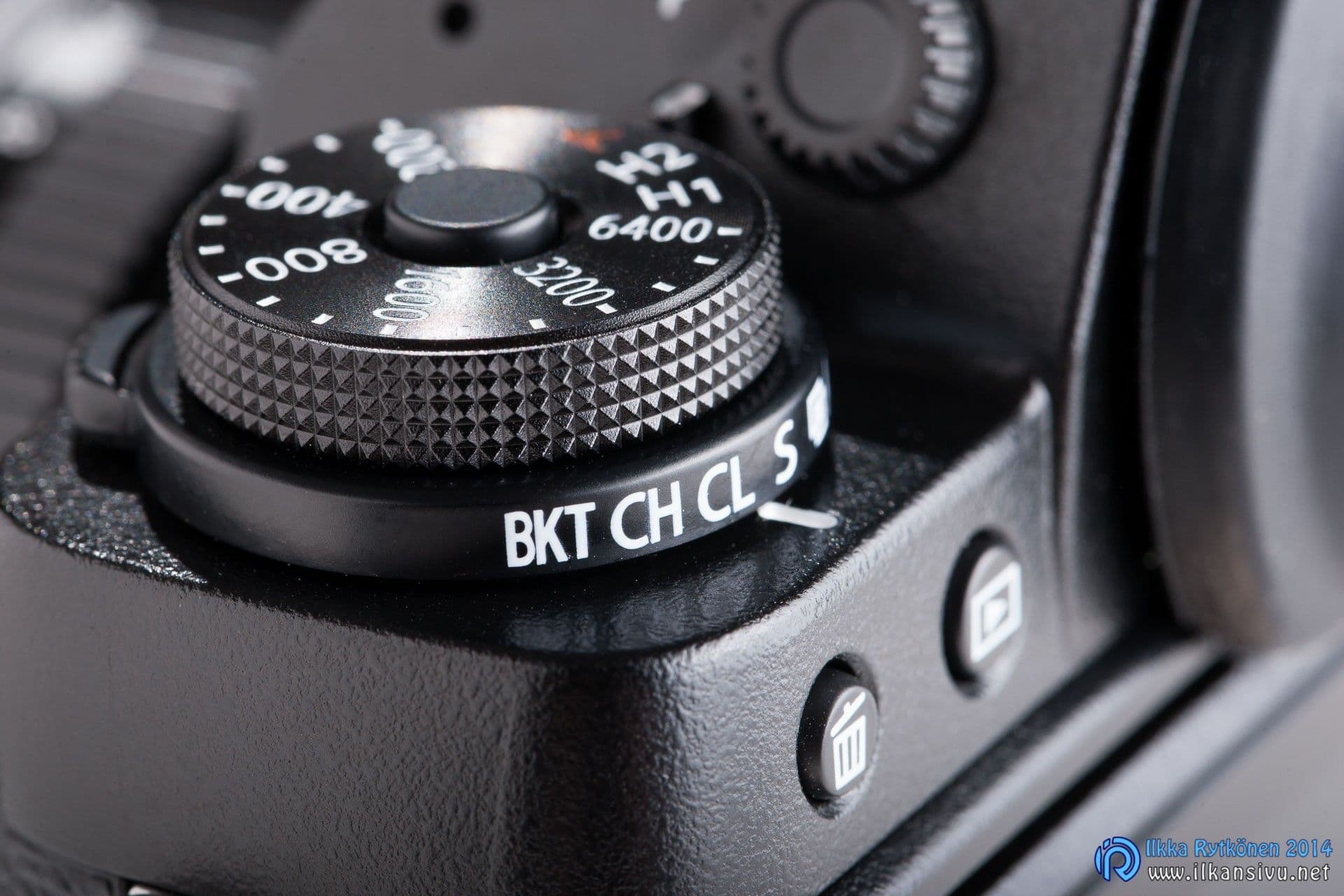
The shutter speed dial is also a locking type, but the lock only stops the dial at the A position. On the other hand this is logical and suits my own shooting style. I mainly shoot with aperture priority. The shutter speeds are marked at full-stop intervals, but the time can also be set in 1/3-stop steps. The intermediate values are found by turning the front dial. If you put the shutter speed dial in T mode, the shutter speed can be adjusted with the front dial from one extreme to the other, like on a modern camera. The latter way is probably best when using the battery grip.
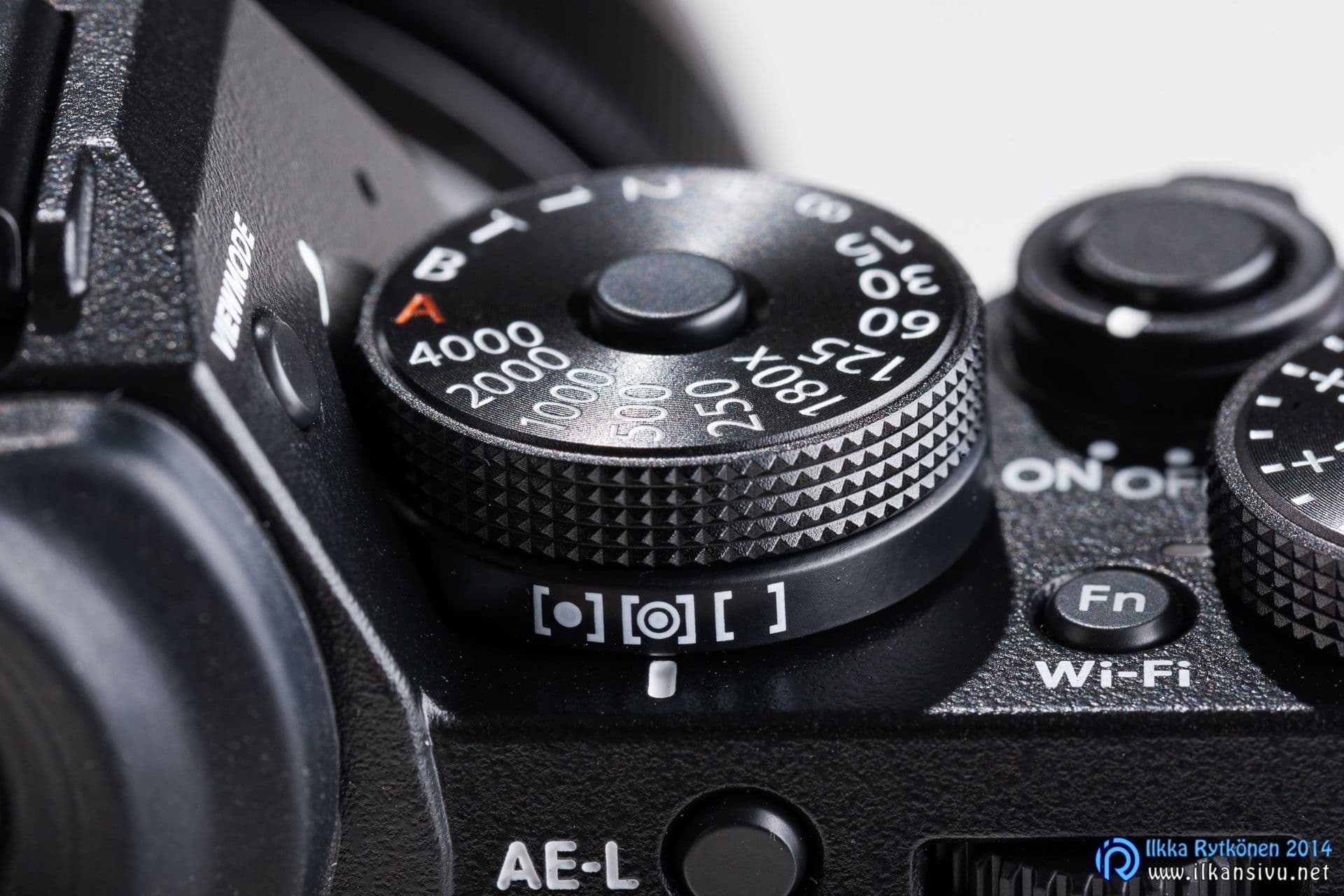
The exposure compensation dial is in the best place under the thumb and is easy to turn while shooting. This is one of the camera's most important controls, one that usually needs to be used all the time. No camera's metering can yet read the photographer's mind, so with this control you can quickly tell the camera to do suitable things.
The exposure compensation dial is in the best place under the thumb and is easy to turn while shooting.
Aperture is adjusted, in keeping with tradition, from the aperture ring of the lens. This suits my own way of shooting excellently, so points to Fuji for that. Fuji does have a few lenses without an aperture ring. For these the aperture is adjusted by turning the body's control dial, as on a modern camera. Perhaps there is still room for development here in future firmware. An option could be adjusting the aperture with the camera's dial also when using a lens with an aperture ring. A lens with an aperture ring can be recognized from the model designation R, i.e. ring.
The memory card door opens with a light movement, almost too light. While shooting it has never opened by accident for me, but if it did, the camera could take a dose of moisture inside while shooting.
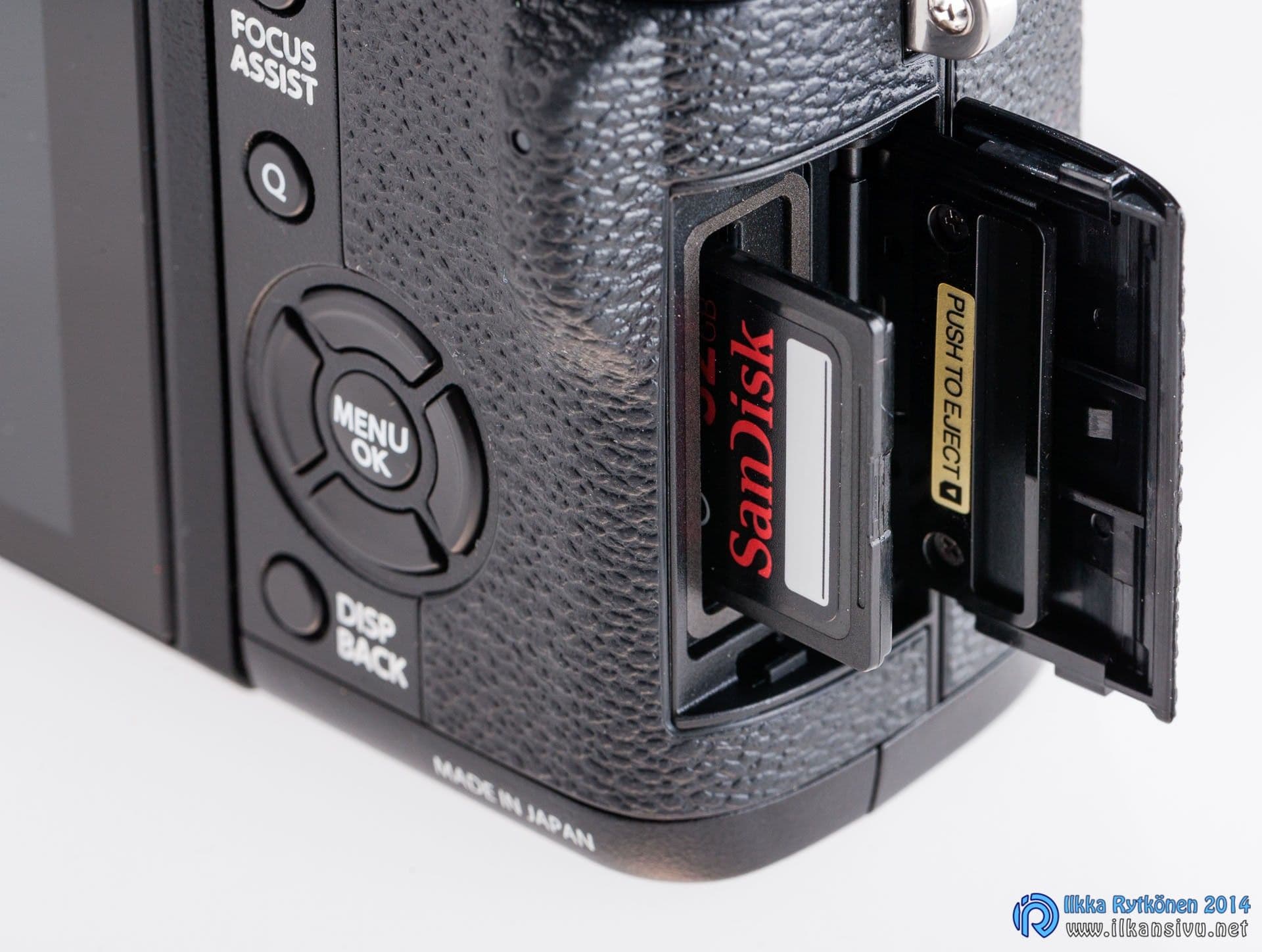
The first X-T1 bodies received criticism for sticky buttons on the back panel, and rightly so. The stiffness of the buttons was justified by the weather sealing. My own camera is from the summer after the release, and its buttons feel completely different from those in the first batch of products. So the matter was fixed quickly.
The buttons feel completely different from those in the first batch of products. So the matter was fixed quickly.
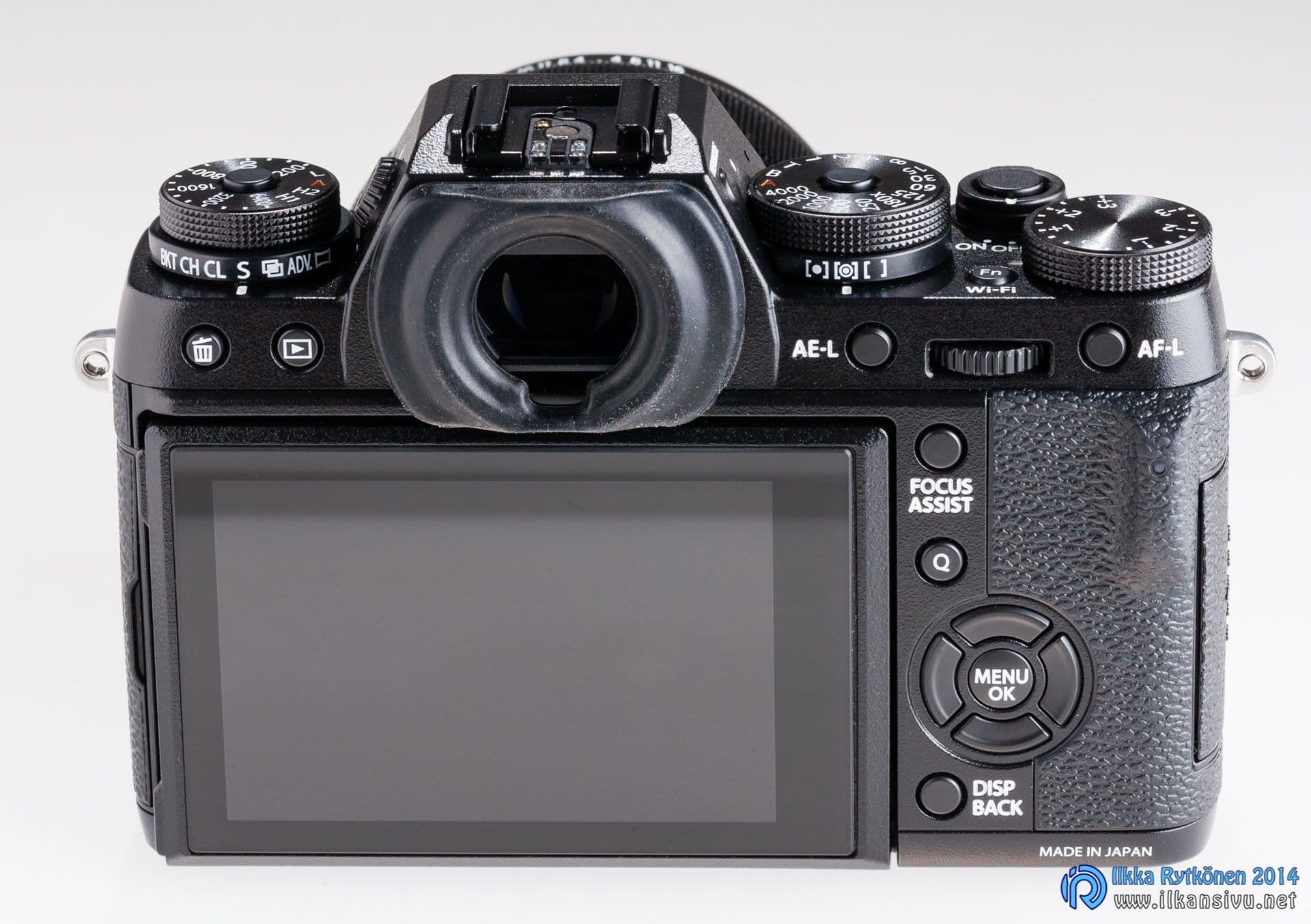
If you have set the four-way controller to move the focus point, the number of customizable buttons is left at three. Or two, if you also want to shoot video. This is not very many, but you do get by with it. Relief would come if the AE-L and AF-L buttons could also be changed to configurable ones.
The number of customizable buttons is left at three. Or two, if you also want to shoot video.
The body and the lenses too are lighter compared with traditional full-frame gear. This is pleasant if you are carrying more equipment. But nothing is so good that there is nothing bad about it. A light setup does not have as much inertial mass, so shutter speeds have to be increased a little from what you are used to. Otherwise pictures come out with more blur than usual caused by a long exposure. An image stabilizer is an excellent help, but a stabilizer is not found in nearly all of Fuji's lenses.
Fuji's justification for leaving out sensor stabilization is weight and size. Fuji's philosophy has as an absolute prerequisite good image quality in a suitably sized package. As part of this, the sensor size has ended up being APS-C, which gives a suitable compromise. If the sensor had a stabilizer, the mount would also have to be larger. And that alone would not be enough, as the lenses would also be larger, because according to at least one interview the image circle would then have to be made bigger. On this basis, a camera with sensor stabilization is not to be expected from Fuji.
A camera with sensor stabilization is not to be expected from Fuji.
Someone also commented somewhere that a stabilizer is not needed. When photographing living people, shutter speeds have to be fast enough anyway. What helps there is only the lens's light-gathering ability and a sufficiently high sensor sensitivity. In landscape photography, on the other hand, you must have a tripod if you want good quality. Well, that is true in a way, but a stabilizer would still be of obvious benefit in certain situations. There are, however, cameras with stabilized sensors on the market, so the buyer has a buyer's market. There are probably tools to suit everyone's own taste. It is just a good situation that not every brand is a copy of the others. But time will tell whether there will be a sufficient customer base for all the manufacturers. Samsung, after all, got decent-looking devices onto the market but immediately packed it in as a camera manufacturer.
Not so good with gloves on
The feel of shooting tends to disappear with most buttons when shooting with gloves on. With thicker gloves you can no longer press the function button next to the mount, and using the other buttons and controls is clumsy as well. If it is not very cold outside, you gladly take the gloves off to make more precise adjustments.
Excellent electronic viewfinder
The X-T1's viewfinder is very good, if not one of the best electronic viewfinders. After an electronic viewfinder like this, an optical viewfinder starts to feel old-fashioned and some electronic viewfinders feel small. With an electronic viewfinder you can see the exposure before pressing the shutter button, which is a great help in changing and fast-moving situations.
With the electronic viewfinder you can see the exposure before pressing the shutter button.
Exposure metering can in practice be on evaluative metering all the time, since fine-tuning happens with the exposure compensation dial. Average (center-weighted) and spot metering are also available. Spot metering measures the exposure from the center of the frame or from the selected focus point.
The image in the viewfinder is produced by an OLED panel with 2,4 megapixels. The magnification is 0,77x, so the picture is not only sharp but also big. The difference is large if you compare it with, say, the X-T10 or the X-Pro2. The image should be slightly larger than in the Canon EOS-1DX, but in practice the size difference is impossible to notice. You can see everything essential in the viewfinder even with eyeglasses. A large eyecup (EC-XT L) is available as an accessory for the viewfinder, but then seeing the viewfinder becomes more difficult with glasses. Without glasses the large eyecup is useful, because stray light cannot as easily disturb shooting.
You can see everything essential in the viewfinder even with eyeglasses
There are 5 viewfinder brightness levels in all, of which the brightest is enough for sunny weather. There is no automatic brightness adjustment, as there is in the X-T10 and the X-Pro2. When taking vertical pictures, the viewfinder knows how to rotate the indicators the right way up.
Tilting screen
The rear screen is of good quality, and you can use it to judge, for example, focus and sharpness areas reliably. At the highest brightness, however, the screen blows out the light tones, even though the tones would in reality still be intact. For this reason exposure has to be monitored through the histogram, because visual assessment leads badly astray. It would be great to have a warning color for blown highlights in the rear screen and also in the viewfinder. But there is no such thing yet in any Fuji camera, at least. Hopefully this will change at some point. In some Fuji cameras the screen's maximum brightness can be switched on with a shortcut button, but not in this one.
It would be great to have a warning color for blown highlights in the rear screen and also in the viewfinder.
The overexposure warning color is available only in the playback view. And even in the playback view the warning color is visible only in a miniature-sized image. It would be great if the warning color could be made to blink even when examining the picture at pixel level. This possibility is probably not found in any camera except Pentax.
There is one more remark about the histogram. When shooting, the histogram never stretches quite to the space reserved for it. At first this confused me, because on that basis I thought there was still exposure headroom in use. But there was not. In the playback view, however, the histogram fills the space reserved for it completely.
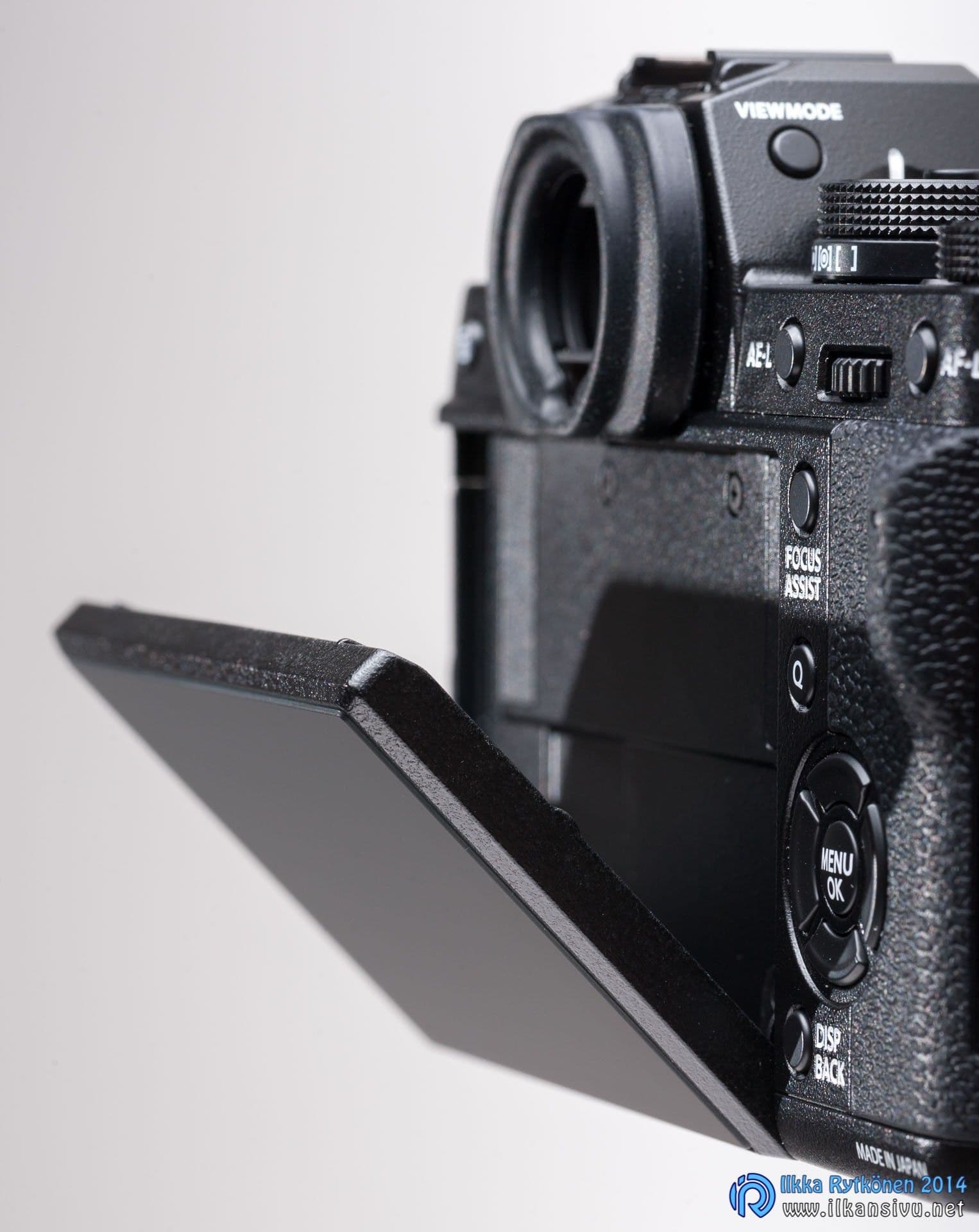
The screen tilts up and down vertically. The mechanism looks sturdy, and there have been no problems with it. The tilting screen has proven useful, and with it you can more easily reach quirky angles than through a fixed screen or the viewfinder. Of course, in my own use the majority of pictures have been shot through the viewfinder. Shooting with arms outstretched is not inherently very natural. When using the viewfinder you get a firmer grip on the camera, and longer shutter speeds are possible than when using the rear screen.
The screen does not respond to touch, but I have not felt that to be a shortcoming at all. Perhaps in tripod shooting the function would be useful for selecting the focus point. I would personally rather miss a joystick than a touchscreen. Touchscreens will probably start to come to Fuji's cameras too, since one has now been seen, namely in the X70.
Settings for the RAW shooter
Fuji has traditionally produced good-quality jpg files, but a serious photographer always shoots RAW. The RAW format offers considerably greater post-processing headroom compared with jpg files. Even if you shoot only raw images, it is good to change some settings, even though these settings affect only jpg files.
Even if you shoot only raw images, it is good to change some settings, even though these settings affect only jpg files.

Why? Because that way you get the whole potential of the sensor in use. The camera's rear screen and viewfinder do not know how to show, while shooting, pure raw data, nor does it look like that when you view the shots taken on the screen; you see only a jpg preview. If you have various film simulations, a contrast setting and so on switched on, they all affect this preview and the histogram. So change the following in the menus: Screen settings -> Preview picture effect -> Off (Set-up -> Screen Set-up -> Preview pic. effect -> Off). The camera's dynamic range should also be in the 100 % position.
Now the camera no longer shows any film simulations or other effects while shooting, so the histogram is closer to the reality of the raw image. It pays to lean the histogram slightly toward the right edge, and all the tones are then still intact. When following the histogram with effects on, you may lose as much as a stop of exposure headroom, so this setting is worth checking.
When following the histogram with effects on, you may lose as much as a stop of exposure headroom.
If you shoot in RAW+JPG format, then with the previous setting in effect, the images saved to the card are nevertheless in the film simulations and white balances according to the settings. Because of that it is possible, even probable, that these pictures have been blown out.
If you want the full tonal range saved also in the jpg images that are stored on the card, then the image effect preview must be on. In this case PRO Neg. Std is a suitable film simulation. At the same time the highlight and shadow tone settings must both be –2. Shooting this way you get adjustment headroom in the jpg images too, while the RAW images are also exposed using the sensor's potential.
Someone who wants finished goods in jpg format naturally shoots with the film simulation and other settings that make the pictures look right straight away. In that case the camera's dynamic range adjustment helps in challenging conditions to save the light areas, although it eats effective sensitivity. With the default 100 %, the lowest sensitivity is the sensor's base sensitivity, ISO 200. If you choose the wider dynamic range of an aperture stop, i.e. 200 %, the real sensitivity is ISO 400. And with a two-stop extension, 400 %, the real sensitivity is ISO 800.
A raw shooter should record the best-quality jpg image at the same time. This is because the preview image of a normal raw image comes from a small jpg file stored inside the RAW file. It is hard to examine the sharpness of the picture with this thumbnail. When you save the large jpg image alongside the raw image, you can study the shot more closely after taking it and notice whether the focus is on the eye or next to the eye.
A raw shooter should record the best-quality jpg image at the same time.
Wedding photography and other calmer shooting
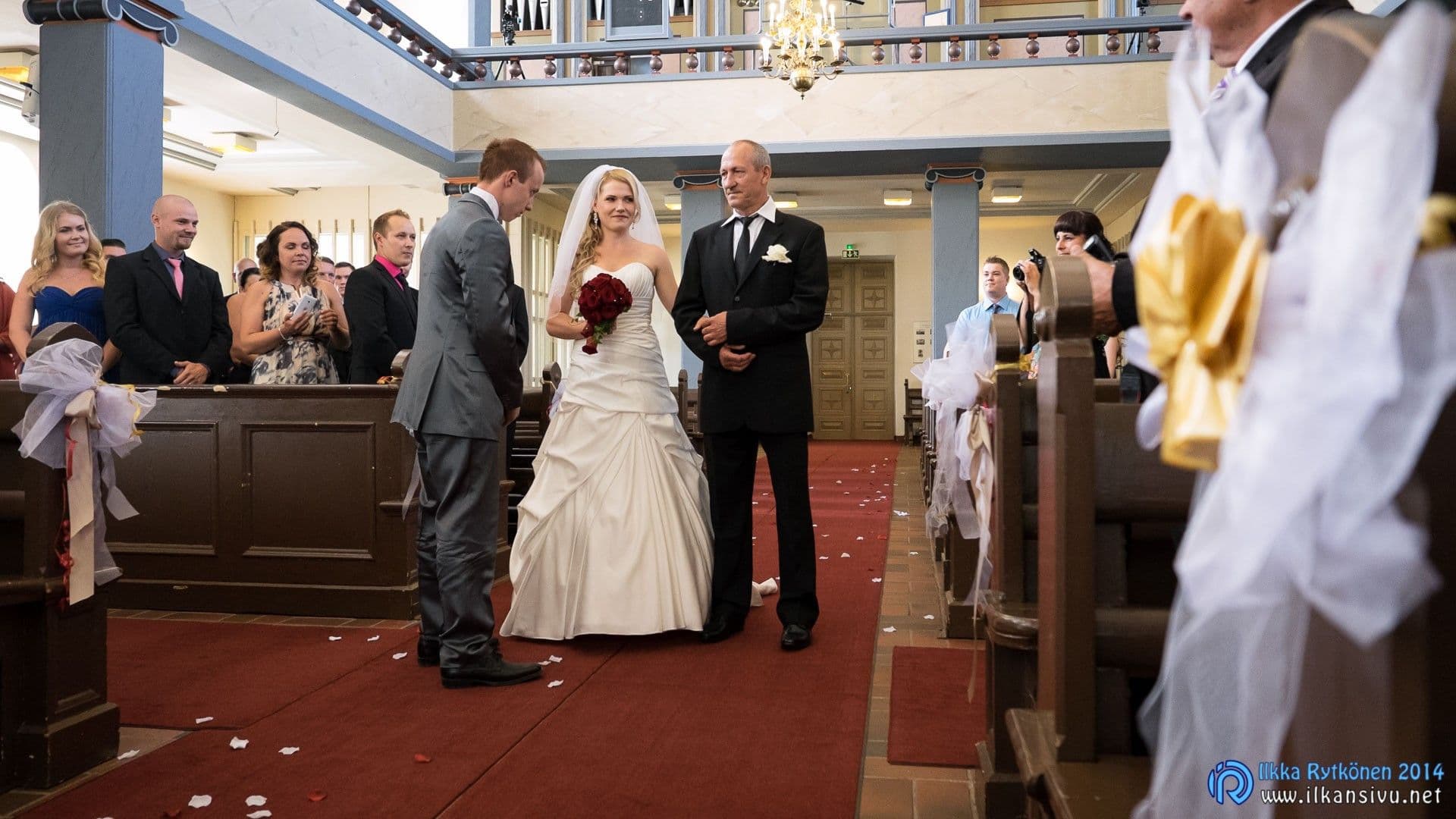
When the X-T1 came into the house, I took it along to wedding shoots at first as a second camera. As I got to know the Fuji more closely and gained more experience with it, I dared to go on a job with only mirrorless equipment.
As I got to know the Fuji more closely and gained more experience with it, I dared to go on a job with only mirrorless equipment.
The electronic viewfinder is extremely useful when shooting in available light. In wedding photography the lighting is usually very dim, and strong light tends to come in from the windows. These situations are difficult for automatic exposure, but the electronic viewfinder shows the exposure in real time. With the exposure compensation dial I can keep things under control all the time. The electronic viewfinder is also quite a light amplifier. After you have been photographing for a while in dim party venues, everything seems dark to the naked eye once you take the camera away from your eye.

There are focus points evenly across the whole frame, also near the edge. The size of the focus point can be adjusted as desired. A large point locks onto the subject more easily than a small one, but under a larger point there sometimes fits some background, which the focus may therefore mistakenly go to. A smaller point does not have this problem, but the focusing ability of a very small point is weaker than that of a large one.
By default the priority for both single focus and continuous focus is release rather than focus. So the first thing to do is to change at least the priority of single focus to focus, i.e. the camera does not take the picture until the right focus has been found. With the default setting the camera tries to focus for a second or two when the shutter button is pressed all the way down. If focusing does not succeed, the camera fires anyway, even if the focus were at the other extreme entirely.
So the first thing to do is to change the priority of single focus to focus.
When working outdoors with flashes, mainly in environmental portrait photography, you run into the shortest flash sync speed (1/180 s) and the lowest sensitivity (ISO 200). With this combination you cannot avoid blowing out the background without enormous dimming. So you have to carry along neutral density filters of suitable strengths on the job. On the other hand, I have sometimes needed a neutral density filter with an SLR capable of a fast flash sync speed, too.
In a tight spot in less light it is worth avoiding the edge points, because they focus only contrast-based. It may be that an edge point starts hunting just at the critical moment. Only the 9 points in the center are phase-detection points, and they grab onto the subject much more eagerly. In better light the edge points also work pleasantly quickly.
Fast prime lenses help the focus work better in low light than, for example, f/2,8 zooms. The viewfinder image is at the same time better and not as noisy. The noise in the viewfinder has nothing to do with what is saved to the memory card; it is just a comfort factor. With a fast lens the autofocus works reasonably well even in light so dim that you can no longer take a picture handheld.
I turned the focus assist light off, but even so the focus was quick enough for wedding-style shooting. The focus assist light is annoyingly bright, so you do not gladly poke people in the eyes with it.
In mirrorless cameras the focus plane is also the image plane, because the focusing electronics are on the sensor. That ensures that fine-tuning or calibration of the focus, of the kind that has to be used from time to time with traditional SLRs, is no longer needed.
Face detection and eye detection are also available. The eye can be chosen as right or left. A better solution, however, would be nearer or farther eye, as on Olympus. But in addition to left and right, the choice of eye can be left to the automation, and then the choice should land on the nearest eye. I have not used face detection very much, since sometimes instead of a face the focus may take some face-like shape for a face. And sometimes you want to focus on something other than the faces in the picture. Face detection can be put behind a shortcut button, so it can be brought into use quickly.
With the latest firmware updates the focus point can be made to move smoothly. Already the first press of the four-way controller moves the point, which is a very good thing. But even this implementation does not match the X-Pro2's joystick controller. Hopefully the same will be seen in this camera's successor too.
When shooting in a studio or another place relying only on flash light, exposure simulation naturally no longer works. After all, the camera cannot guess the area lit by the flashes or how the light behaves as it reflects off different materials. Usually shooting then takes place in very scarce light, so the viewfinder image is very dark, if not totally black. In these situations exposure simulation has to be turned off so that composing is possible. That can be done from the menus, or the function can be put under one of the customizable buttons.
Compared with the previous generation of models, the X-T1's autofocus works also in dim studio-like spaces. When I shot a product picture with the X-Pro1 that served as a point of comparison, it was a job to get it to find good enough contrast to lock the focus. The X-T1 managed the same job without a murmur.
Compared with the previous generation of models, the X-T1's autofocus works also in dim studio-like spaces.
Silent camera with the electronic shutter
In addition to the traditional mechanical shutter, the camera has an electronic shutter, with which the camera can be made completely silent and the shortest shutter speed changes from 1/4000 s to 1/32000 s. This is of great help if you want to photograph, for example, in daylight with a fast lens at a large aperture. Normally that would not be possible without a neutral density filter; the picture would be blown out.
Another use is, for example, photographing weddings and funerals, since with the electronic shutter the camera is completely silent. The photographer can then work without disturbing the occasion itself any more than is necessary. Silent camera release is at first feel bewildering. The subject cannot know either when the picture has been taken. An artificial shutter sound can be had with the electronic shutter, but I do not know what pleasure there would be in keeping it on.
But nothing is so good that there is nothing bad about it. The longest shutter speed with the electronic shutter is 1 s. In addition, the rolling shutter effect hinders photographing subjects with movement. Artificial light may also cause its own disturbances in the picture, and continuous autofocus stops working. And flash photography does not work either, so there is still a need for the mechanical shutter. And the sound of the mechanical shutter is not tremendously loud, either. Measured by ear, the volume is in the same class as the Canon 5D mark III, 7D mark II or Nikon D810 in quiet mode.
With a tripod
In tripod shooting you end up using the self-timer, which can be switched on fastest through the q menu or by configuring it under one of the function buttons. The camera just forgets this setting in power-saving mode or while the power is switched off, so you have to switch it on again every now and then. I can think of no reason why this is so, and hopefully this too will be fixed with future updates.
In tripod shooting you end up using the self-timer. The camera just forgets this setting in power-saving mode or while the power is switched off.
The camera can also be released with a remote release and of course with a phone over wifi. Fuji's own remote release attaches to the microusb port, but the camera also works with releases connected to the 2,5 mm jack. This means that Canon and Pentax 2,5 mm remote releases can be used with a Fuji. I do not know how microusb releases wake the camera from power-saving mode, but 2,5 mm releases do not do so. For this reason, when using Canon releases, power-saving mode has to be turned off in the camera if you want the camera to still fire a while later. This is what I have done, for example, when photographing wedding ceremonies, where I have put one camera on the balcony as a remote camera.
Canon and Pentax 2,5 mm remote releases can be used with a Fuji.

The tripod thread is not in line with the lens, and the thread is now almost right up against the battery door. So even a small quick-release plate prevents changing the battery quickly. But additional grips and a battery grip are available for the camera. An Arca Swiss quick-release plate is integrated directly into the bottom of the additional grips, and with these the battery can be changed without removing the grip. With the battery and additional grips the tripod thread also moves to the optical axis.
A night landscape photographer may be bothered by focusing difficulties. In the dark you have to look for, for example, distant lights to lock the focus on. Here perhaps lies one of the camera's weaknesses. With the current software version the phase-detection points still focus at a brightness of 0,5 EV instead of the earlier 2,5 EV, but because of other pressing matters I have hardly had time to photograph landscapes since the update.
With the current software version the phase-detection points still focus at a brightness of 0,5 EV instead of the earlier 2,5 EV.
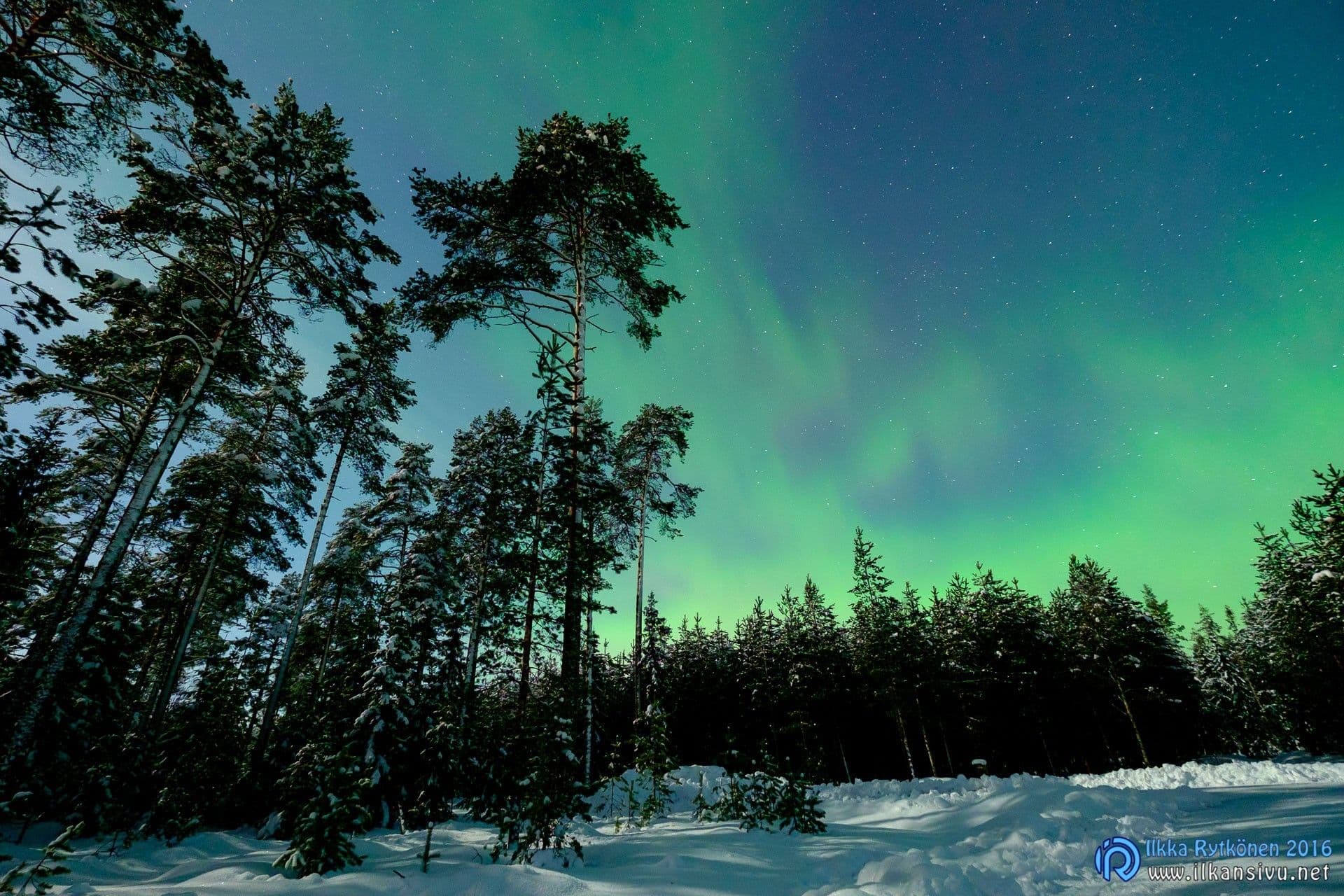
Normally when shooting in available light, exposure is assessed by examining the histogram. But when the amount of light decreases, the histogram no longer shows the final exposure. With a faster lens the histogram stays in the game longer. The camera's exposure meter, however, knows how to expose the picture so-called correctly even when the histogram is no longer usable. Shooting in such conditions therefore corresponds to shooting with a traditional camera.
In some situations interval shooting is a fine addition. The camera can be set to take pictures at a minimum of one second and a maximum of 24 hours apart. The maximum number of pictures is 999. The interval can also be timed to start at most a day ahead. The exposure program and other settings must be made before starting interval shooting. Remember also to set the focus to manual, so the camera does not focus separately for every picture. The camera's screen stays on throughout the whole operation, which of course means needless battery wear. This can be prevented by setting the display to the viewfinder only, with eye detection. That way nothing at all is shown on the screen or in the viewfinder during shooting.

Shooting rallies and other action
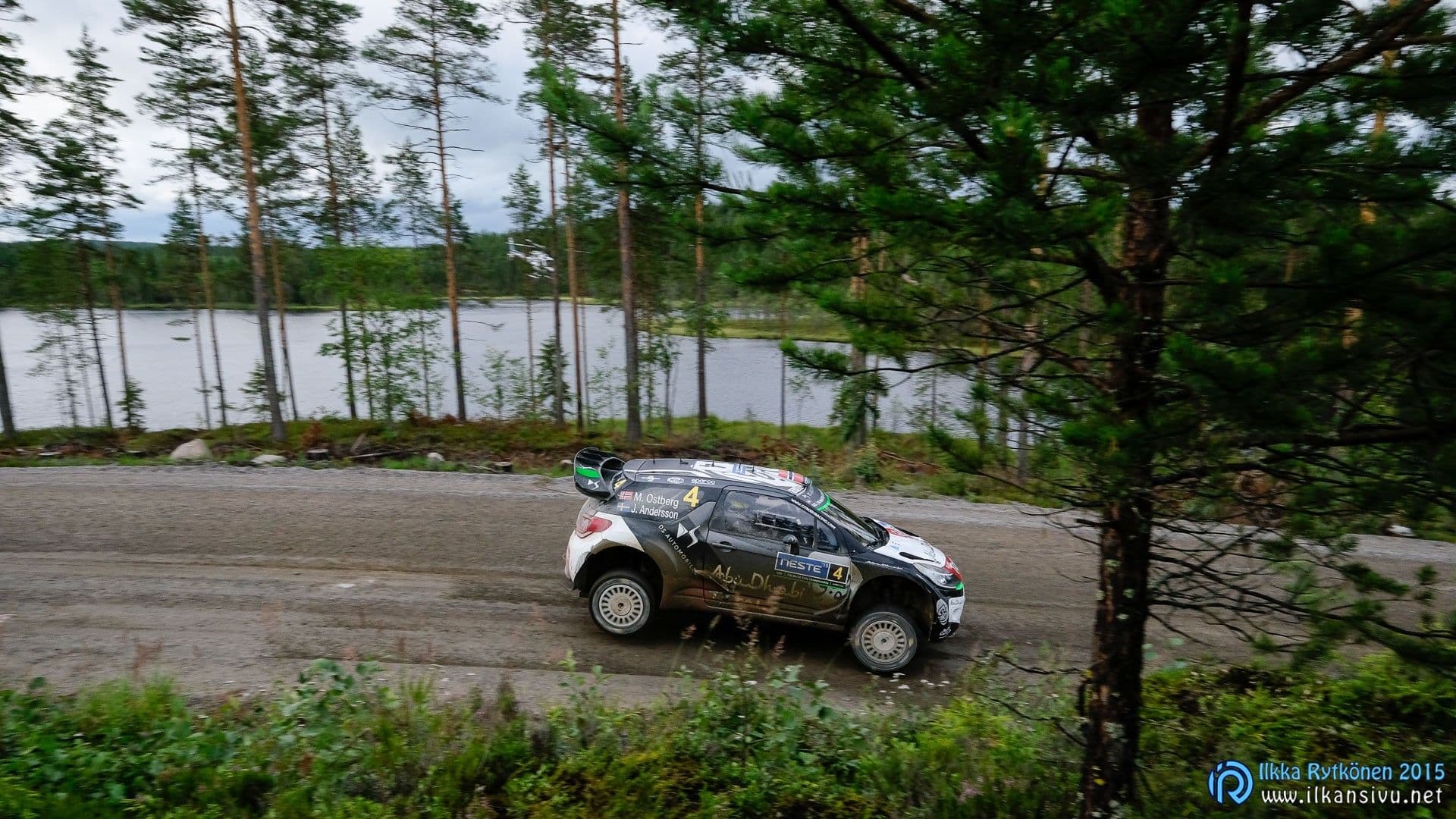
I tried the X-T1 also at the Jyväskylä World Rally Championship event, and the speed and reliability of the autofocus on moving subjects made an impression. I was surprised how well the focus followed a car approaching the photographer. I had expected a much more modest result, so the direction is right.
I was surprised how well the focus followed a car approaching the photographer.

When comparing the focus with the reflex cameras used as a point of comparison, the reflex cameras still beat the mirrorless ones in focusing speed. A traditional higher-class camera grabs focus on the subject immediately, while a mirrorless one starts more slowly in subject tracking. But once tracking has been found, it just works, at least with most subjects.
At this pace of development, mirrorless systems may catch up with the reflex gear in focusing over the coming years. My impression is that the 2004 Canon EOS 20D had an autofocus capable of the same as the X-T1. This is, however, a memory, and I have no point of comparison to put to the test now. Fuji has now brought to market, in addition to a fast tele, a longer tele as well, so the camera can at least with reservations be used also in sports photography.
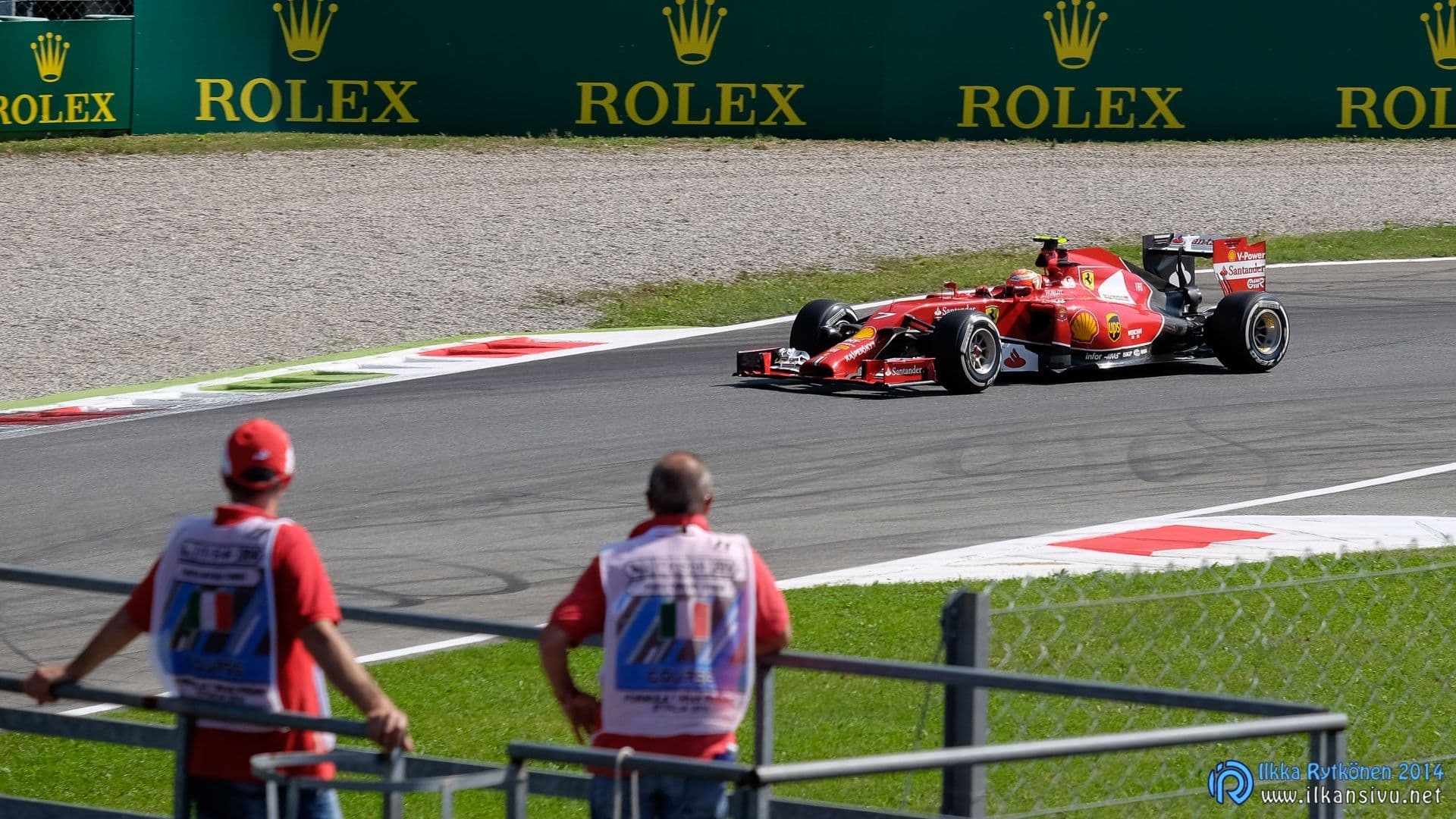
For the X-T1 to focus on moving subjects, the settings must be right. So check that the following things are correct:
- Continuous autofocus on
- High performance mode on
- Only the mechanical shutter in use
Earlier face detection also had to be turned off, but now it appears to happen automatically when the fast burst mode is selected. With slow burst you can use face detection, but then only contrast-based focusing is in use.
In addition to a single point you can choose a zone (5x3, 5x5 or 3x3 points), or wide tracking. In wide tracking you choose the starting point yourself, from which the automation starts to follow the subject. All the focus points are in use, and a point or several points can follow a moving subject. This latter way seems to be the most usable in situations where keeping the subject under the focus point is difficult. For calmer action you can use even a single point.

The electronic viewfinder leaves something to be desired when panning with a moving subject in burst mode. The image stutters at the moment of exposure, which makes it sometimes hard to keep the followed subject in the viewfinder. In reflex cameras such as Canons and Nikons the viewfinder is optical, so it works at the speed of light. Although in these cameras too the image is not visible during the exposure, keeping a moving subject in the viewfinder is easier with them. I do not know whether firmware updates have brought an improvement to this matter, but at the 2015 Jyväskylä rally panning felt easier than the year before. Or then I had simply already got so used to it that panning in burst mode began to work out.
The electronic viewfinder leaves something to be desired when panning with a moving subject in burst mode.
The buffer memory is nothing large. If the format is RAW+JPG, the buffer fills in under 3 seconds, and in that time you get 22 pictures taken. Raw images alone go about the same amount, but writing them takes less time. For JPG images there is more room in the buffer, but not even 40 of them fit there. The jpegs do slip onto the card reasonably quickly, so you can soon take a new series.
A burst rate of 8 frames per second is reasonable, but could be higher. When a fast-moving subject is coming to a decisive moment, it is impossible to fire the camera at exactly that moment. As the culmination approaches you just have to set the camera singing, and then it is a matter of luck whether, say, the spray of gravel flung by a rally car's tires was captured at its finest, or whether the moment passed. For such situations a burst capable of more than 10 frames per second would be in order.

Back-button focus, familiar from SLRs, would be nice, but unfortunately it does not work. You can put focus under the thumb behind the AF-L or alternatively the AE-L button, but it is only single focus. Holding the button down should also make continuous autofocus work, and then the function would be usable. Then the focus would stay on the subject, and with the shutter button you could decide yourself when pictures are taken and the small buffer memory is filled. Now the firing has to be started before the decisive moment, and pictures also have to be taken of the intermediate phase before a possible second culmination in the event. If you stop shooting in between, the focus no longer makes it into the second phase. So the memory card just gets needless filler and the buffer memory may fill up before the second or third decisive moment.
Back-button focus, familiar from SLRs, would be nice, but unfortunately it does not work.
Manual focus
Manual focusers have also been considered with a few aids. When the focus switch is in the manual position, you can still focus with the automation by pressing the AF-L button. That is handy, because the camera then does not refocus for every picture.
Focus peaking is available in white, red or blue and at different strengths. Alongside the whole image you can get a smaller partial magnification of the focus point next to it. The focus peaking of the partial magnification can be used while composing with the help of the neighboring image. Because the viewfinder is very large, you get this dual view there too. This is not possible in other Fujis.
In addition to focus peaking, the options are a digital split image and a distance scale. The distance scale knows how to show the area that is rendered sharp. This distance display also works during autofocus. I noticed the DOF view of the distance scale only recently, so I cannot comment any further here on its reliability or functioning. I will have to write about it in the next blog text about a Fuji camera.
Since the autofocus has worked so nicely, I have not resorted to manual focus many times.
Fast memory cards
The X-T1 is one of the few cameras with UHS-II memory card support. This should guarantee fast writing of pictures to a fast card. The Lexar Professional 1000X UHS-II U3 card I have used has not, however, in practice been the best possible. A write speed of 75 MB/s is promised for the card, but when using the card the camera freezes now and then. The camera just gets stuck at random intervals for a couple of seconds, but after that it carries on normally. The same thing recurred with another similar memory card and another X-T1 body.
The SanDisk Extreme PRO UHS-I U3 64 GB seems to work better and faster than the Lexar, and I have not noticed any freezing. But that card's write speed is also 90 MB/s. The SanDisk Extreme PRO UHS-I U1 32 GB memory cards have also worked without complaint.
Below are the buffer fill time in fast burst, the number of pictures obtained, and the write time of a full buffer for different cards. The times are based on hand timing.
SanDisk Extreme PRO 95MB/s UHS-I U1 32 GB:
- RAW+JPG: 2,9 s, 22 shots, 16 s
- RAW: 3,1 s, 22 shots 14 s
- JPG: 4,3 s, 41 shots, 5 s
SanDisk Extreme PRO 95MB/s UHS-I U3 64 GB:
- RAW+JPG: 2,9 s, 22 shots, 14 s
- RAW: 2,8 s, 23 shots 12 s
- JPG: 5,3 s, 45 shots, 4 s
Lexar Professional 150MB/s 1000X UHS-II U3 64 GB:
- RAW+JPG: 2,8 s, 22 shots, 17-23 s
- RAW: 2,7 s, 21 shots 14 s
- JPG: 5,2 s, 42 shots, 5 s
Fuji's raw images are around 20 – 30 megabytes in size, and good-quality jpg files correspondingly between 3 – 4 megabytes. So a 32-gigabyte card holds about 1000 RAW images or 800 RAW+JPG images.
Old or new slow cards are not worth using, because it slows down even the taking of single pictures. I tried the camera for fun with a common Transcend Class 10 UHS-I U1 card, and writing a raw image to the card takes, in my opinion, too long. It is annoying especially in portrait photography if you want to check the subject's expression or some other detail from the shot.
Old or new slow cards are not worth using, because it slows down even the taking of single pictures.
So the camera has only one memory card slot, and a photographer who plays it safe has to look at some other camera. In mirrorless cameras we had not seen cameras with two card slots before, but such are now available from Leica (SL) and Fuji (X-Pro2).
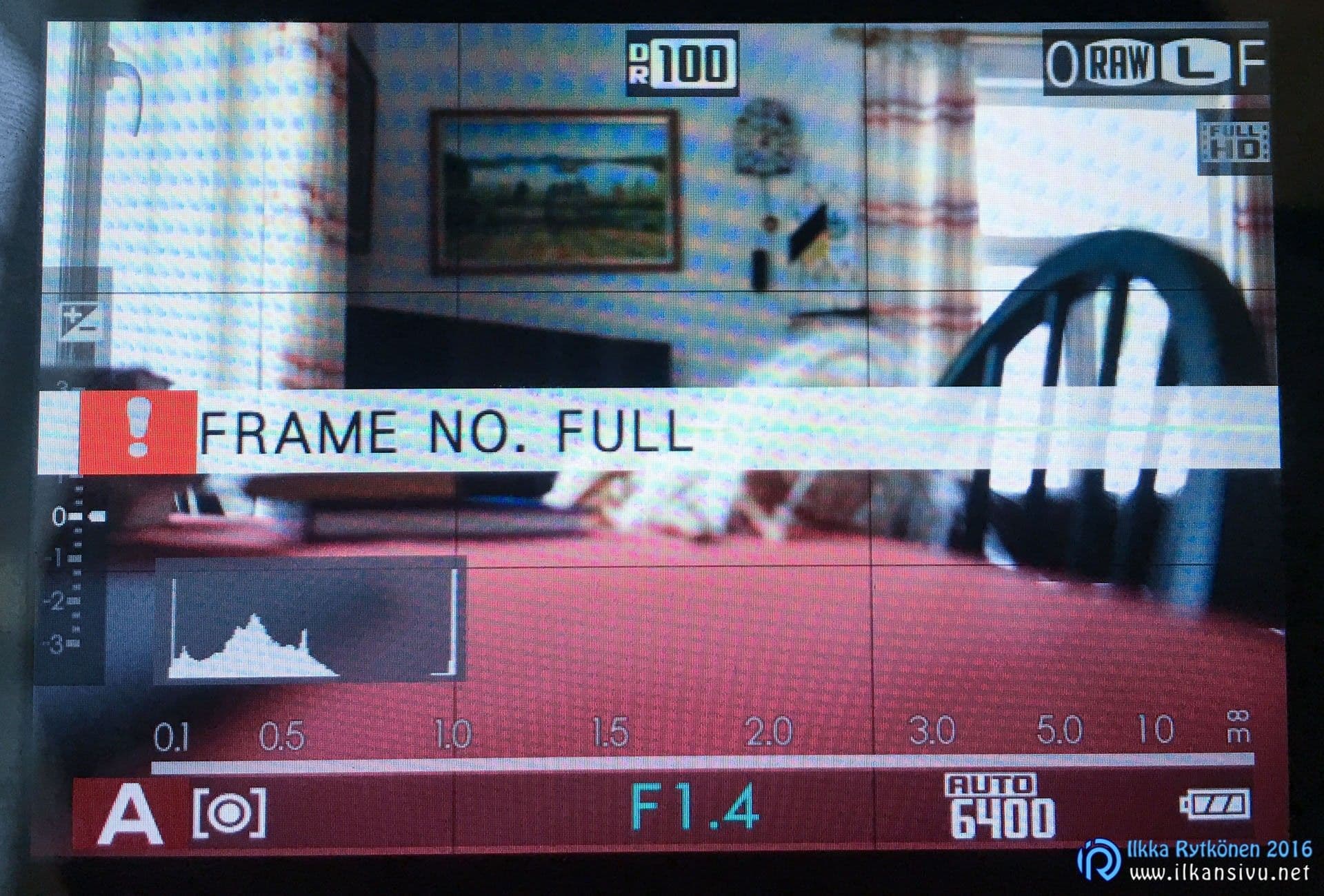
An empty memory card can seemingly become full. When the file numbers reach 999-9999, pictures can no longer be taken to the same memory card with a Fuji-branded camera, however much empty space there is on the card. So it is worth watching the file numbers and keeping a spare memory card with you just in case.
Reasonable battery life
Battery life could be better, as in all mirrorless cameras. You do get by with the X-T1's battery life, though, as long as you remember to carry a spare battery or two. In mixed shooting you easily reach about 300 pictures. On a wedding job I have got as many as 500 - 600 pictures with the same battery, when I have always switched the camera off when not shooting with it. If you shoot a wedding job with two bodies, you get by with four batteries in total and two chargers. While you shoot with one set of batteries, the others can be in the charger.

The display showing the battery charge has only three steps. Full battery, almost empty battery and empty battery. So when even one step of the charge has disappeared, it means the power is already relatively low. At this point you should readily get the spare battery ready. When the second step has also vanished, not many more pictures will be taken. The battery indicator should have a few more steps, so that it would be easier to estimate battery drain.
The display showing the battery charge has only three steps.
Wifi good, but room for improvement
Almost all new camera models are nowadays equipped with wifi, which is a good thing. Fuji's wifi has improved over time. At least it feels that in the early days pairing the camera and the phone was awkward, but nowadays it happens much more smoothly. NFC or the QR code used by Olympus are examples of easier ways. Now simply launching the app is not enough; you have to join the camera's wifi network separately from the phone's settings if the phone is already connected to another wifi network. So everything works much more smoothly when the mobile device is not connected to any wifi network beforehand and the camera's wifi is already in the phone's memory.
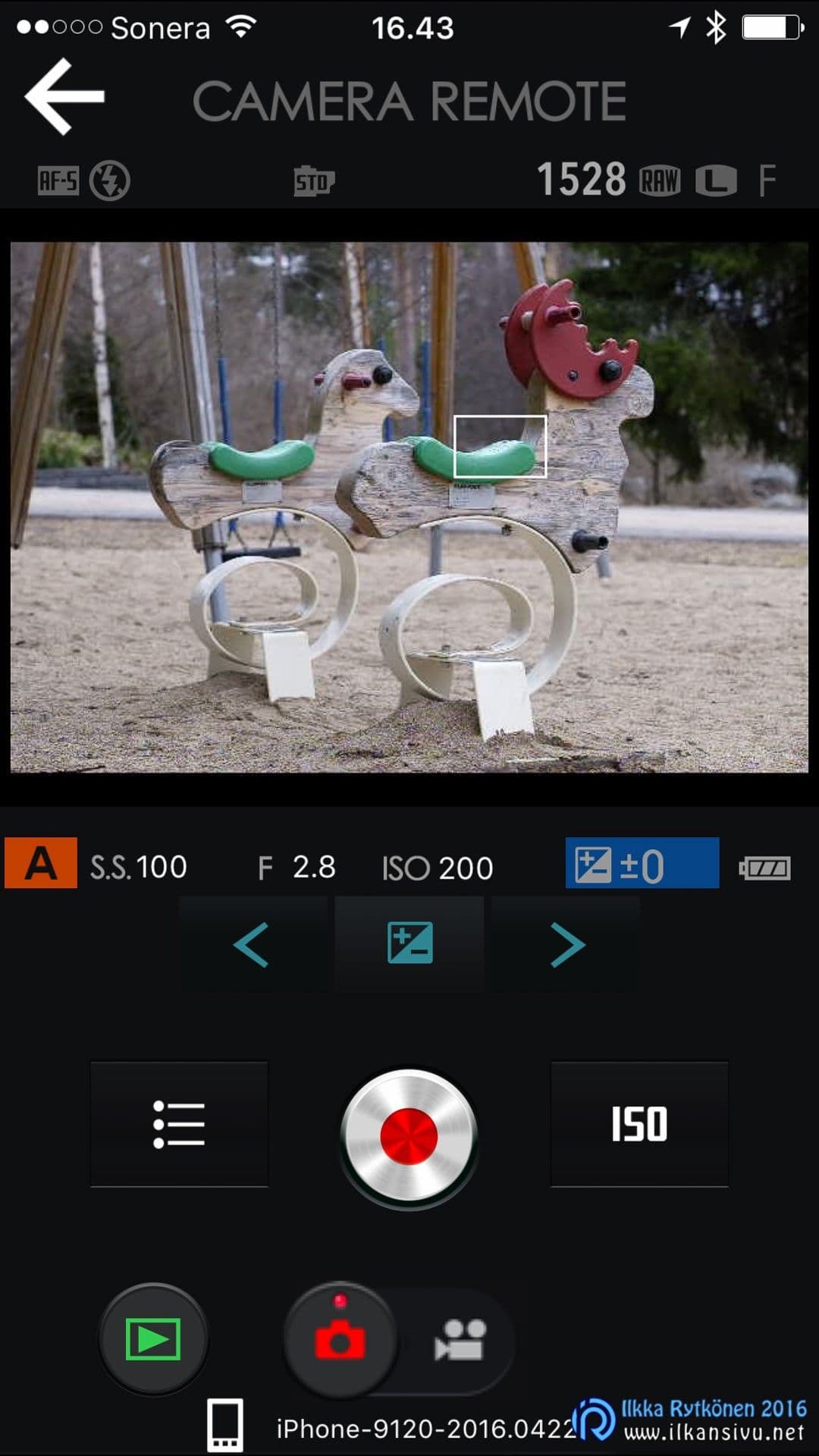
Three things can be done with wifi:
- the camera can be remote-controlled with a phone or tablet
- pictures can be sent to a phone or tablet
- geotagging, i.e. location data is added to the pictures with the GPS of a phone or tablet
Remote control is often a handy way. You can put the camera somewhere nearby and make all the adjustments with the phone. Well, not quite, but many things nonetheless. The exposure mode must be selected before starting the app, i.e. P, A, S or M. It cannot be changed to another after the connection to the app has been made. This should now be fixed with an update, since this limitation should not be tied to any hardware in any way. ISO sensitivity, however, can always be adjusted remotely regardless of the position of the camera's physical dial. Adjusting the other exposure parameters or using exposure compensation then depends on which exposure mode happened to be selected before the connection was made.
The focus point can be selected by touching directly on the preview image shown by the phone. You cannot get a histogram or an overexposure warning on the image. At least one or both would be desirable, so we wait for an update.
Transferring pictures to a phone or tablet is a good thing if a picture has to be passed on somewhere immediately, say to social media or other use. Transfer works only for jpg images. A raw image can of course be developed in the camera before transfer, but it is handier for a RAW shooter too to shoot their pictures in both formats. The size of the image transferred from the camera can be chosen as either a 3 megapixel version or the original. It is worth noting that, at least those RAWs shot at high sensitivities and developed in the camera look horrible.
The camera has no GPS chip of its own, but location data can be got into the pictures through wifi. A pity only that the connection between the camera and the phone has to be on all the time. It would be quite handy if the phone's app could be set to collect location data into memory and the locations could then later be sent to the files on the camera's memory card.
Flash system only developing
Fuji's flash system is still unfinished. The system has a few small Fuji flashes available, as well as the Nissin i40 and the upcoming i60. In the camera's menus, under the flash, there is a commander item, which presumably means wireless TTL. But there is not yet a flash on the market that supports wireless TTL.
Fuji's old EF-42 is from the time before Fuji's mirrorless cameras. It does work, but the user interface is a bit stiff. Nor does it sit very prettily on top of the small body. The flash is thick enough that it bumps into your forehead, and for that reason too it is not impossibly pleasant. Fuji then has a few smaller flashes, but they probably do not please those looking for a larger flash.
The Nissin i40 is probably the most worthwhile option at the moment if you want an automatic flash for a Fuji. Its user interface also suits Fuji's style nicely. In addition the flash has a hidden HSS function, but only in manual mode.
The Nissin i40 is probably the most worthwhile option at the moment if you want an automatic flash for a Fuji.
For those who do not need automation, a Fuji can then take all sorts of flashes. As needed, you can fire, for example, Canon or Nikon flashes on the camera with manual settings. I have myself been relying on manual flashes only, even though there are some situations where automation would also be of use. For strobist work you can use, for example, radio triggers designed for Canon. They work as they should.
On a Fuji you can use a Canon center-contact sync cord. The pins of the hot shoe are in the same places on both brands, so the TTL signal goes through. Of course there has to be a flash supporting Fuji's TTL at the other end for the automation to work.
Fuji has announced that it is developing a new professional-class weather-sealed flash, with the model designation EF-X500. The flash should be on the market in summer 2016.
Image quality
The image quality of the X-Trans CMOS II sensor is very good, and the 16-megapixel resolution has been sufficient for my needs. The limits of the resolving power of Fuji's lenses are not, however, being challenged here; the lenses have the capacity for future sensors. The new X-Pro2 and its X-Trans CMOS III sensor have already given a foretaste of this.
The sensitivity range covers ISO 200-6400. Extensions are available in both directions, but then the pictures can be saved only in JPG format. ISO 100 is the sensitivity I would have wanted to have here as native, in which case RAW recording would also have been possible. Now ISO 100 is mostly an emergency reserve. Not only because of the jpg format, but it also eats a stop of dynamic range.
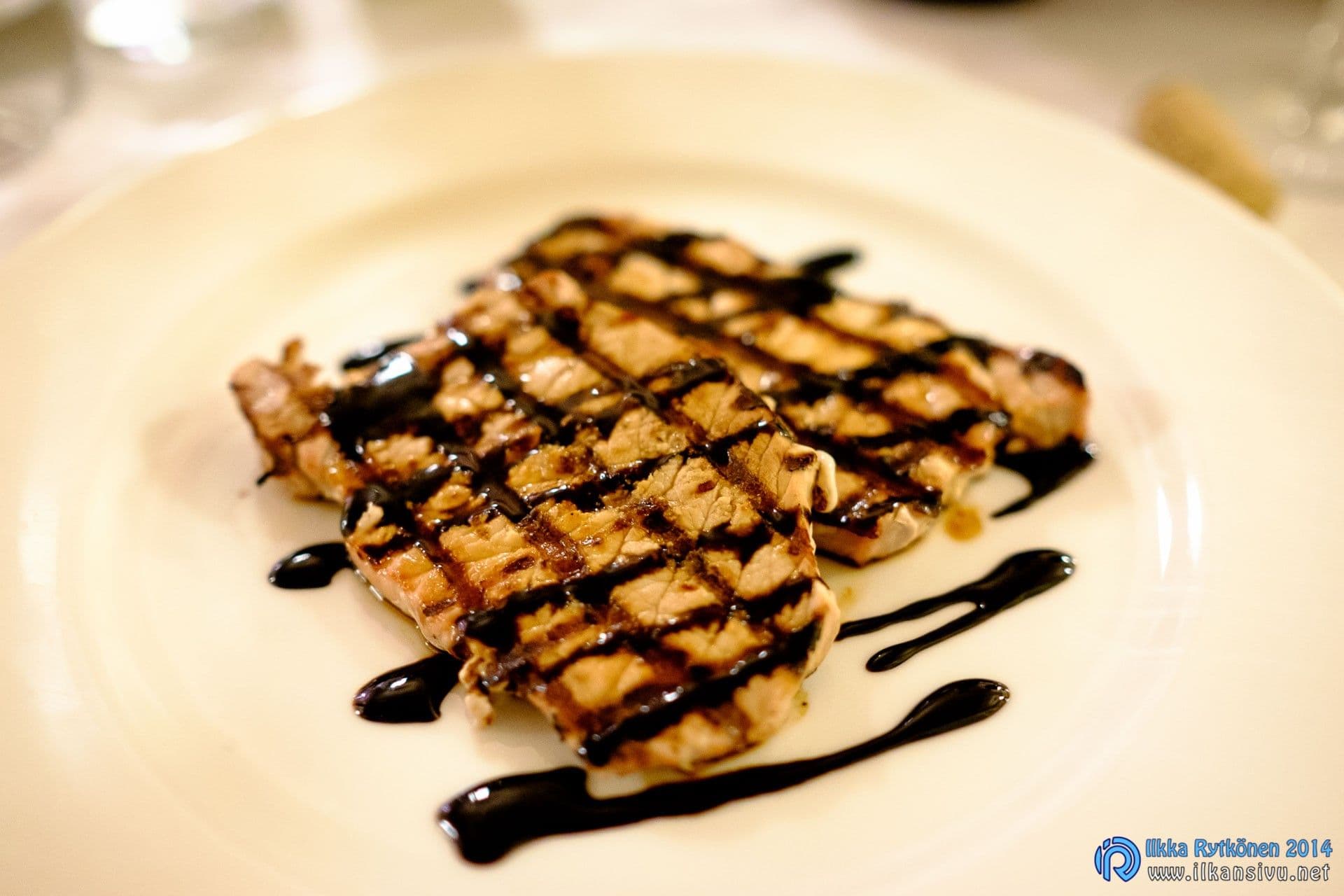
As far as noise goes, the sensitivity can be raised reasonably high without worry. ISO 1600 stays very clean and ISO 3200 is still very usable. I do use even the highest sensitivity without hesitation when needed, although ISO 6400 already produces more clearly noticeable noise. This can be nicely suppressed in Lightroom, and the pictures are still usable. Of course the purpose of use decides how much noise is too much for each person. I have X-T1 raw images numbering almost 22000, and of them I have taken 4100 at the highest sensitivity. That is almost as large a number as shots taken at ISO 200, which are the most numerous.
I do use even the highest sensitivity without hesitation when needed, although ISO 6400 already produces more clearly noticeable noise. This can be nicely suppressed in Lightroom.
The sensor tolerates overexposure hardly at all, so attention has to be paid to this in the shooting situation. With Canons I was used to moderate overexposure producing good results. In Canon's raw images the boundary between overexposed and light is much cleaner. With a Fuji this does not work. As a counterweight, you can dig tones out nicely from the dark areas of Fuji's files, so in that respect things even out.
The sensor tolerates overexposure hardly at all.
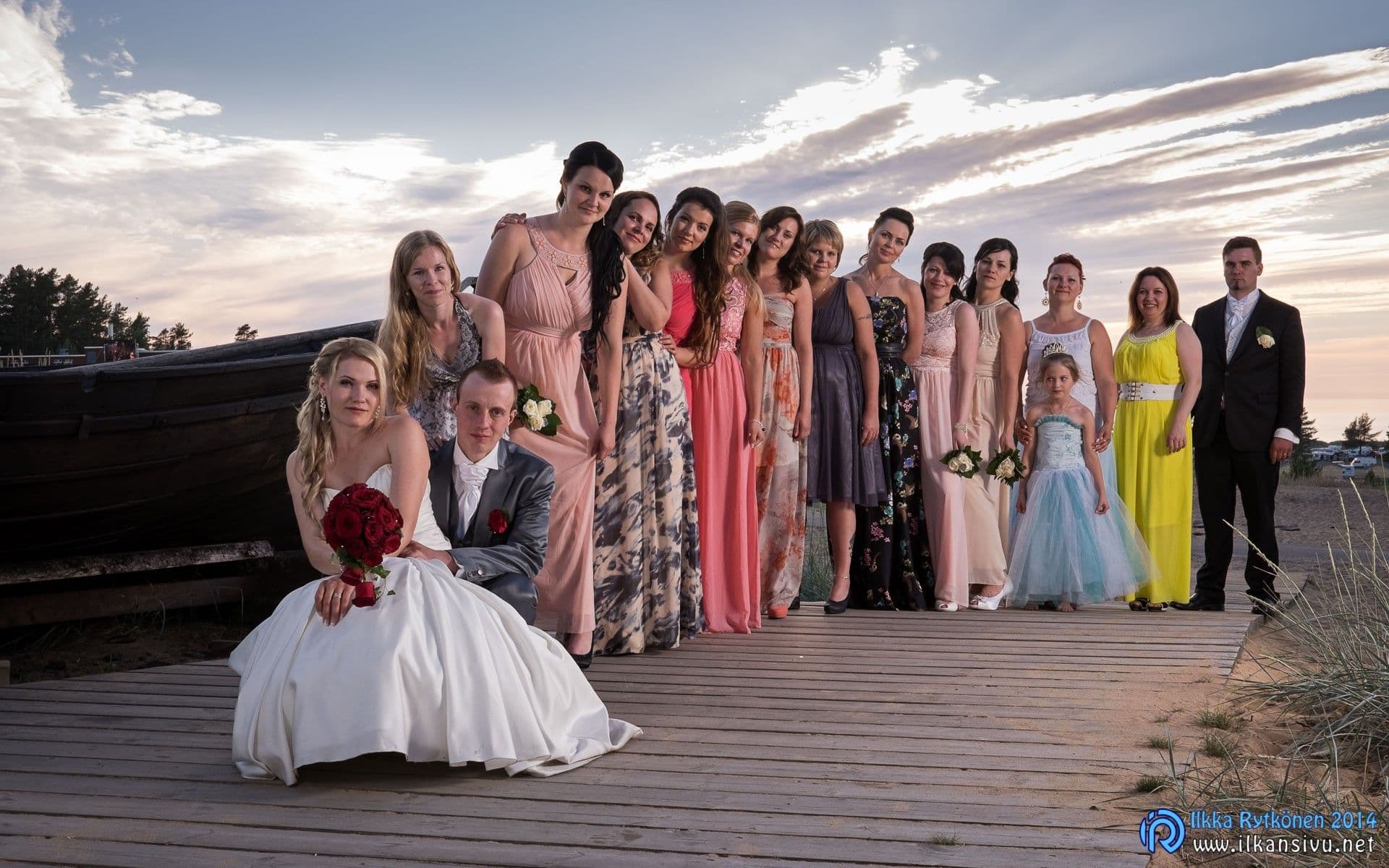
In terms of dynamics, ISO 200 naturally gives the greatest adjustment headroom, so in harsh light you can underexpose thoroughly if you want to preserve tones even in the brightest parts of the picture. Exposure can be pulled up about four stops in editing. The dynamics of the dark end hold together as sensitivity is raised, but of course the correction headroom keeps shrinking. ISO 800 still gives a couple of stops of leeway. ISO 3200 and higher sensitivities no longer give much adjustment headroom at all. If you must, then in some situations you must accept it and underexpose the picture, even if that adds noise. This way you can make your own digital ISO 12800, even though it no longer makes such a pretty picture.
Fujifilm X-T1 dynamic range
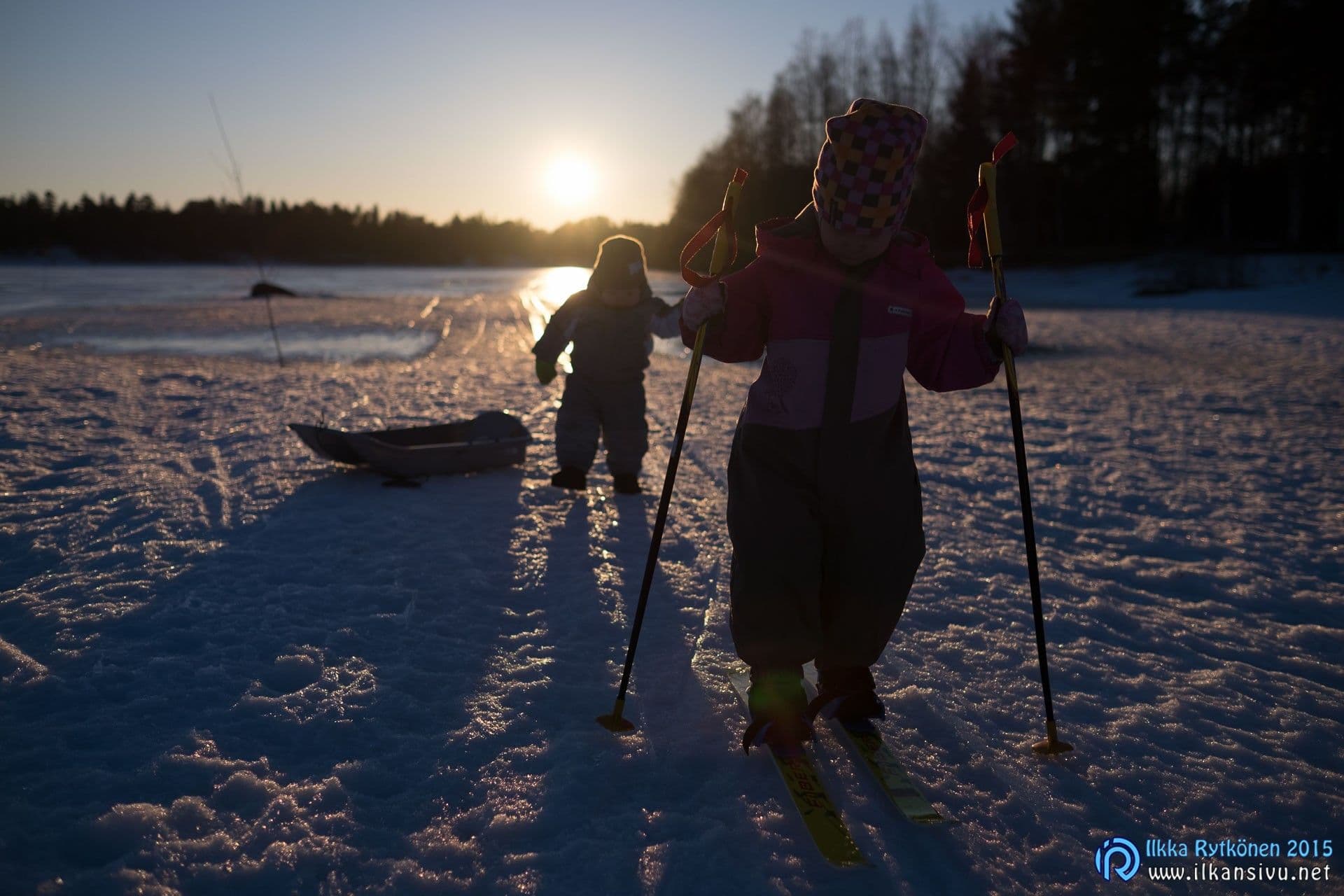

23mm, 1/7500 s, f/2.0, ISO 200, exposure raised in Lightroom by 2,6 stops and the shadow slider at +40.
Fujifilm X-T1 sensitivity
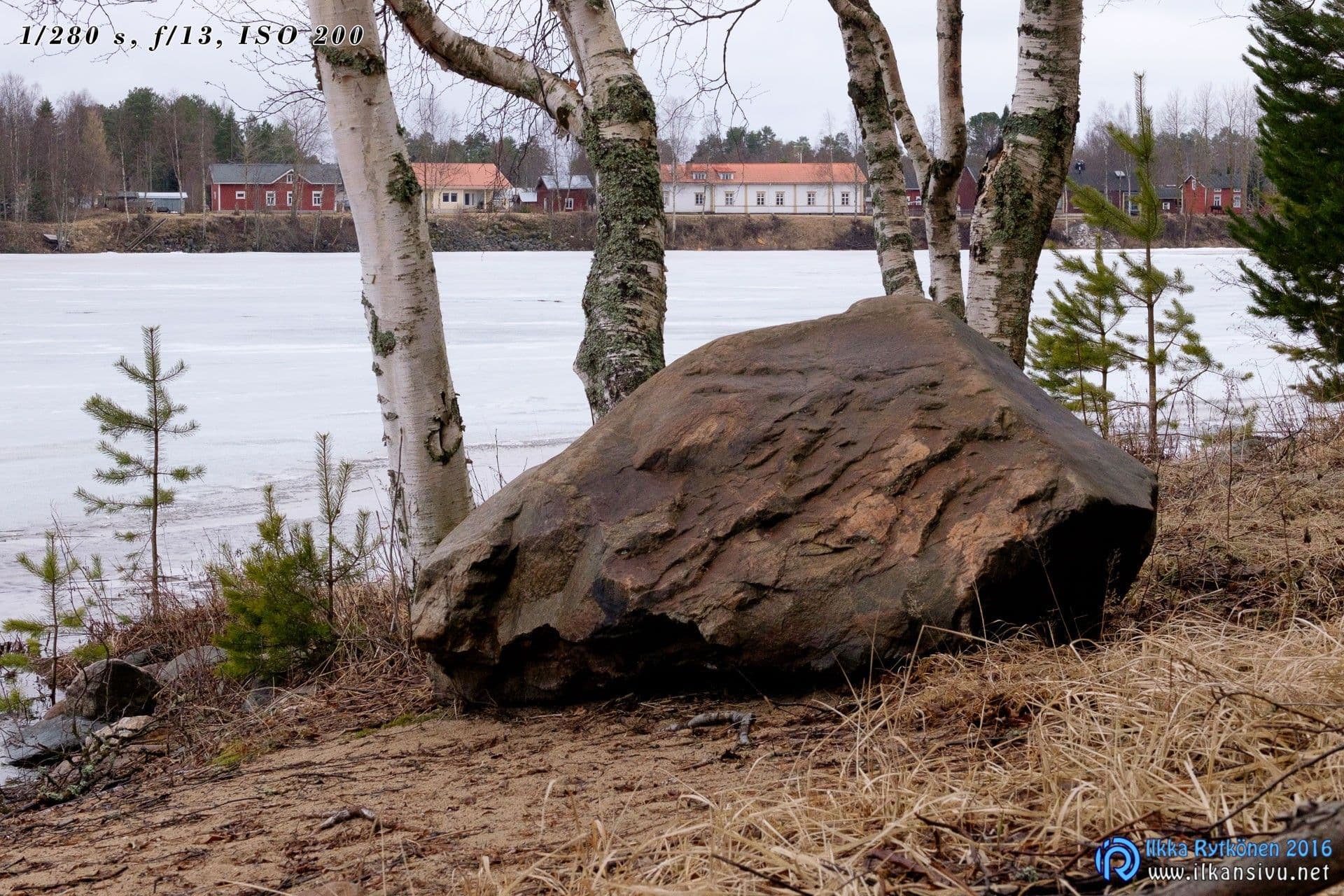
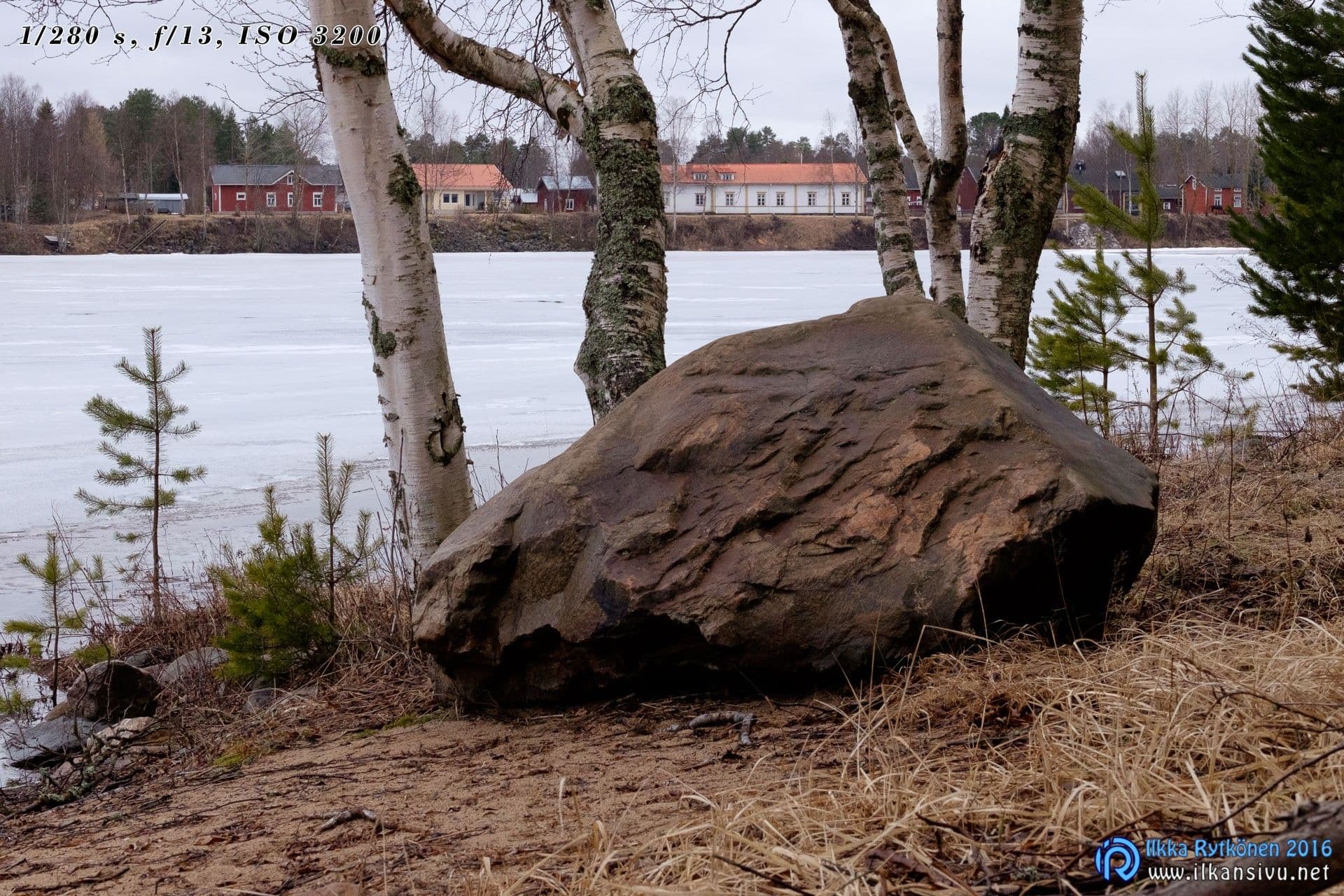
The image quality is the same whether you shoot at ISO 200 and underexpose by 4 stops or expose correctly at ISO 3200. The picture exposed at ISO 200 has been raised +4 stops in Lightroom.
Fuji's raw images have been considered problematic for many RAW converters, and so it was in its time with Adobe Lightroom as well. Last autumn, however, brought a leap forward in the matter, and the pictures seemed to be an order of magnitude or two sharper immediately when opened in Lightroom. With suitable sharpening I no longer feel there is any decisive problem. The default settings produce slightly softer results than files from Bayer-sensor cameras.
Fuji's raw images have been considered problematic for many RAW converters, and so it was in its time with Adobe Lightroom as well. Last autumn, however, brought a leap forward in the matter.
Among Fuji's characteristic features are the various film simulations, with which you can imitate the color reproduction of different Fujifilm films. These simulations are available also in Lightroom, and they work. The profile set in the camera therefore works only on jpg images, like other similar settings. The colors and tones are clearly different from Adobe's own basic profile. By trying you find out which looks most suitable in each situation. I have personally liked the colors of Fuji's profiles, even though by default they make the dark tones needlessly steep to my taste. But by raising the shadow slider the tonal range becomes more pleasant.
Compared with my earlier experience, mainly with Canon's files, handling Fuji's RAWs feels in some sense easier. It feels that it is simply easier to adjust the pictures to look the way I want.
I have used only Lightroom for developing Fuji's raw images, and I have not even tried whether other programs might produce better pictures. It may be so, at least according to online comments. It is, however, hard to bring other programs into the workflow, because Lightroom and Photoshop have been in use for me too for so long. But perhaps I could make a blog text of its own on this subject at some point and study the situation more closely.
Servicing
I have had to send my camera in for service as many as three times. And the service trips take 3-4 weeks. The first two cases were electrical faults. The first time the aperture value showed the reading F0, and a picture could not be taken. At first this happened in cooler weather, but later it also happened in warm weather. By removing the battery you could nevertheless get shooting, so it did not prevent shooting entirely. The camera went to service for a month-long trip, and the service report said: "Main circuit replaced". At the same time a hot pixel that had appeared on the sensor also disappeared.
I have had to send my camera in for service as many as three times. And the service trips take 3-4 weeks.
The second fault was when the camera suddenly refused to save pictures to the memory card. The write light just stayed on, but nothing happened. So the camera was unusable and service called again. This time too, according to the service report, the main circuit had been replaced.
The third time I sent the camera in for service was when the ISO sensitivity dial began to turn the drive mode dial underneath at the same time. So whenever you adjusted the sensitivity, the shooting mode tended to end up in burst or panorama mode. This did not prevent shooting, but was at times an annoying defect. The service trip took about three weeks this time. At the same time they had fitted the camera with a new shell, because the rubber of the gripping surface had worn almost smooth.
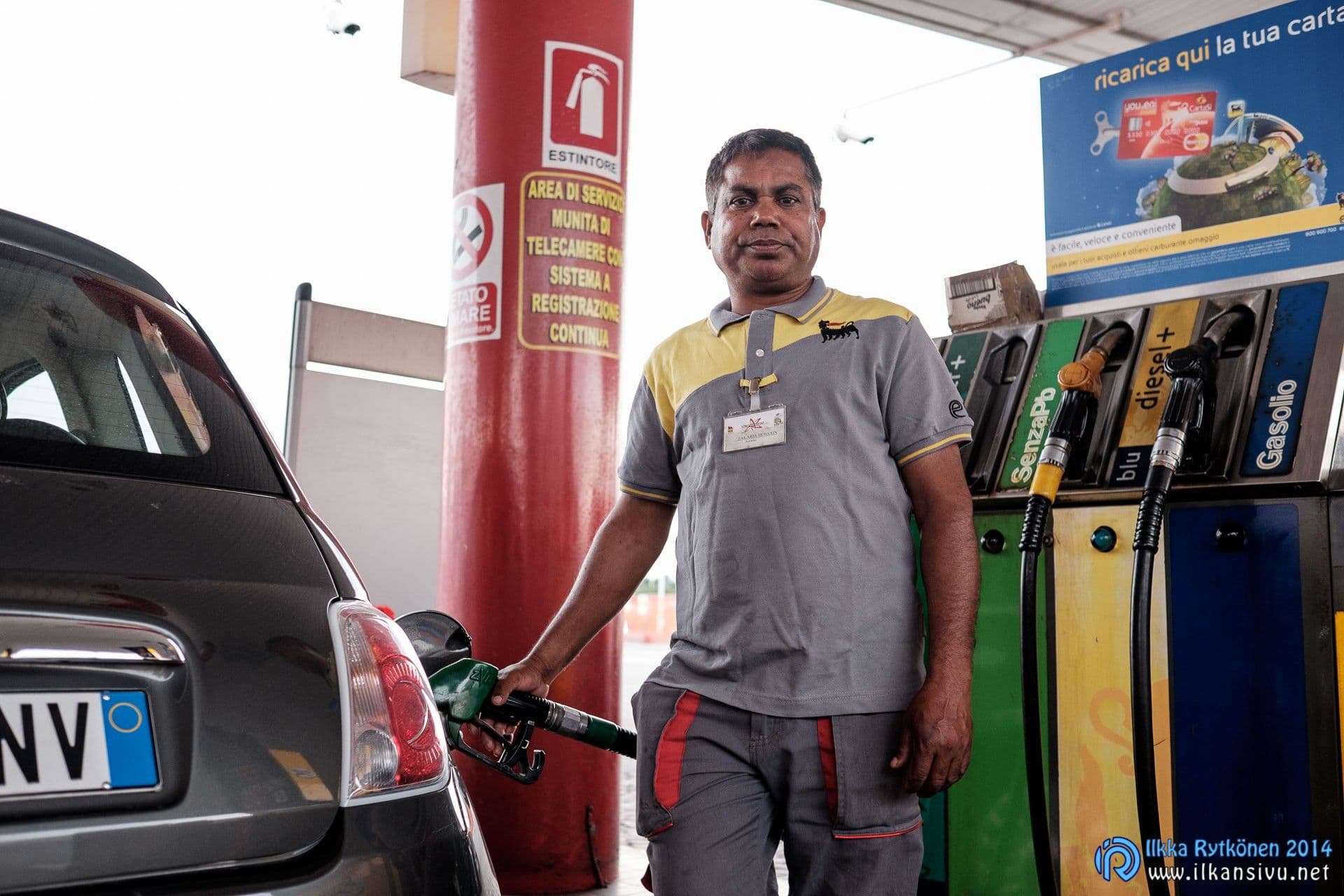
Two photographer acquaintances of mine also use the Fuji X-T1. For one of them the camera has worked without fault, but for the other the camera has needed a couple of service visits. Both have used their cameras heavily. One fault is the same as mine, i.e. the ISO dial getting stuck to the dial underneath. The other fault was hot pixels appearing on the sensor. Because of that the sensor had been replaced with a new one. Now the new problem had been screws holding the tripod thread in place falling off somewhere. A third photographer acquaintance also used the X-T1, but he had no need for service with his own unit.
So this need for servicing causes a little concern. In any case, on a job you should always have a backup device along in case of breakdown, whatever make you shoot with. At least if you want to be able to continue the work without interruption.
Other observations
The camera responds to the buttons with sufficient speed in normal shooting situations. In fast situations, however, you do sometimes notice the camera's delays. You have the adjustment in mind and how it is done, but sometimes the camera's reaction takes a little while. This is usually not a problem, but it is indeed noticeable in hectic shooting.
It would be good if the automatic sensitivity control took the focal length in use into account. With a tele a shorter exposure is needed than with a wide angle. Now you have to monitor yourself that the auto sensitivity settings are suitable for the shooting. This is not, however, any earth-shattering shortcoming. With the default settings the auto-ISO settings are in the menus, but I have put them on a shortcut button. That way it is easier for me to change the settings quickly to what I want. With firmware updates the camera now has exposure compensation available in manual exposure, if the sensitivity control is on auto.

A 24-hour clock and a seconds display are missing from all of Fuji's cameras. Well, why should the clock in the camera be exactly right to the second? It need not be, if you shoot with one camera. But if you shoot with two, then it already matters. When both cameras are on the same time, the pictures then arrive on the computer automatically in chronological order. In wedding photography, for example, it is unpleasant if the pictorial story jumps back into the past now and then.
A menu memory would be nice, because after the power is switched off the menu always opens at the first item of the menu. Although this is not a very bad shortcoming, since the menus are relatively simple and finding what you want does not take much time.
Sometimes it would be nice to know how many pictures are on the memory card. This information cannot be got out of a Fuji. This too is not dangerous, but it would be quite a nice addition.
In all of Fuji's cameras, including the X-T1, there are a few hidden quick functions. Try pressing and holding different buttons for a moment.
The camera can also shoot FullHD video. The frame rates can be chosen as 24, 25, 30, 50 or 60 frames per second. Sound can be captured with either the internal microphone or an external microphone connected to the 2,5 mm jack. A four-step audio level control is available. Continuous autofocus works during video shooting. The length of a single clip is at most 14,5 minutes. Video shooting has been for me mostly at the experimental stage, so I will not say anything more about it.
Kaizen – continuous improvement
The X-T1 is now an entirely different camera from what it was at release. The camera has received significant updates reasonably often. Together these updates have been of such a magnitude that another camera manufacturer might have brought an entirely new model to market instead. It is great that the manufacturer thinks about buyers from this angle. Instead of changing the body, you can spend the money on, say, Fuji's excellent optics.
The camera has received significant updates reasonably often.

The original X-T1 has received through updates, among other things:
- Electronic shutter
- More customizable buttons
- Use of the D-pad directly for selecting the focus point
- Exposure compensation in manual mode when automatic sensitivity control is on
- Autofocus improved on several occasions
- Improved video shooting features
Perhaps something good is still to come, time will tell. Not every technically possible trick is coming, however. If the processor's performance is not enough, then a new feature is not brought to the camera. It would indeed be rather unpleasant to use a camera that lags in the shooting situation.
Good
- Large and clear viewfinder
- Good image quality
- Good lens selection for the professional and the active photographer
- Focus points also at the edge of the frame
- Mostly good controls and clear operating logic
- Tilting screen
- Wifi (with minor reservations)
Bad
- No 24 h clock
- The controls could be larger
- Flash system still incomplete
- Phase-detection points only in the central area
- No warning color for overexposure while shooting
- Repeated service visits
- Microphone jack 2,5 mm instead of 3,5 mm
- The self-timer setting does not stay in memory
- No continuous autofocus for the thumb
Final conclusions
The Fujifilm X-T1 is not a perfect camera in every respect. Perhaps no such camera exists. But the X-T1 is very good in many respects, although the repeated service visits cost it points. It is pleasant to shoot with and pleasant to look at the results it produces. The lenses are of high quality and there are fine options for different needs. Because Fuji has no other sensor sizes or mounts competing for attention, all the lenses are optimized to the last detail for exactly this system.
The X-T1, or any other mirrorless camera, is not the first choice if you mainly shoot sports or other moving subjects. Of course the direction in mirrorless is right, and the X-T1 also copes reasonably with such situations. Two Finnish World Rally Championship events have shown this, and at the same time also surprised me positively.
The X-T1 is the right choice for you if you want, in a compact size, a good weather-sealed body with good image quality and a large, high-quality electronic viewfinder. Fuji also values those who have bought its cameras with firmware updates, through which the camera gets new features or existing things are improved.
Besides the basic black, the body is available in graphite gray, but surprisingly the gray color costs a couple of hundred more than black. You can have the black body for about 1100 euros. The body is also sold as a kit with a couple of different lens options. If the X-T1 feels too expensive, it is then worth getting to know the X-T10 and X-E2s models as well. It is also worth following the cashback campaigns that run from time to time, in which you get money back on the product you bought.
There is also a special version of this body, the X-T1 IR. The IR version is intended for infrared and UV photographers, and the sensor records those wavelengths.