

What
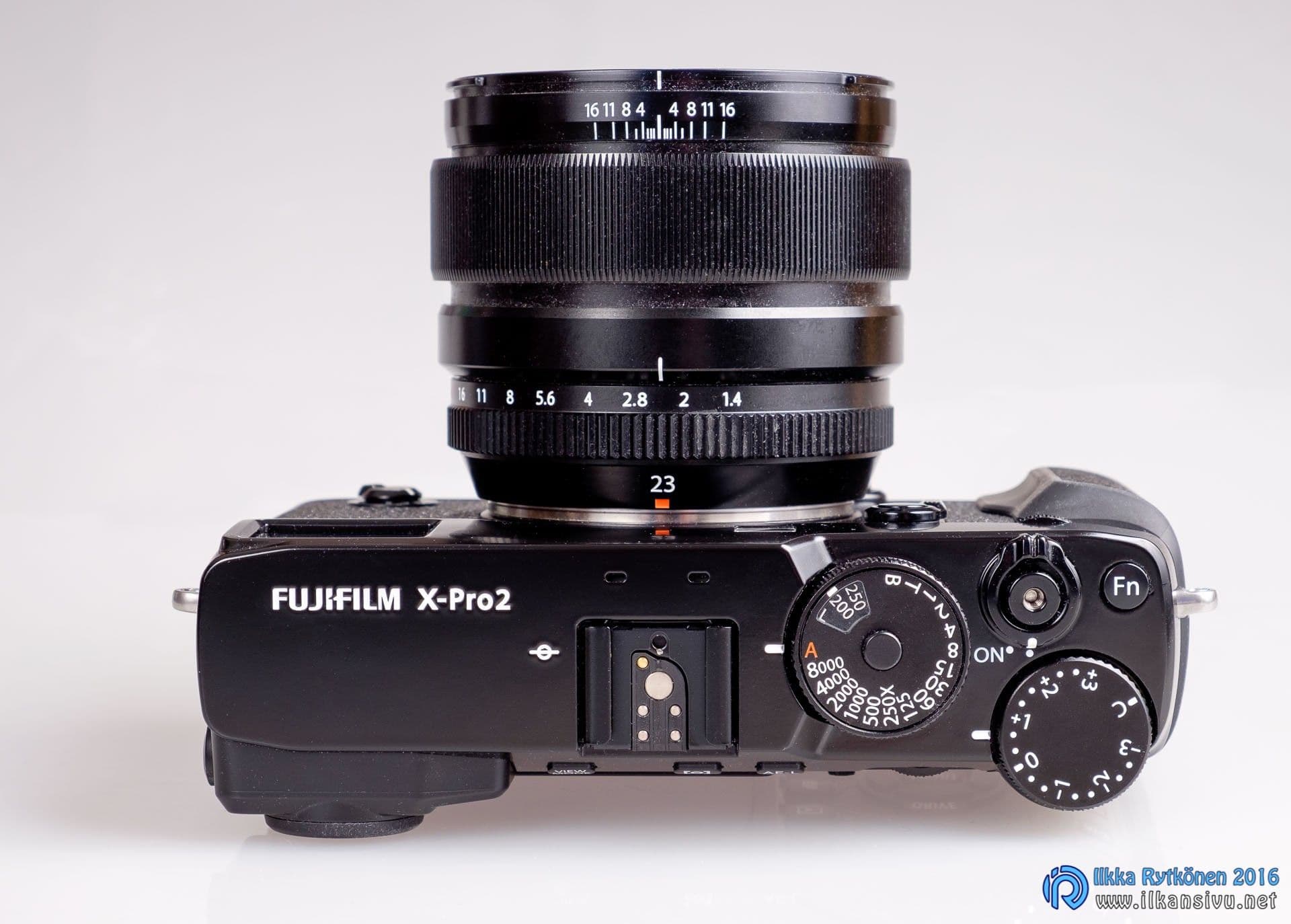
The X-Pro2 is Fujifilm's first camera with the new X-Trans III sensor and X-processor. This mirrorless body is, alongside the just-introduced X-T2, the manufacturer's current top-of-the-line model, aimed at professionals and others who take photography seriously. This is also indicated by the fact that the camera has no flash, no fully automatic mode, and no ready-made scene programs for e.g. landscapes, portraits, pets, evening shots or the like.
Added experiences of photographing a moving subject and of quickly formatting a memory card.
The camera will most likely be updated several times over the next couple of years, so this text will also go out of date at the same pace.
The test is based on firmware version 1.01. The camera will most likely be updated several times over the next couple of years, so this text will also go out of date at the same pace. Where possible, however, I will try to add corrections to the text as needed after the updates are released.
Main features:
- 24-megapixel X-Trans CMOS III sensor
- ISO 200 – 12800
- 30 s – 1/8000 s shutter speeds (1/32000 s with the electronic shutter)
- 91 focus points (325 points also selectable) (originally 77/273)
- 1/250 s flash sync speed
- Continuous shooting at 8 frames per second
- 2 memory card slots
- Hybrid viewfinder (optical and electronic)
- FullHD video recording 24/25/30/50/60 fps
- Wifi
- Weather-sealed magnesium body
A leap to the third generation
The Fujifilm X-Pro2 is quite an upgrade over the original X-Pro1. In a way a whole model generation has been skipped, and Fuji's first mirrorless model has for a long time no longer practically been Fuji's number-one cannon.
New sensor and processor
One of the most anticipated novelties is the sensor, which is now the third generation of X-Trans. The pixel count has grown from 16 megapixels to 24. At the same time the sensor's phase detection autofocus has also taken a leap compared to the previous model generation. The first-generation sensor of the X-Pro1 had no phase detection at all, and its focusing was not very good, especially in dim light.
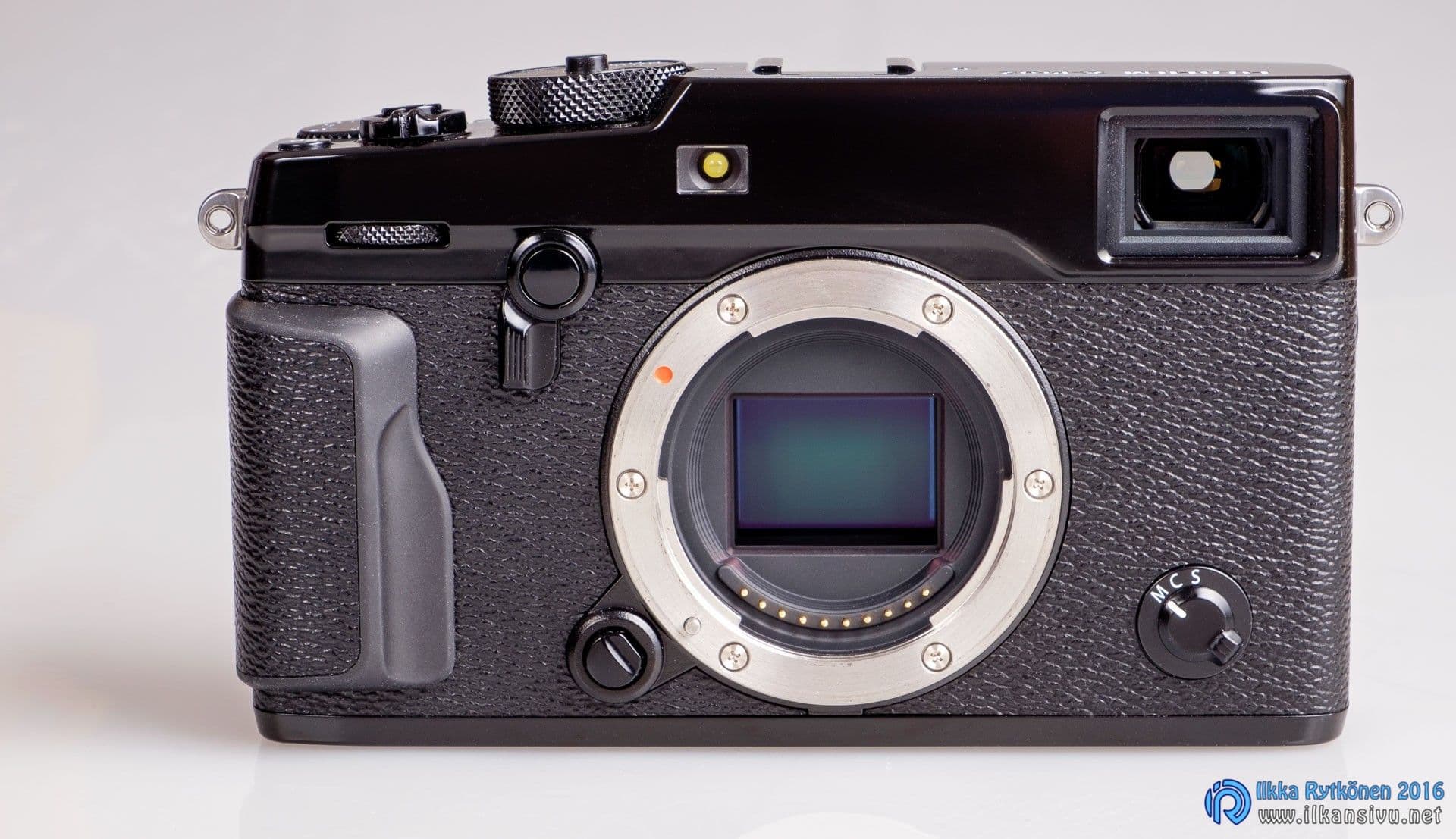
The new processor is clearly more powerful than the old one, and some of its capabilities remain in reserve. Perhaps these capabilities will be put to use at some point with firmware updates. The new processor will also be used in Fuji's other upcoming models.
Hardware-wise the X-Pro2 could also shoot 4K video, but at least at this stage the resolution has been left at FullHD. According to what Fuji has said, this camera will remain without 4K in the future as well, since it is regarded as a photographer's camera. Apparently leaving out 4K video is also because excess waste heat cannot be directed away. Those who shoot with this type of camera do not need video. This is also indicated by the fact that the camera has no separate video button to start recording. By default, though, the Fn1 button starts video recording.
The new processor is clearly more powerful than the old one, and some of its capabilities remain in reserve.
Customizability
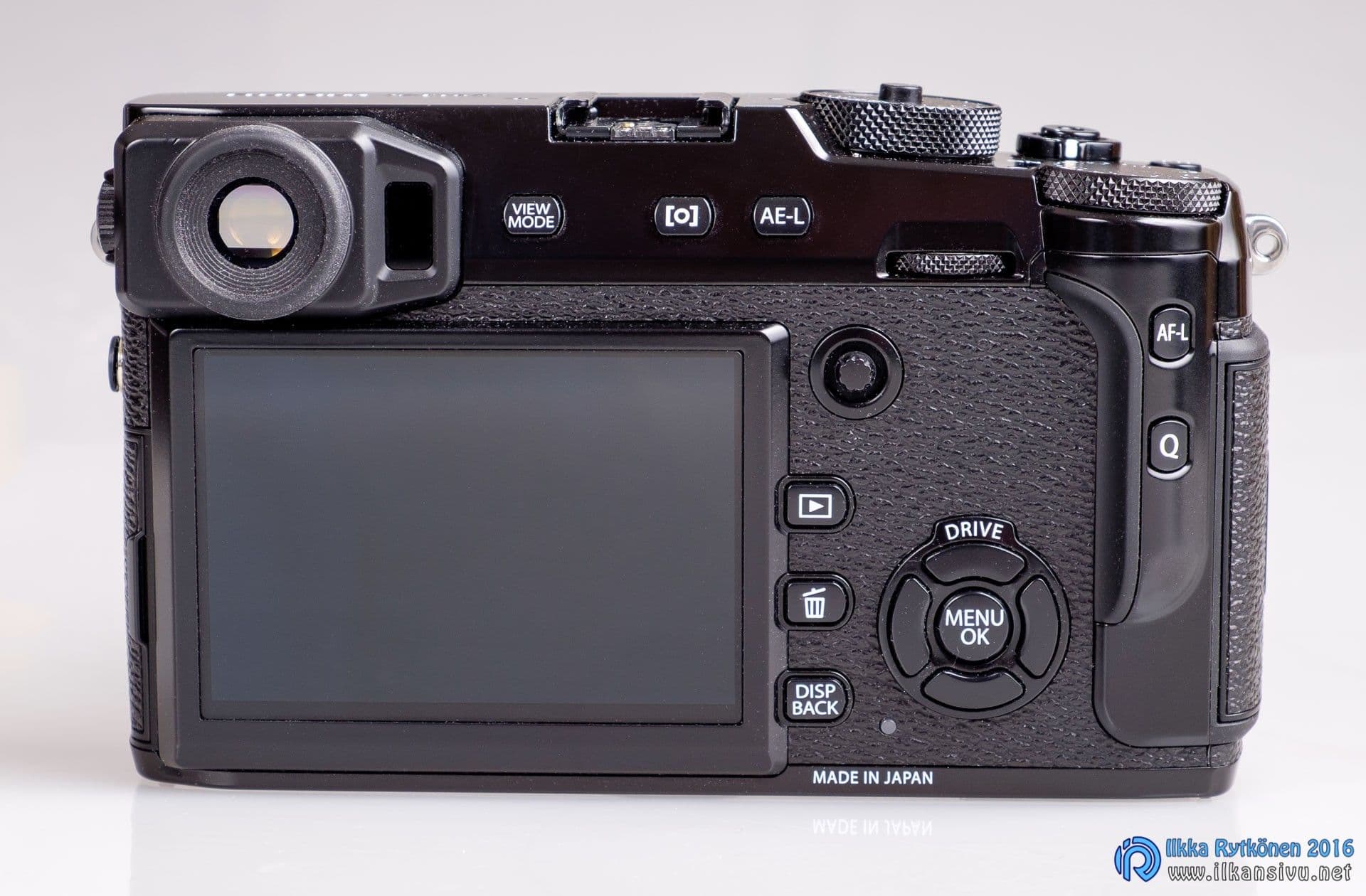
There are now a total of six customizable function buttons, which feels like a sufficient number. The non-standard USB connector has been replaced by a standard micro-USB connector. However, the battery cannot be charged through the connector, which would be a good addition in some conditions, such as on a car trip. Properly, a separate battery charger comes in the box.
The shortest flash sync speed is now 1/250 s and it is pre-marked on the shutter speed dial. On the X-Pro1 the shortest sync speed could not even be selected when using manual flashes; you had to use 1/160 s. Even that speed returned to the base speed of 1/125 s every time when reviewing the picture, which was frustrating. Unlike on the X-T1, the sync speed can also be adjusted a few notches in either direction with the front dial. This is, on the other hand, a bad thing, because when shooting with flashes the relatively sensitive front dial may slip the speed to, for example, 1/400, at which point the flash no longer illuminates the lower part of the image.
There are now two memory card slots, which is a very good thing. Among mirrorless cameras, dual card slots have been missing so far, with the exception of Leica's SL model line. In this matter too, the same route as Leica has been taken, i.e. only one card slot supports USH-II cards. Savings have been made in a strange place, so brickbats for that. USH-II cards do of course work in a USH-I slot, but only slower. Slower than the slower UHS-I cards.
SanDisk's UHS-II U3 card is fastest in memory card slot 1, but the speed drops significantly when it is put in memory card slot 2.
In practice it works
Feel
In many respects the X-Pro2 is familiar Fuji, but many things have changed. The left end of the body has been cleared of buttons, so when shooting the left hand can support the camera from under the lens in a natural way at all times. All adjustments are made with the right hand, which makes sense.
The camera sits decently in the hand, although it is not on par with the X-T1. The X-Pro2 is slightly larger and more angular, so a bigger grip would also be more comfortable. In practical shooting situations the grip does start to feel better, and I did not even pay attention to it during a hectic wedding shoot. The feel of all buttons and controls is excellent, except for the front and rear dials. The dials work as push buttons in addition to rotating, which somewhat weakens their feel.
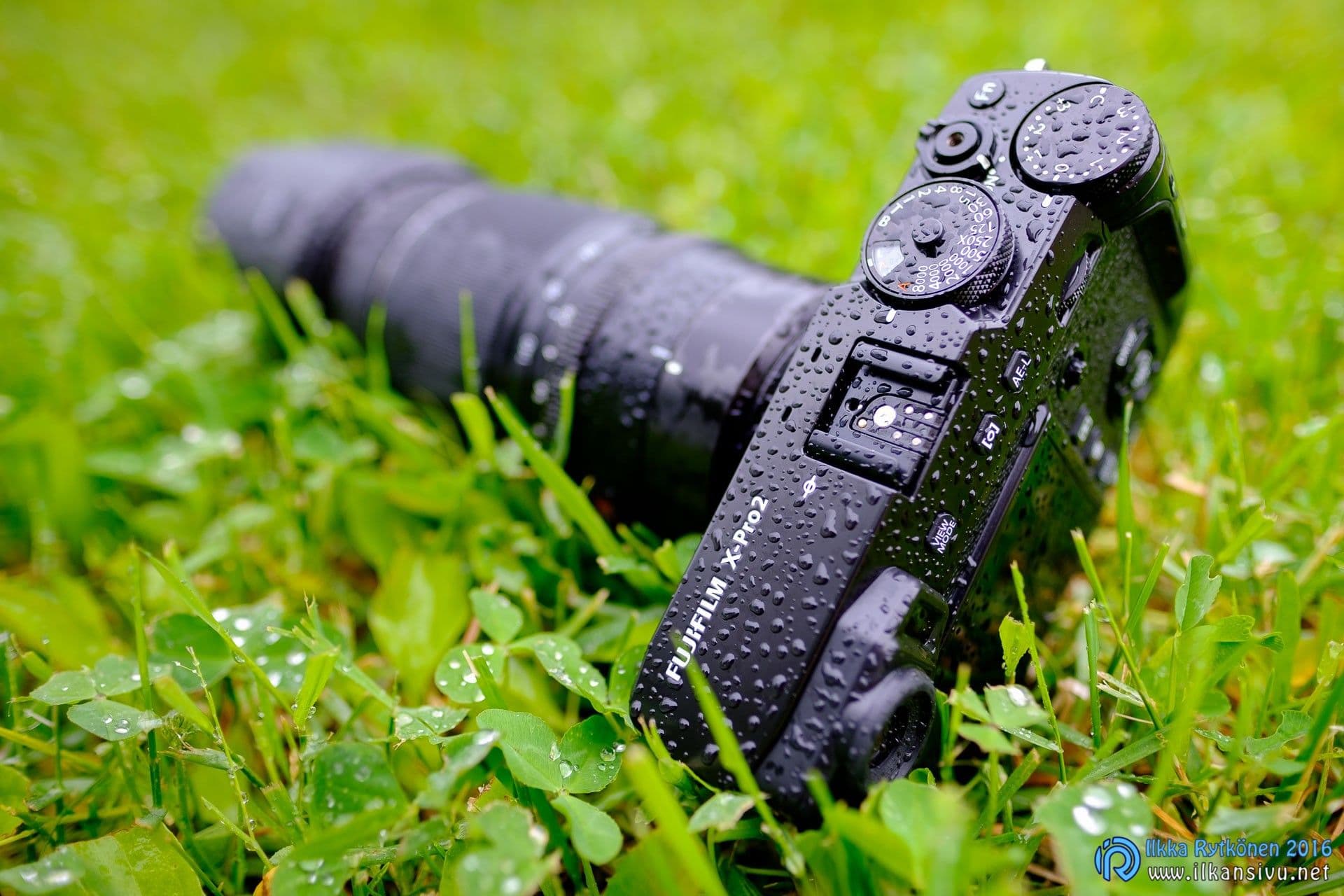
The shutter sound is different from earlier Fuji models. Now the sound is snappy and quick. In the X-T1 and X-Pro1 the sound is lazier-sounding, but of the same loudness. The sound can be removed entirely by using the electronic shutter.
At first I once got the camera's settings reset. This is apparently because a new camera should be kept with a fully charged battery for at least 24 hours. After that the internal backup battery has charged sufficiently and it keeps the settings in memory when the main battery runs out or when the battery is changed. The first firmware update apparently fixed this small shortcoming.
Renewed menu jumble
The menus have got a new look after a long time, and perhaps it was about time. Fuji's earlier menus had stayed unchanged in all models for years. In themselves the menus have been relatively clear, because the number of menu items has not been overwhelmingly large until now.

An item "My" has appeared in the menus. You can gather in this part of the menu the most important functions you need often. But not everything can be put there either, which is a pity. The way the memory cards are used would be one item suited to your own menu. I missed menu memory. The menu opens every time from the first item of the menu, or from the first item of the My menu if settings have been saved there. After the shooting session I was left with the feeling that the renewed menus are not yet finished, but clearly need rearranging. E.g. the contents of the user menu should be spread out to be reached faster.
The quick menu that opens behind the Q button is also customizable to suit your own needs, so this reduces the need for menu adventuring. All 16 items of the quick menu can be customized and the preferred function for a quick selection can be chosen from among 24 adjustments.
Earlier I criticized the awkward memory card formatting in this blog text as well. There is, however, a workaround, and the function does not need to be dug up from deep in the menus. Formatting works by holding the trash button down long enough and then pressing the rear dial. After this a format selection appears on the screen, from which you can choose slot one or two. Handy.
The renewed menus are not yet finished, but clearly need rearranging.
Control dials and the long-awaited joystick
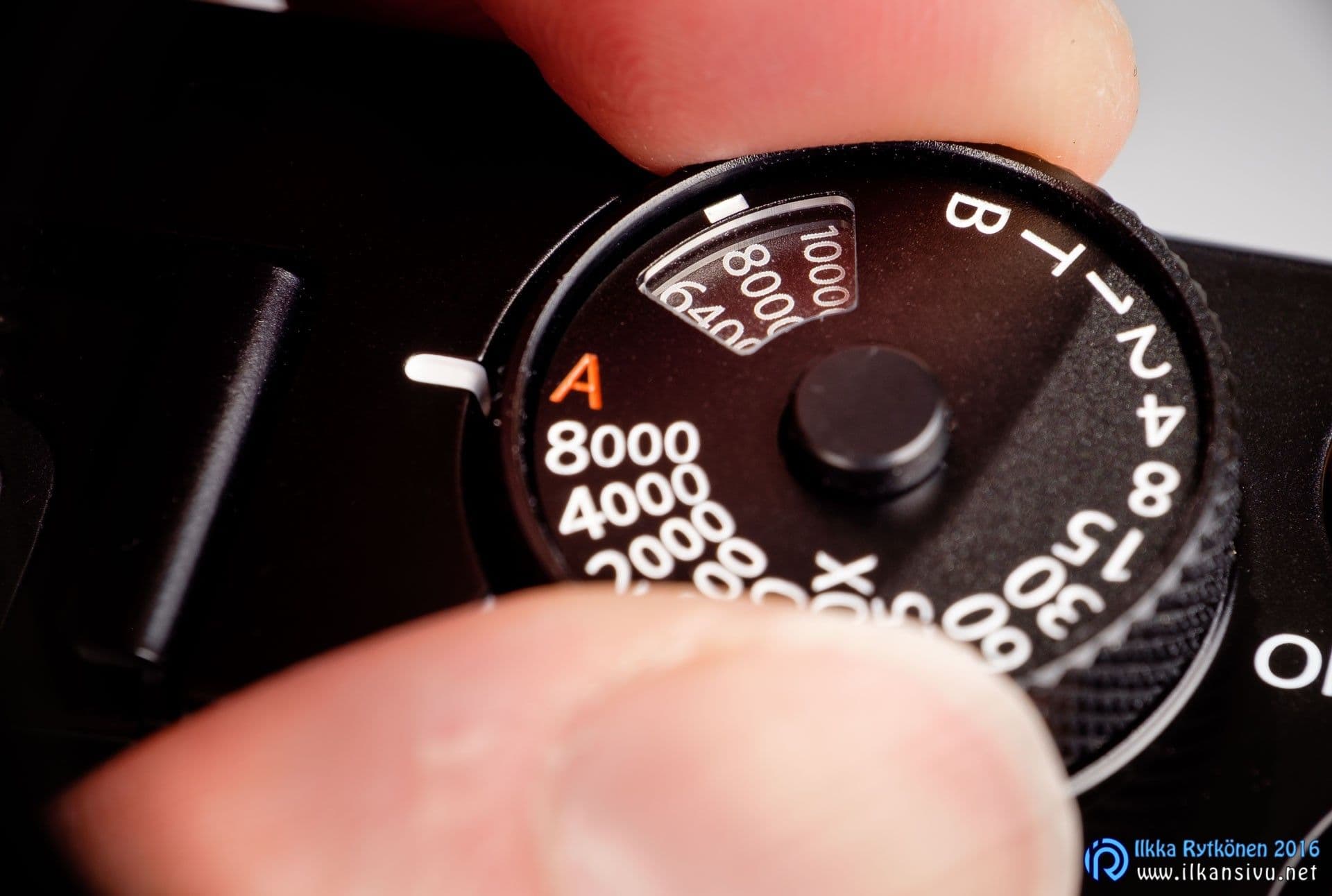
ISO sensitivity is now adjusted from the same dial as the shutter speed. Adjustment is done by lifting the shutter speed dial and rotating the desired sensitivity into place. A drawback of this system is that the sensitivity markings are upside down if one of the longer speeds is selected as the shutter speed. On the other hand, the sensitivity is also shown all the time on the screen and in the viewfinder, where the readings can always be read the right way up. In practical situations ISO adjustment works, although it may not be the handiest.
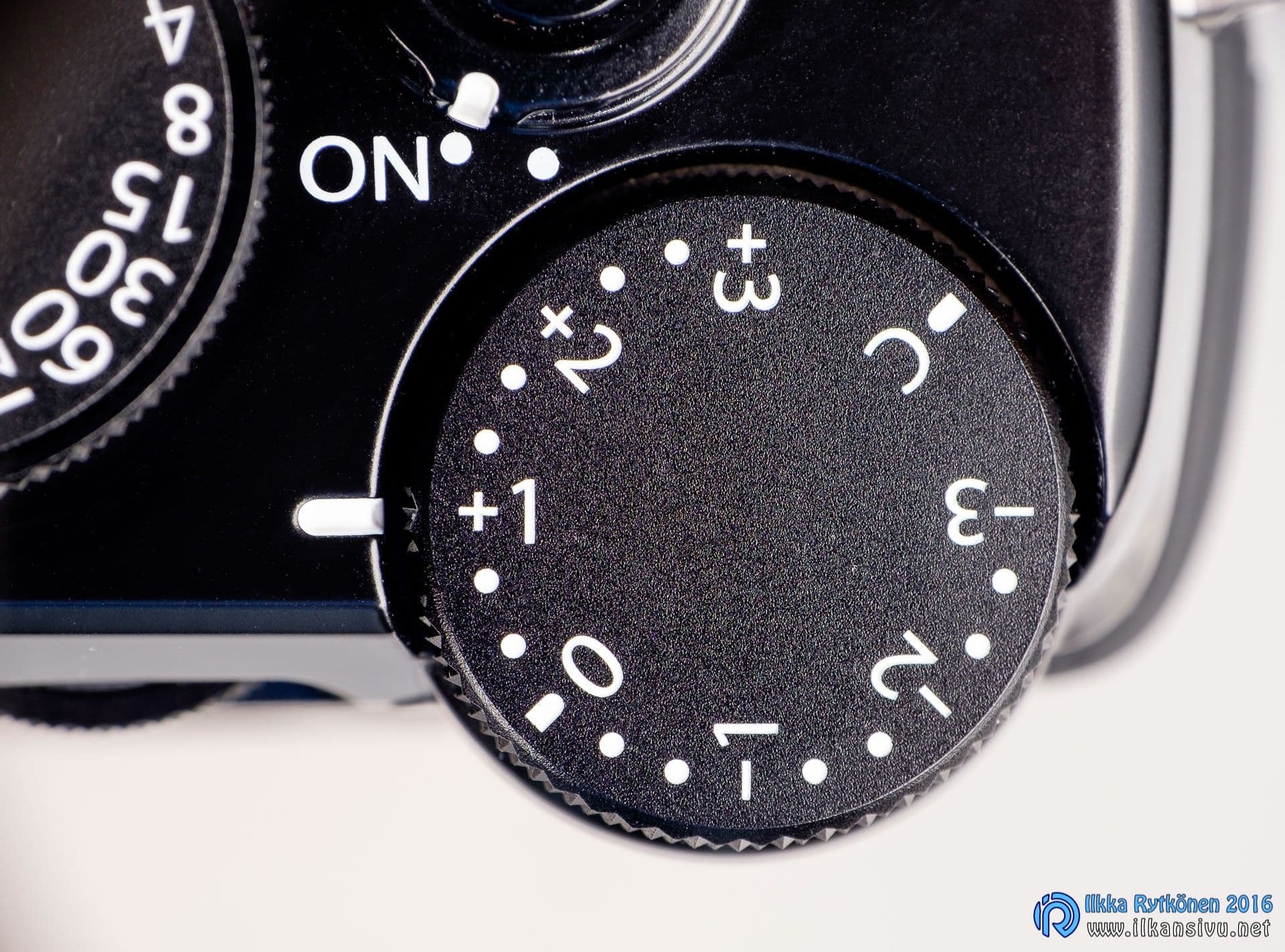
The exposure compensation dial is now larger than before. This is only a good thing, because exposure compensation is the control you have to use all the time. The vision of a Japanese engineer tends to differ from a Finnish photographer's view of correct exposure. The X-Pro2's exposure automation does seem to give good results, though, and together with the improved dynamic range exposure is quite carefree.
Exposure compensation is available in the range –3...+3, with an additional C mark, i.e. custom. In this position exposure is adjusted with the front dial, in which case the adjustment range is as much as -5...+5 stops. This should be enough for most purposes. The front dial just feels quite loose compared to the actual compensation dial, so I personally don't care for the custom setting. The custom setting can also be used as a memory slot if you always need a certain amount of exposure compensation. The notching of the C position can be felt with the fingertip without looking at the dial.
The vision of a Japanese engineer tends to differ from a Finnish photographer's view of correct exposure.
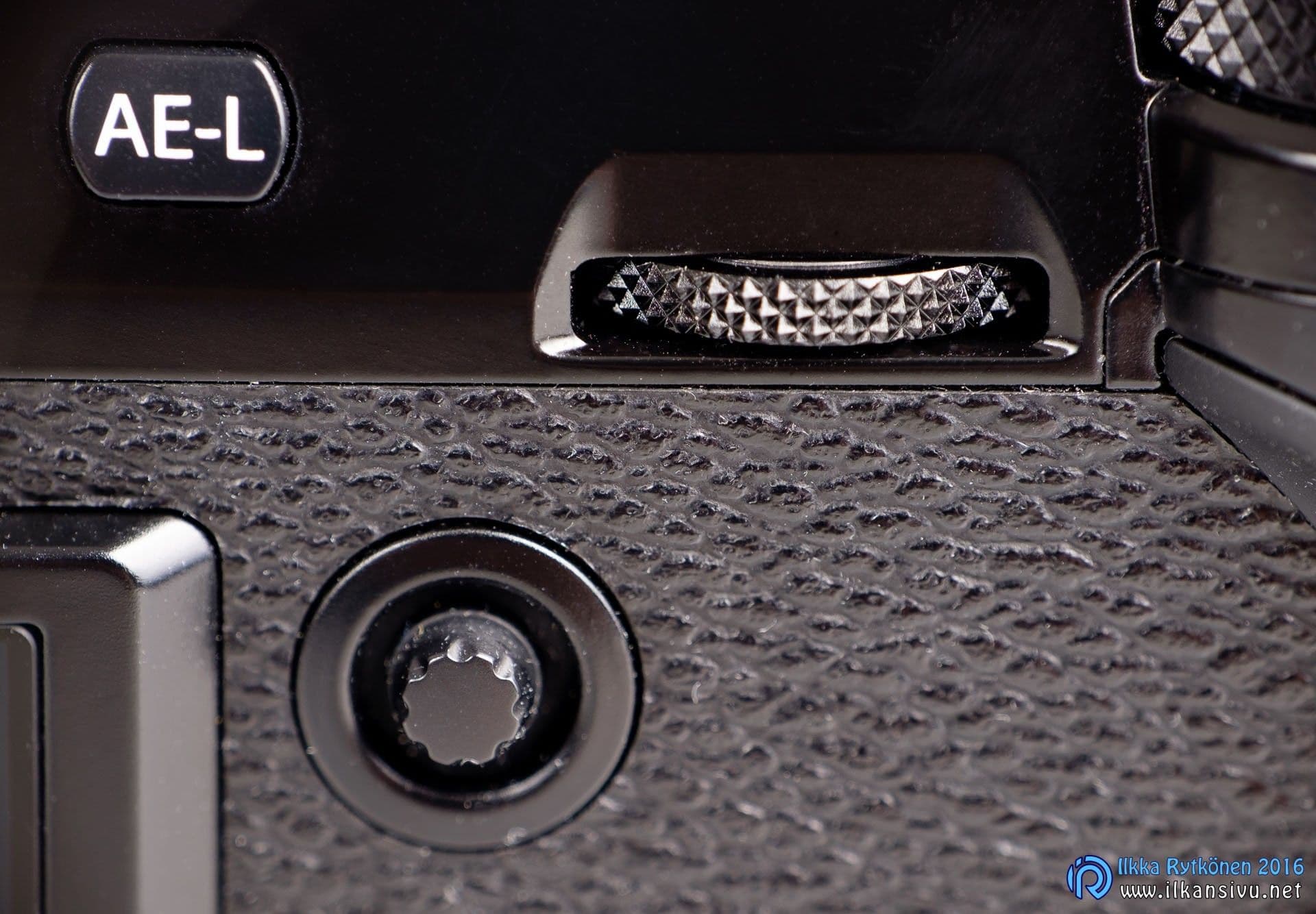
The joystick is a very welcome improvement for moving the focus point. I have at times wished for this from Fuji, and now the wishes have been answered. Apparently someone else has also missed this function. Now the four-way controller can be left to do other things. The joystick works precisely and the focus point moves where you want it to go. It is a very good thing that the joystick was also brought to the X-T2 going on sale in the autumn. After the X-Pro2, moving the focus point on other Fujis feels clumsy.
Unique hybrid viewfinder
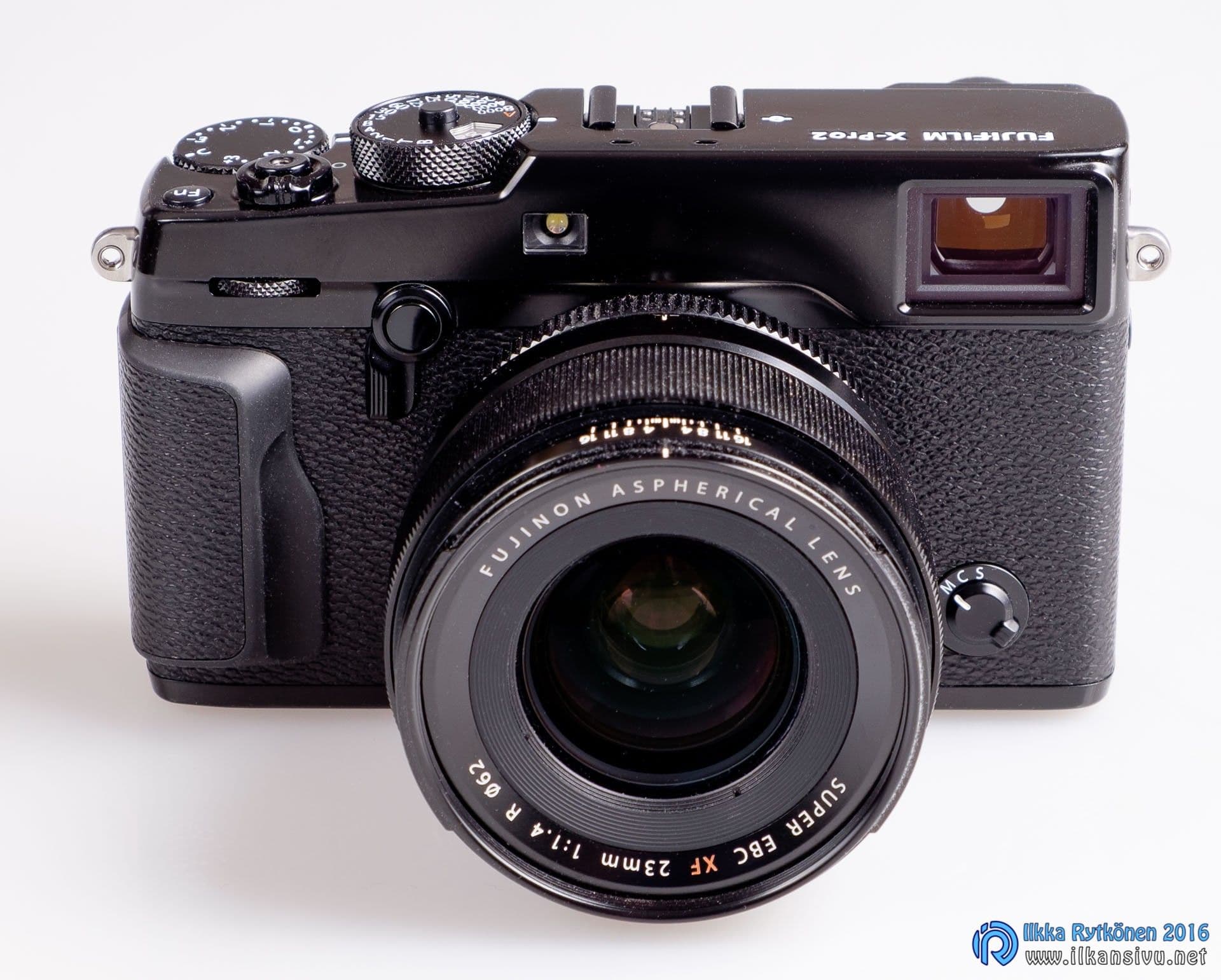
A hybrid viewfinder has been among the special features of the X-Pro bodies and X100 cameras, and it is in the X-Pro2 too. Here the electronic and optical viewfinders are combined. The lever on the front panel switches between the optical and electronic viewfinder.
The image is excellent in the harsh sunlight of midday and the X-T1's viewfinder is left far behind in this respect.
The viewfinder has moved forward in every respect except image size. Compared to the X-Pro1 the image is vastly sharper and it also updates quickly. The refresh rate is better than in the X-T1. Unfortunately the viewfinder is much smaller than in the X-T1. The viewfinder is only moderately visible with eyeglasses, so it does not match the X-T1 in this respect either. The partial magnification next to the whole image familiar from the X-T1 is missing from the electronic viewfinder.
The viewfinder is also bright and you can see the image well in it even in sunny weather. The brightness can be selected manually from 11 levels or left to the automatic. The automatic adjustment often works well. If you use a neutral density filter, the automatic adjustment does not work, because the ambient light intensity is measured through the lens. Even at the brightest setting the image is tonal and clear. The image is excellent in the harsh sunlight of midday and the X-T1's viewfinder is left far behind in this respect. Olympus's PEN-F, EM-5 mark II and the Sony A7R II are also left behind in this respect, so a big thumbs up to Fuji for that. The eyecup could also be larger, because stray light can now at times spoil the view even when shooting without glasses.
The optical viewfinder is interesting. A lot of digital information has been included in it, such as all the exposure parameters, the histogram and the electronic level. The electronic viewfinder view can also be brought to the corner of the optical viewfinder. This makes manual focusing easier, since the image shown in the corner can be magnified at the focus point when needed. Focus aids also work here, i.e. digital split image or highlight color. The small electronic image of the optical viewfinder can be switched on by turning the front lever to the other side.
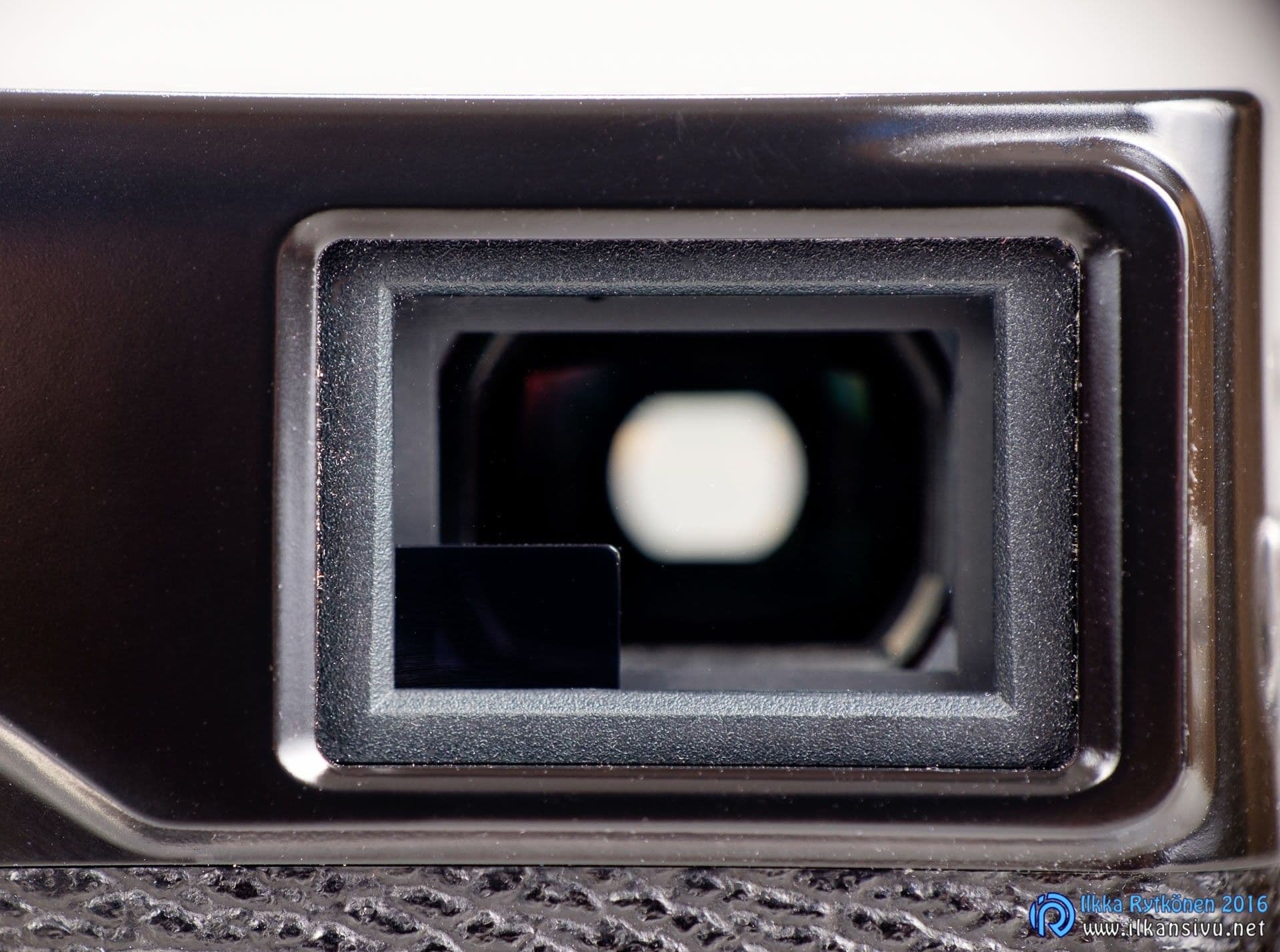
Because the optical viewfinder does not see the image through the lens but slightly from the side, parallax error hampers precise composition. But the optical viewfinder can show a white frame line, so composition always works. The size of the frame changes with the focal length, i.e. it works with zoom lenses too. As the focusing distance changes, the frame line is corrected. Parallax error also affects the position of the focus point in the optical viewfinder. This too has been fixed, and the viewfinder shows the focus point corrected for parallax error. It may sound confusing, but it seems like a working arrangement.
A bit of the side of the lens is visible in the optical viewfinder, except when using the very smallest lenses, such as the XF27mm pancake or the XF35mmF2 R WR without a lens hood. This does not, however, seem to be a very bad nuisance, and even the XF50-140mm telezoom can be used through the optical viewfinder. The optical viewfinder shows roughly the view of a 14 mm lens, but the white frame line is shown at most with an 18 mm wide angle. So, for example, at the wide-angle end of the 16-55mm zoom or with the fixed 16mm lens the actual framing has to be guessed if you want to shoot through the optical viewfinder.
During the test I used the optical viewfinder only once during an actual shoot. Although one might imagine it would be a big advantage in action photography, the advantage is not that big after all. The electronic viewfinder is namely of such a class that its refresh rate feels to be of a good level even during fast continuous shooting. It is now much easier to keep the subject in the viewfinder than with the X-T1. The upcoming X-T2 makes this even better thanks to a higher refresh rate, so it is worth it for action photographers to wait for it.
Fixed screen
The rear screen is 3 inches and of the fixed type. The screen resolution is 1,6 megapixels and the accuracy is sufficient for checking image sharpness. If you shoot raw, you must also save the best jpg image if you want to examine the image more critically on the rear screen or in the viewfinder. The raw image preview comes from a small, poor-quality jpg image saved with the image file. For this reason even a raw shooter should also save the best JPG image at the same time, which makes it possible to check image sharpness reliably.
The screen is among the best of the mirrorless cameras in bright sunshine, although it could be brighter. The X-T1's rear screen blew the light tones well out at the brightest setting, but in the X-T10 this was fixed. The image of the X-Pro2's screen also stays well in hand at all brightness levels, so the matter is in order in that respect.

The screen does not respond to touch, nor does it tilt. I did not miss touch during the test, but I did miss tilting. Before I had owned a camera with a tilting screen I did not miss one. Now that you shot with a fixed screen, you realized at the same time the advantages of a tilting screen in many situations. Normally I of course shoot through the viewfinder, but the rear screen is also handy to use when shooting from awkward angles.
Better autofocus
If you compare the focusing to the X-Pro1, the difference cannot be missed. That much faster does this newcomer's autofocus work. But the autofocus has improved compared to the X-T1 as well, and with some lenses the difference can be noticed without measuring instruments. But the differences with some other lenses are minimal in bright room lighting when using single autofocus. Below is a comparison with the X-T1.
| Focusing has become faster at most slightly: | Focusing has become clearly faster: |
|---|---|
| XF14mmF2.8R | XF16mmF1.4R WR |
| XF35mmF1.4R | XF18mmF2R |
| XF56mmF1.2RR | XF23mmF1.4R |
| XF60mmF2.4R macro | XF90mmF2R LM WR |
| XF10-24mmF4R OIS | XF18-55mmF2.8-4R LM OIS |
| XF16-55mmF2.8R LM WR | XF50-140mmF2.8R LM OIS WR @ 140 mm |
| XF18-135mmF3.5-5.6R LM OIR WR | XF55-200F3.5-4.8R LM OIS @ 55 mm |
| XF50-140mmF2.8R LM OIS WR @ 50 mm | |
| XF55-200F3.5-4.8R LM OIS @ 200 mm |
The matter is not necessarily quite this straightforward, and the results would surely be different in less light or, say, at night, not to mention tracking a moving subject. My gut feeling is, however, that the X-Pro2 tracks a moving subject slightly better than the X-T1. The X-T1 has received several focus-improving updates along the way. The X-Pro2 is only at the very beginning here and a lot of the camera's potential is still unused. Further improvement in focusing can thus be expected, so the gap to the X-T1 and other older-generation devices will grow.

Before the wedding job, while taking test shots, I noticed that when using a neutral density filter the focus on portraits was often slightly off if face or eye detection was not on. So I shot the wedding portraits mainly with an ND64 filter and using eye detection. With this method, in practically all pictures the focus was where it was supposed to be.
I got the feeling at the wedding shoot that the improved autofocus could be noticed all the time while shooting.

More important than test shots is performance in real shooting situations. I got the feeling at the wedding shoot that the improved autofocus could be noticed all the time while shooting. I noticed I was using face and eye detection almost all the time now, whereas with the X-T1 I have used it only a few times at random. Detection works almost always and only a few times did face detection pick the wrong face in the frame. Even when using face or eye detection the focus point can be moved, so things stay in the photographer's hands. It is worth assigning face detection behind its own function button, so that it is easy to turn on when needed.
The speeding up of focusing is relative, since today's better mirrorless cameras beat in single-autofocus speed at least some basic DSLRs with their kit lenses. Focus accuracy on mirrorless cameras is excellent, because the focusing plane is on the sensor. There is no need for focus fine-tuning, as with mirror cameras. That matter sometimes causes problems for those shooting with traditional equipment, especially when seeking a shallow depth of field.

The size of the focus point should be kept as small as possible, but still large enough. With too large a point there is a risk that focus strays to the background instead of the subject. A point that is too small, on the other hand, can make focusing needlessly difficult. Adjusting the point size is quick with the dial, so trying it out is easy. By default 77 focus points are selectable, but 273 points can also be taken into use. In practice a smaller number is usually sufficient too. If you have chosen 273 points, moving the focus point across the frame becomes slower. Not that the camera would run out of power, but every point has to be passed through on the way.
Also for action photography
I also tried the X-Pro2 at the Finnish round of the WRC in Jyväskylä, and the focusing speed and reliability are an order of magnitude better compared to the earlier Fuji. The autofocus can now start tracking a car that suddenly enters the frame and keeps it sharp with good reliability. Obstacles between the subject and the camera are sometimes a problem, but often the focus manages to disregard them.
I got the best results by using a single point or a zone. I tried wide tracking covering the whole area, but in this case it did not work in the best possible way. The upcoming X-T2 has focus-related fine-tuning in Canon style, so its continuous focus can be tuned better to match the shooting situation.

All in all the X-Pro2 focuses splendidly on a moving rally car. The focusing has taken the leap needed to be usable in action photography. The best DSLR gear focuses almost faster than thought and reacts more aggressively, so we are not yet threatening the top of the market, but certainly the top of the mirrorless. The camera could start up a little faster. The shooting situation nearly threatens to escape if you switch the camera on only when the sound of the car reaches your ears.
The autofocus can now start tracking a car that suddenly enters the frame and keeps it sharp with good reliability.
For the manual focuser
The X-Pro2 has the normal manual focus aids, such as focus point magnification, focus peaking, and Fuji's own digital split image. In addition there is an electronic distance scale, which shows the area rendering sharp as a blue bar. This makes the distance scale on the lens almost unnecessary. I had paid this feature too little attention on earlier Fujis.
A traditional distance scale exists only on a few X lenses anyway. The electronic sharpness scale on older Fuji cameras has differed from the one on the lens, as someone has probably noticed. The scale on the lens is looser, so-called film-based, whereas the viewfinder's electronic distance scale is a pixel-peeper's scale. That is, if the electronic scale says the image is sharp at some distance, it is so also when examined at the pixel level.

Now the electronic depth-of-field scale can be changed in the menu to film-based, i.e. the sharp area shown by the scale widens clearly. In that case the area indicated as sharp, when the image is examined at the pixel level, may no longer be entirely sharp.
The distance scale is also useful for the autofocus user, because after focusing you can see whether the depth of field is suitable for the purpose. If you use other lenses with adapters, or for example Samyang manual lenses, the electronic distance scale is not available.
Exposure and the histogram
Correct exposure is important for a picture's success, but the widening of cameras' dynamic range has brought a change to this matter in recent years too. In some situations you can expose almost any which way and always get at least a tolerable picture from it. Of course, if you want to get everything out of the camera every time, you then have to know how to expose in each situation.
The third-generation sensor in the X-Pro2 is better in this respect, though, and slight overexposure need not be feared.
Fuji's evaluative metering works mostly reliably and logically, but exposure compensation has to be used as an aid here too. Much has been made of the importance of exposing to the right, which in itself makes sense. This usually gives suitably exposed pictures, which for the mainstream snapshooter are already finished pictures. Here, however, it easily happens that the brightest tones are blown out. If you want to protect the light tones, you have to deliberately underexpose and lift the dark tones later in image editing.

The sensors of Fuji's previous generation did not really allow any overexposure at all, because all overexposed areas were completely blown out and there was practically no tonal gradation at the border. The border looked bad, so overexposure had to be avoided for this reason too. The third-generation sensor in the X-Pro2 is better in this respect, though, and slight overexposure need not be feared. Tones can be rescued better than before and the edge of the overexposed area is much cleaner than before.
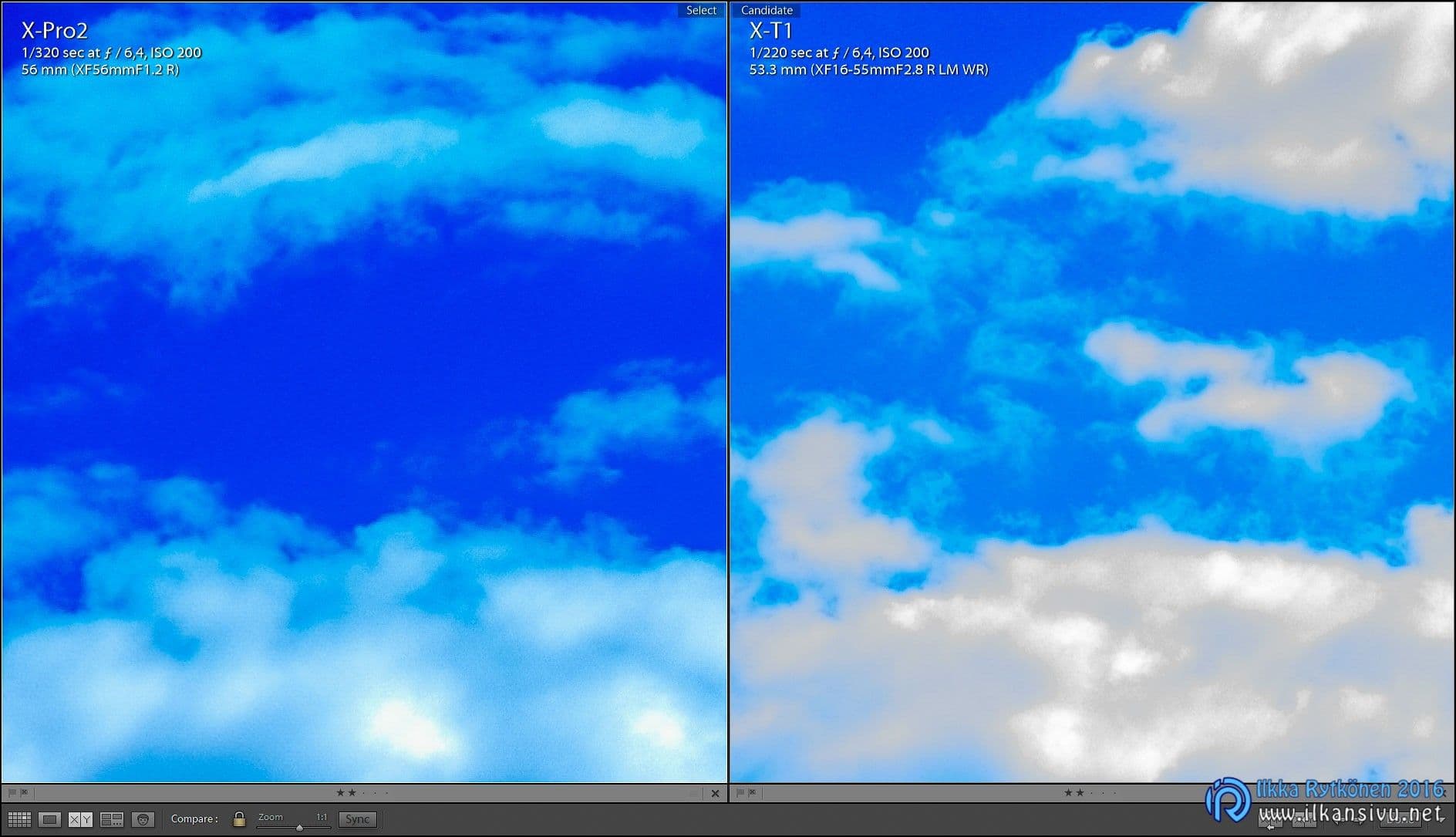
If you want to get everything out of the camera, the pictures have to be saved as raw. The dynamic range and post-processing headroom of JPG files are limited. In order to expose raw correctly, you have to use the histogram as an aid. When shooting and reviewing taken pictures you cannot see the raw image's histogram; it shows the exposure of the jpg image.
In order to expose the raw image correctly, the effects preview has to be turned off. After that the histogram's behavior changes significantly and differs a lot from, say, the X-T1's. It feels like you can't get the histogram to the right edge no matter what. Part of this is an illusion, though, as there is always empty space left around in the area reserved for the histogram. This is somewhat annoying, but you learn to live with it.

When pushing exposure to the right, the image starts to look blown out in the viewfinder too, even if it perhaps isn't yet. This already begins to indicate real overexposure, so at that point you have at the latest to slam the brakes on. In this way, however, you get an exposure reserve of about a stop at the light end into use, which is in turn of equal benefit when opening up the shadows.
If you save jpg images at the same time, they of course blow out boisterously this way. You can reduce this problem by setting the film simulation to Pro Neg. Std, highlight tone -2 and shadow tone -2. Such jpg images then look a bit flat, but from these you can perhaps, if needed, quickly work up versions to toss onto Instagram, for example.
A viewfinder warning for overexposure would be a good addition for finding the right exposure, but it has still not been added to Fuji's cameras. Hopefully this could be fixed at some point, since it would make the histogram unnecessary. A visual warning color would shift attention from watching the histogram to composing the picture itself and observing the subject.
Dual card slots
The camera writes to the memory card at the same pace as the X-T1 and the buffer is the same size in both. An action photographer would, however, wish for a slightly larger buffer when using the RAW format. For JPG images the buffer lasts fairly long.
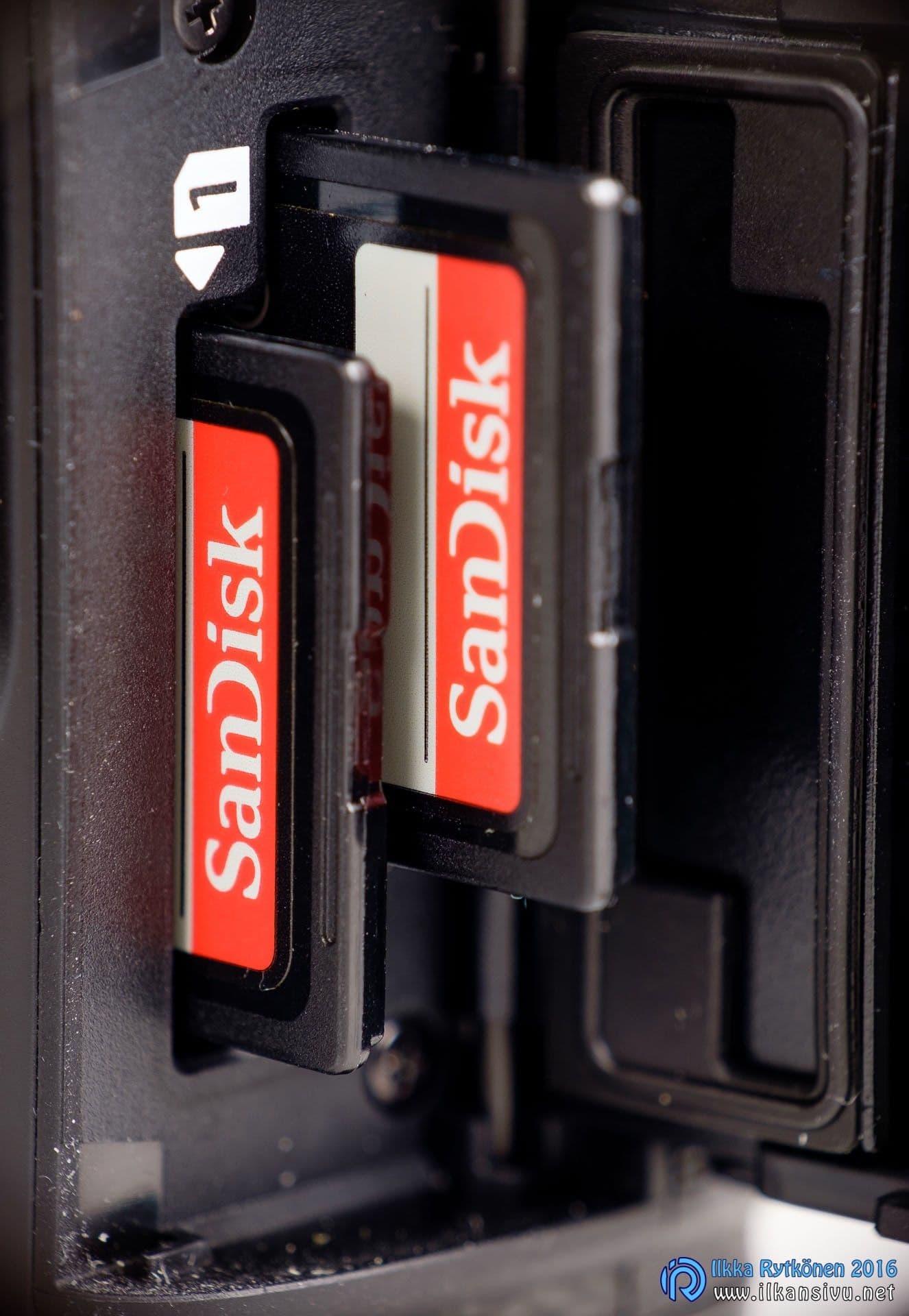
Burst test at 8 frames per second with different memory cards. The first time is the time it takes to fill the buffer in continuous shooting and the second is the time it takes to write the full buffer to the memory card. After that comes the number of frames the camera managed to take into the buffer.
Burst test
Test 1
| Slot 1 (UHS-II) | Slot 2 (UHS-I) | Burst duration / s | Buffer write / s | Number of images |
|---|---|---|---|---|
| SanDisk Extreme Pro 16 GB 280 MB/s UHS-II U3 | (empty) | 3,4 | 16,7 | 28 |
| (empty) | SanDisk Extreme Pro 16 GB 280 MB/s UHS-II U3 | 3,1 | 37 | 25 |
| SanDisk Extreme Pro 16 GB 95 MB/s USH-I U3 | (empty) | 3,3 | 20 | 27 |
| (empty) | SanDisk Extreme Pro 16 GB 95 MB/s USH-I U3 | 3,3 | 20 | 27 |
| Lexar Professional 1000x 16GB UHS-II U3 | (empty) | 3,2 | 36 | 26 |
| (empty) | Lexar Professional 1000x 16GB UHS-II U3 | 3,1 | 37 | 25 |
| Lexar Professional 1000x 64 GB UHS-II U3 | (empty) | 3,4 | 22 | 27 |
| (empty) | Lexar Professional 1000x 64 GB UHS-II U3 | 3,2 | 24,5 | 27 |
Test 2
| Slot 1 (UHS-II) | Slot 2 (UHS-I) | Burst duration / s | Buffer write / s | Number of images |
|---|---|---|---|---|
| SanDisk Extreme Pro 16 GB 280 MB/s UHS-II U3 | Lexar Professional 1000x 16GB UHS-II U3 | 3 | 37 | 25 |
| SanDisk Extreme Pro 16 GB 280 MB/s UHS-II U3 | SanDisk Extreme Pro 16 GB 95 MB/s USH-I U3 | 3,3 | 21 | 27 |
Test 3
| Slot 1 (UHS-II) | Slot 2 (UHS-I) | Burst duration / s | Buffer write / s | Number of images |
|---|---|---|---|---|
| SanDisk Extreme Pro 16 GB 280 MB/s UHS-II U3 | Lexar Professional 1000x 16GB UHS-II U3 | 3,6 | 13 | 29 |
Test 4
| Slot 1 (UHS-II) | Slot 2 (UHS-I) | Burst duration / s | Buffer write / s | Number of images |
|---|---|---|---|---|
| SanDisk Extreme Pro 16 GB 280 MB/s UHS-II U3 | (empty) | 23 | 11 | 189 |
| SanDisk Extreme Pro 16 GB 95 MB/s USH-I U3 | (empty) | 20 | 11,5 | 163 |
| Lexar Professional 1000x 16GB UHS-II U3 | (empty) | 10 | 19,5 | 85 |
| Lexar Professional 1000x 64 GB UHS-II U3 | (empty) | 13 | 14,5 | 110 |
As the test shows, the fastest card can surprisingly be slow. SanDisk's UHS-II U3 card is fastest in memory card slot 1, but the speed drops significantly when it is put in memory card slot 2. If you want to get everything out of the camera and use the second card slot for backup, it is worth putting a slower UHS-I U3 card in slot two. The best solution would indeed have been if both card slots had supported USH-II.
If backup is in use, you cannot shoot with the camera using just one card. The system used by Canon and Nikon is better, so it would be nice to see a change here. The memory card usage setting is hidden deep in the menus, so changing the setting takes many finger movements.

When buying a memory card, you shouldn't pay much attention to any class ratings or 1000X markings. They quickly lead astray. The most important thing is good write speed, but this information is usually withheld. If a card has a good write speed, it is quite often mentioned on the sales package. Manufacturers do not want to advertise poor speed, so it is covered up with other enticing markings. The real write speeds can be found on the memory card manufacturers' websites, so it is worth looking at them before the purchase decision. Cards of the same series can have different speeds depending on the memory card's capacity, as is the case in Lexar's 1000X series.
Image quality
More pixels, sensitivity and dynamic range
The new sensor brings relief for the resolution-hungry. Resolution has risen from 16 megapixels to 24. This does no harm at all, since the rendering capability of Fuji's lenses has not yet been properly reached. 24 megapixels is already such an amount that many people will never need more. Although there are, of course, photographers and needs for which not even 100 megapixels is enough.
At ISO 6400 we are on the borderline in wedding photography in available light, in getting pictures handheld in dim indoor spaces. For this situation the new sensor is very welcome, offering a stop of additional sensitivity. The highest sensitivity is thus ISO 12800. The extensions are also available, but then the image cannot be saved as RAW. A better solution is to shoot raw at a lower sensitivity and then correct the exposure in image editing as needed. Although it is of course not the ideal situation if a picture taken at high sensitivities has to be lifted a lot.
When comparing X-Pro2 images with the X-T1 at the pixel level, the newer sensor looks perhaps a hint noisier at ISO 6400. On the other hand, the noise of the X-Trans CMOS III sensor is more pleasant-looking than the old one. When both are normalized to the same pixel count, the amount of noise seems to be at the same level. ISO 12800 is in my opinion still a usable sensitivity when I shoot, say, a wedding party in low light.
A nice dose of additional dynamic range has arrived. Earlier the light tones had to be protected strictly, but now pleasant tonal gradation is obtained at the light end instead of the earlier hard limit. The dark end has also improved, so shadows can be opened more carelessly than before.
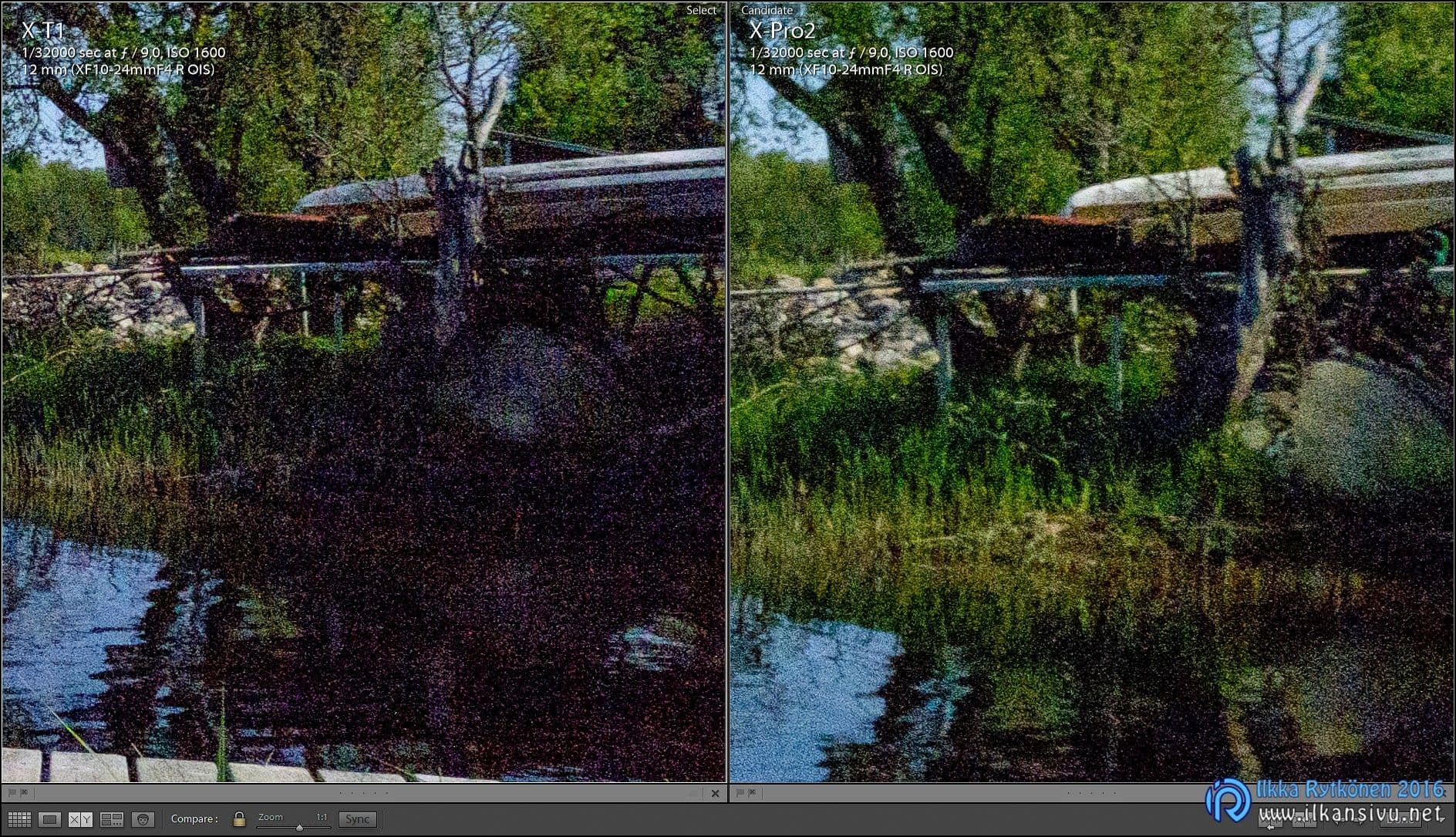
In Lightroom
X-Trans III images now look very sharp in Lightroom with the basic settings, so the difference from the old is clear. Images from older Fujis already needed sharpening right off the bat, but it feels like that is no longer so necessary. File size has grown because of the increased pixel count, so it demands more power from the computer. The old Fuji RAWs were about 30 MB in size, while the new ones are 50 MB. JPEGs have grown in the same proportion from a few megabytes to around ten.
Fujifilm X-Pro2 dynamic range


My own workflow includes converting images to the DNG format, and it takes time if there are more images. It is better to import all of the job's images to the computer as they are and then do the DNG conversion on all images. If the job can be left to proceed overnight, processing is good to continue in the morning. I also generate 1:1 previews myself so that I can quickly cull the images that go on. It is agonizing to wait for each image separately for the full-size preview to form so that you can see whether the depth of field is sufficient.
Fuji's film simulations are also available in Lightroom, which is a good thing. The profiles affect contrast and above all color rendering, but tend to pull the dark tones almost clogged. Raising the Shadows slider does help with this ailment, though. Fuji's color rendering is, to my own eye, very pleasing.
Adobe has probably updated its RAW converter recently, because now the light-end rendering of the X-T1's raw images also seems to have improved. The overexposure threshold seems to have risen higher, but the X-Pro2 with the new sensor is slightly ahead and the tonal gradations are better at the borderline.
Other observations
The body has no built-in flash, and not even a small detachable flash comes in the box. I am not at all worried about this, since with this body one normally shoots in available light. At least I do so myself and could imagine quite many others do as well. Then when built light is needed, there is of course a hot shoe. Such situations for me include portrait shoots in an environment or in a home studio. When needed, a detachable flash or a flash trigger can thus be attached to the camera. On a Fuji you can conveniently use radio triggers made for Canon, which I use myself too.

In addition to flash triggers made for Canon, Canon's 2,5 mm remote releases are also compatible with Fuji. This is a good thing, because shops are full of Canon-compatible releases, whereas gear made specifically for Fuji is not found in just every village. When used via the 2,5 mm connection, the camera's remote release cannot wake the camera from power-saving mode. For this reason the camera's automatic power-off has to be switched off if the camera is not meant to be fired right away. Fuji has its own remote release that connects to the micro-USB port, but I have no experience with it. It would be convenient in itself if the remote release could wake the camera from power-saving mode.

The Wifi is similar to other Fujis, i.e. works nicely but could be better. With a phone and tablet you can control the focus point, exposure compensation, self-timer, sensitivity and, depending on the exposure mode, also shutter speed and aperture. The exposure mode must be selected on the camera before establishing the connection, and it cannot be changed without breaking the connection in between. It would be nice if you could also see the histogram or some other overexposure warning indicator remotely.
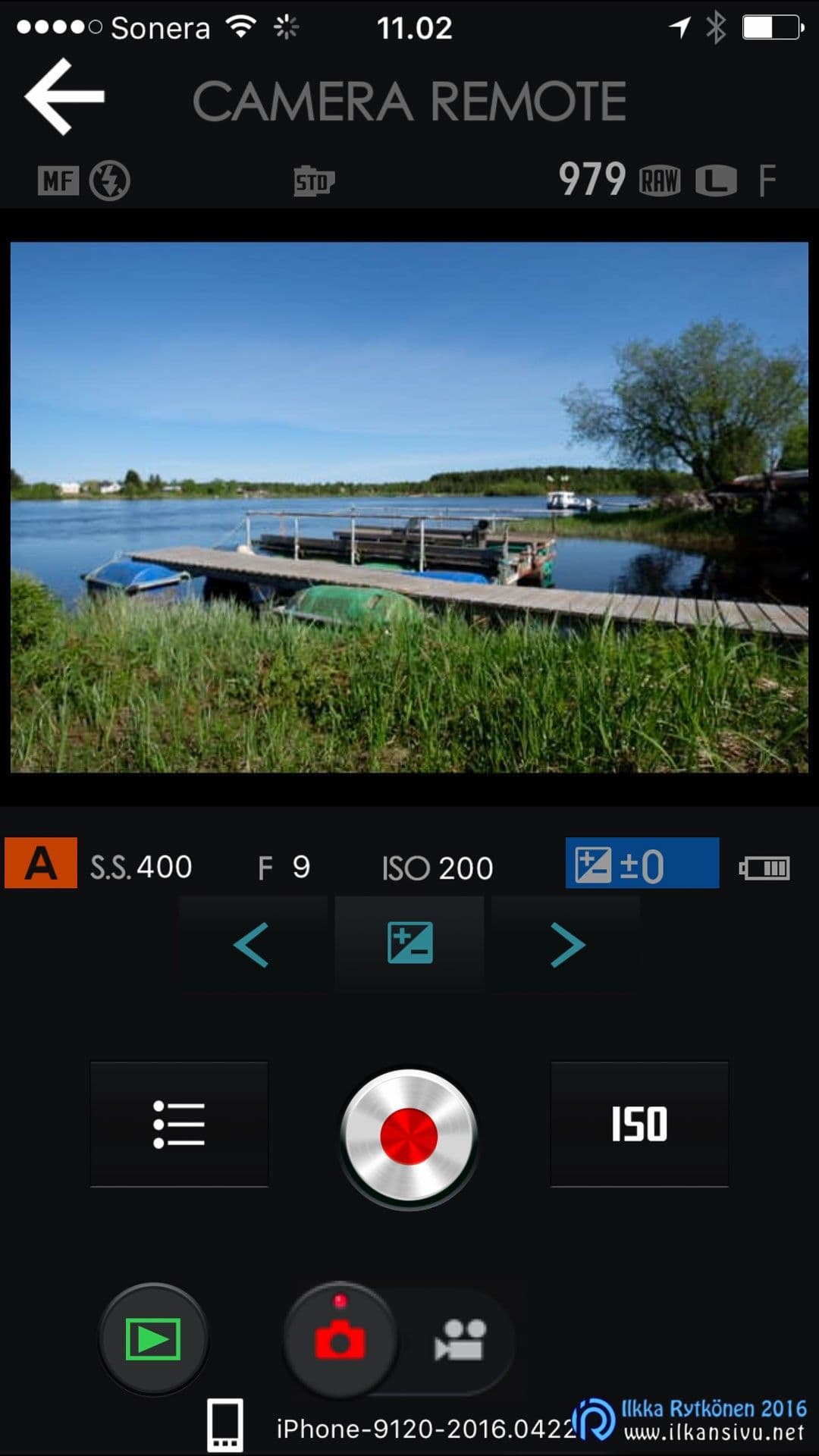
Geotagging is also offered by the mobile app, but on an iPhone I could not get this to work at all. The phone's location information could not be passed on to the app despite changing the settings. On Android, by contrast, it worked immediately, and the mobile app seemed to run more briskly than the iPhone version in general. Geotagging is on for an hour at a time and the connection between phone and camera stays on all the time during this.
The self-timer setting still does not stay in memory but resets every time the power is turned off. No other setting changes when the power is turned off, so why should this one reset? If I'm shooting a landscape with a tripod, I switch on a 2 or 10 second delay. And if I need to think about composition, I switch the power off to save battery or the automation does it for me. Then the self-timer has to be set again over and over.
When I shoot with two or more bodies, I want to set the clocks of all bodies to the same time. This is made slightly harder by the camera's clock having no seconds. You then have to wait for the next minute to complete before you can press the OK button. After that the same thing on the second body.
Why then must the clocks be so exactly in sync? Because if I shoot, say, a wedding and swap bodies quickly during the shoot, I then get the pictures onto the computer automatically in chronological order. And the clock still doesn't know the 24-hour system. May not sound like big things, but these could easily be fixed even in the next firmware update.

Battery life in mirrorless cameras has been somewhat unfortunate or passable. I did, however, get the X-Pro2's battery to last about 650 shots at a wedding shoot. I'd consider this quite a nice number already, although you must still not forget a spare battery in the backpack. In action photography with continuous shooting battery life is also at a good level, and at most I shot 1000 images on one battery, with about half of the battery capacity still remaining.
Now the battery indicator has more steps than before to report the remaining power. In older Fujis there are three bars, and the loss of even one bar meant you had to start digging out the spare battery. Now estimating the remaining charge is much clearer.
The tripod thread is now directly on the optical axis, whereas earlier an extra grip was needed for this. The battery can be changed with the quick-release plate attached, which brings relief to the tripod photographer. Automatic ISO is a good thing and it works with manual exposure too. Unfortunately the automation cannot take the focal length used into account, so that is left to the photographer. There are three automatic presets, so you can put your own settings waiting in them for wide angle, normal focal length and tele. Or alternatively, say, tripod setting, slowly moving subjects and sports photography.
The self-timer setting still does not stay in memory but resets every time the power is turned off.
After using the camera for a while, the menus still feel confusing. Perhaps the order needs clarifying in some parts. For example, firing the camera without a lens required a moment of pondering. The menus had to be waded through several times before the right setting was found. The brightness adjustment of the optical viewfinder frame also hid in a rather peculiar place. The menu memory mentioned earlier would be good for trying out settings.

The good
- Very good sensor with wide dynamic range
- Joystick for moving the focus point
- Improved autofocus
- Hybrid viewfinder
- Electronic viewfinder brightness in sunlight
- Same battery as in other X-series bodies
- Two memory card slots
- Weather sealing
- Precisely clicking knobs and controls
The bad
- The warning color indicating overexposure is still missing
- No tilting screen
- Only one memory card slot supports UHS-II cards
- Electronic viewfinder relatively small
- Microphone connector 2,5 mm instead of the standard 3,5 mm
- Still no 24 h clock
- No seconds in the clock
- No menu memory
- Self-timer setting does not stay in memory
Conclusions
The Fujifilm X-Pro2 is a nicely made camera that packs Fuji's latest goodies of the moment into the retro body typical of the manufacturer. But the tilting screen is missing and the electronic viewfinder is smaller than in the X-T1 or the new X-T2. The user interface will surely divide opinions, but it suits my own taste, although the menu structure could be rethought.
The body costs 1900 euros, so in that respect it will not end up as anyone's occasional snapshot tool for the Sunday photographer. The money buys an excellent camera in many ways, which feels durable. The worst competitor for this body is probably found in its own camp, i.e. the X-T2 going on sale in the autumn.